You built the launch plan. Engineering confirmed their dates. Design signed off. Then one dependency slipped by three days, and nobody flagged it until the release window was already gone.
That scenario isn't a planning failure. It's a visibility failure. A spreadsheet timeline shows you when things are supposed to happen. Critical path software tells you which tasks actually control the finish date, and updates that picture automatically when anything changes.
The global project management software market hit USD 10.33 billion in 2025 and is projected to reach USD 47.52 billion by 2034, growing at an 18.48% CAGR from 2026 to 2034, according to Straits Research (2026). The growth reflects what PMs already know: Managing cross-functional delivery without live schedule logic is getting more expensive by the quarter.
This guide covers seven critical path method software tools built to keep you ahead of schedule risk, not chasing it.
What's inside
This guide is for product managers, delivery leads, and operations teams who need more than a Gantt chart. It covers CPM scheduling tools selected on four criteria:
- Critical path calculation: Does the tool identify and highlight the longest dependency chain?
- Automatic schedule recalculation: Does it update downstream dates when one task shifts?
- Collaboration: Can multiple stakeholders view, comment, and track progress in real time?
- Integration and maintainability: Does it connect to your existing stack without constant manual upkeep?
TL;DR
- Best for diagram-first CPM planning: Lucidchart
- Best for real-time CPM scheduling (construction and delivery teams): Planera
- Best for Gantt-based critical path tracking: GanttPRO
- Best for PM teams needing scheduling plus execution tools: ProjectManager
- Best for Microsoft-native workflows: Microsoft Project (via Planner)
- Best for flexible, spreadsheet-style work management: Smartsheet
- Best for cross-functional project execution and reporting: Wrike
What is critical path software
Critical path software is a scheduling tool that calculates the longest sequence of dependent tasks in a project, identifies which ones control the final delivery date, and updates the projected finish time when durations or start dates change.
The core idea comes from the Critical Path Method (CPM), a scheduling technique developed in the 1950s for large engineering programs. Today, CPM project management applies equally to software launches, product migrations, and cross-functional planning cycles where a single delayed task can push everything back.
Key capabilities to look for in critical path method software:
- Task dependency mapping: Defines finish-to-start, start-to-start, or finish-to-finish relationships between tasks
- Automatic schedule recalculation: Recalculates downstream dates when any task changes
- Float and slack calculation: Shows which tasks have scheduling flexibility and which have none
- Critical path highlighting: Visually marks the tasks that sit on the controlling sequence
- Gantt or network diagram views: Presents the schedule in a format teams can read and share
- Milestone tracking: Flags key delivery points so stakeholders can monitor progress
- Collaboration and permissions: Supports comments, role-based access, and shared views
- Template support: Provides starting structures for common project types
CPM software vs. general project management tools
Most project management platforms offer Gantt charts, but not all calculate the critical path automatically. The difference matters when schedules are dense with dependencies. A general PM tool shows you that tasks exist in sequence. A CPM-focused tool tells you which sequence is load-bearing, and flags it the moment a date changes. For PMs managing product launches or cross-functional delivery with tight release cadences, that distinction is the whole point.
When to use critical path software
Track deadline risk before a launch slips
Product launches involve handoffs across engineering, design, marketing, and operations. When any one dependency moves, the finish date may shift, but only if that task sits on the critical path. CPM software surfaces that risk before it becomes a missed release. If you're coordinating a feature release across four teams with a fixed external deadline, a critical path diagram is the difference between a pre-mortems conversation and a post-mortem.
Coordinate teams around shared milestones
Dependencies create handoffs. When a design deliverable is the predecessor to an engineering task, both teams need to see that relationship clearly. Critical path analysis software makes those handoffs explicit in a shared view, so engineering doesn't start waiting passively for design, and design doesn't discover late that a slip cost three sprints of runway.
Replan schedules as dates change
Scope changes in mid-delivery. Someone gets pulled onto a higher-priority initiative. A vendor misses a deadline. With automatic schedule recalculation, you enter the new date once and the tool propagates the impact forward. Without it, you're manually adjusting a spreadsheet row by row, which means the plan is already out of date by the time you share it.
Critical path software comparison
The table below covers all seven tools by best-fit use case, key differentiator, pricing (verified August 2026), and G2 rating. Use it as a first filter before reading the full sections.
| # | Product | Best for | Key differentiator | Pricing | G2 rating |
|---|---|---|---|---|---|
| 1 | Lucidchart | Diagram-first CPM planning | AI-assisted diagramming with real-time co-authoring | From $9/month | 4.5/5 |
| 2 | Planera | CPM scheduling for construction and delivery teams | Construction-grade CPM engine with Monte Carlo simulation | Custom pricing | N/A |
| 3 | GanttPRO | Gantt-based critical path tracking | Auto-scheduling with clear critical path highlighting | From $7/user/month | 4.8/5 |
| 4 | ProjectManager | Scheduling plus full project execution | Multiple views with integrated timesheets and reporting | Free 30-day trial; plans on request | 4.4/5 |
| 5 | Microsoft Project | Microsoft-native scheduling workflows | Planner and Project integration with Microsoft 365 | From $10/user/month | 4.0/5 |
| 6 | Smartsheet | Flexible work management with CPM-style tracking | Spreadsheet-style interface with automation and dashboards | From $9/member/month | 4.4/5 |
| 7 | Wrike | Cross-functional project execution and visibility | Gantt charts with workload planning and reporting | Free plan available; paid from $10/user/month | 4.2/5 |
Best critical path software for 2026
1. Lucidchart
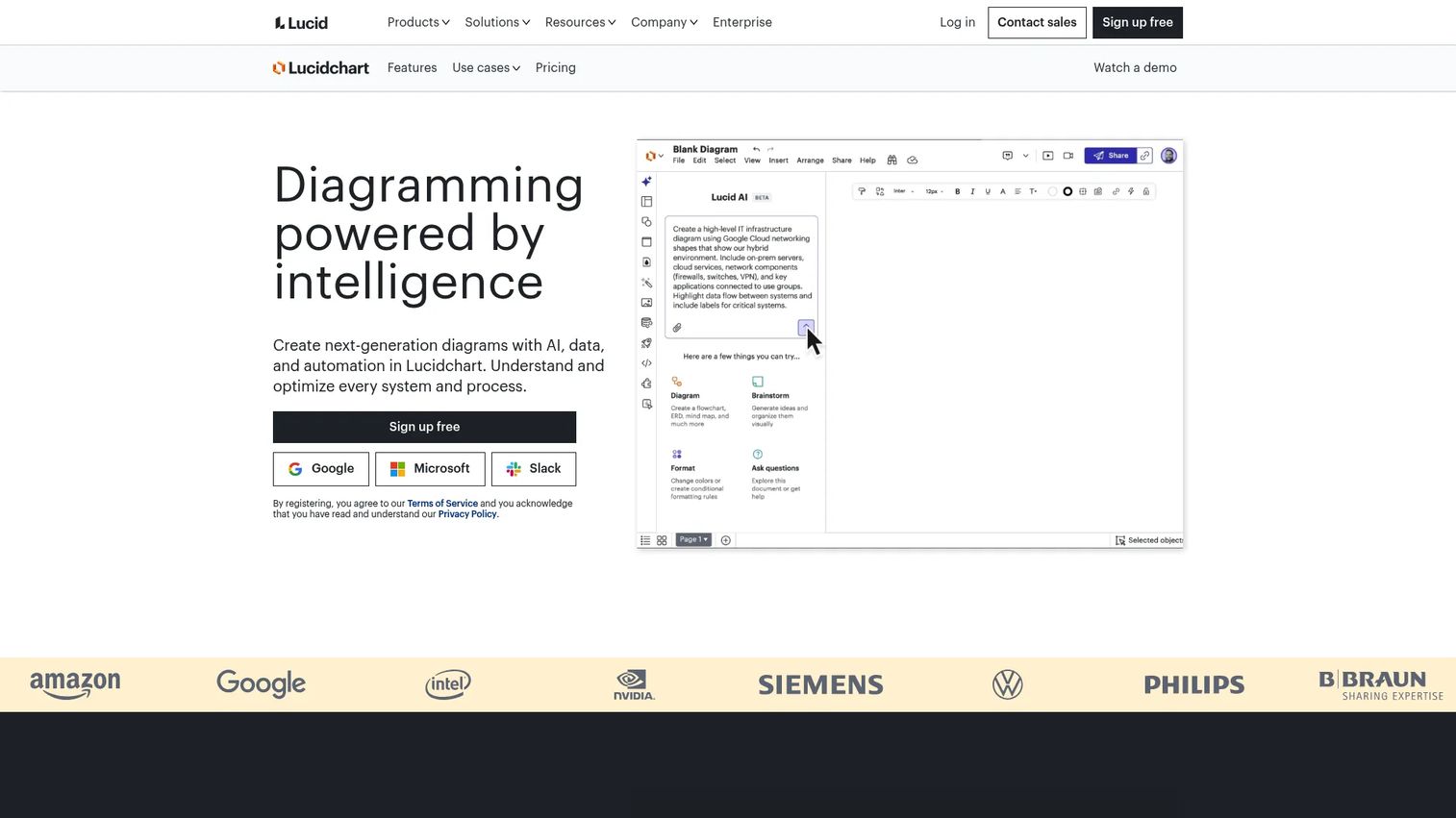
Lucidchart is a cloud-based diagramming platform that lets teams build CPM network diagrams, project flowcharts, and dependency maps in a shared visual workspace. It's built on a flexible shape library that includes project planning templates, org charts, and process maps. Real-time co-authoring means multiple stakeholders can work on the same diagram simultaneously, which matters when you're running planning sessions across product, engineering, and operations.
Best for: Teams that need a diagram-first approach to CPM planning, particularly where the output is a shared visual artifact rather than a live execution schedule.
Key features
- AI-generated diagrams from text or data inputs
- Real-time co-authoring with commenting and version history
- Premium shape libraries including project network diagram templates
- Visio import and export for teams migrating from desktop tools
- Presentation Mode for stakeholder reviews
Why choose Lucidchart: Lucidchart excels when the primary deliverable is a clear, shareable CPM diagram rather than a schedule database. It's particularly well-suited for PMs who need to map dependencies visually before handing off to an execution tool, or for teams that want a diagramming layer that connects to Confluence, Jira, or Google Workspace.
Lucidchart pricing: A free plan is available with three editable documents and 100 basic templates. The Individual plan starts at $9.00/month and includes unlimited documents, premium templates, and Presentation Mode.
Lucidchart holds a 4.5/5 rating on Capterra.
2. Planera
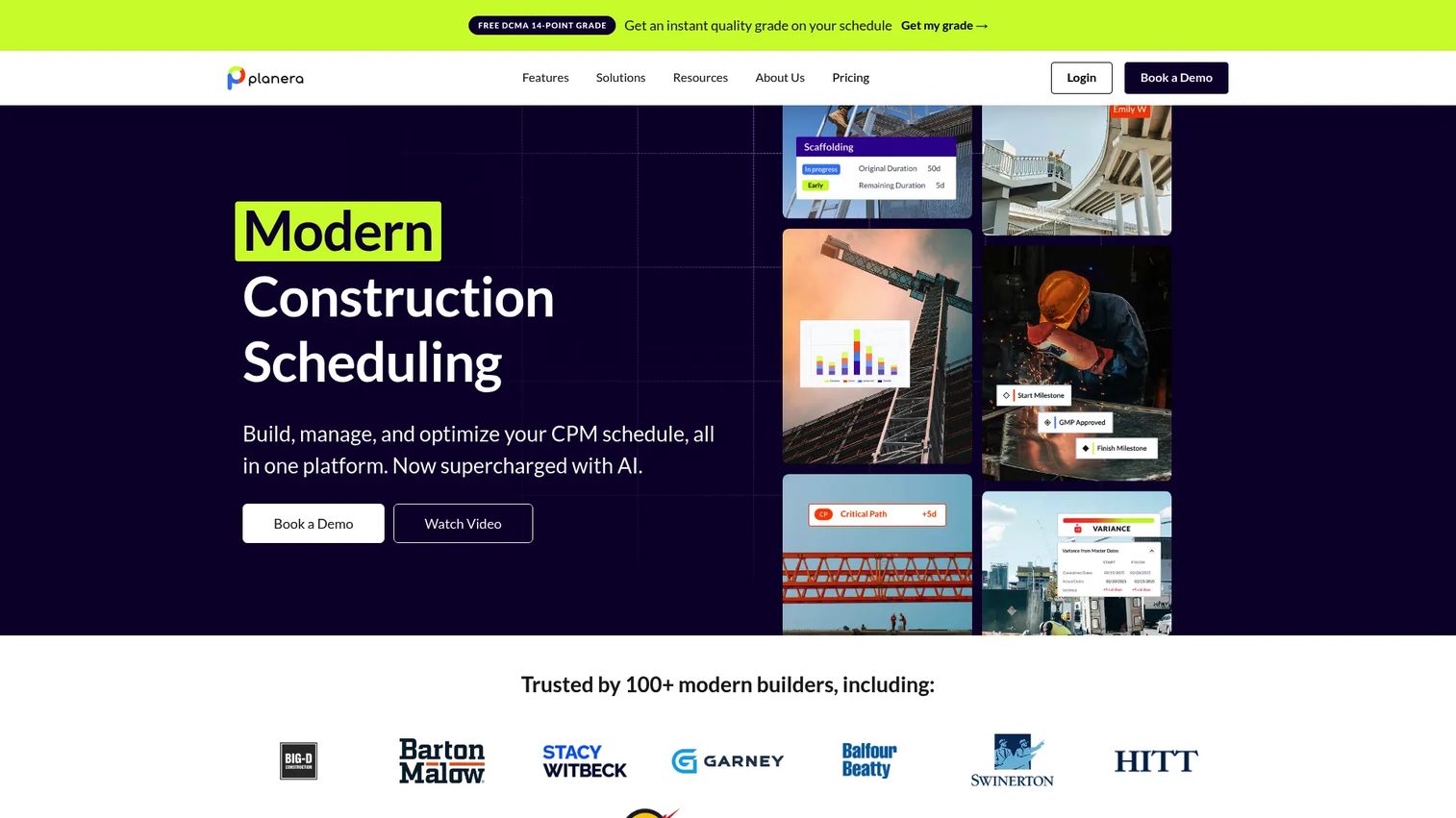
Planera is a CPM scheduling platform built specifically for commercial general contractors and construction delivery teams. It combines a visual scheduling canvas with a CPM engine, field schedule views, and DCMA schedule quality checks. Monte Carlo risk simulation and an AI scheduling assistant set it apart from general PM tools that include a basic critical path feature as an afterthought.
Best for: Commercial construction teams and schedule-centric delivery organizations that need professional-grade CPM logic with risk analysis and real-time collaboration.
Key features
- CPM scheduling engine with automatic critical path calculation
- Monte Carlo risk simulation for schedule confidence intervals
- DCMA schedule quality checks built in
- AI scheduling assistant (Manny) for schedule generation and review
- iPad access for field teams and version comparison across schedule iterations
Why choose Planera: Planera performs best when the scheduling work is itself a professional deliverable, not a side task. If your team submits schedules to owners, tracks float across hundreds of activities, or needs to defend schedule quality against DCMA standards, Planera addresses those requirements directly. For software PMs running standard feature launches, the specialization may exceed what the workflow needs.
Planera pricing: Planera offers tiered plans and asks teams to book a demo for a custom quote. No numeric price is shown on the pricing page.
A G2 rating for Planera could not be verified at the time of publication.
3. GanttPRO
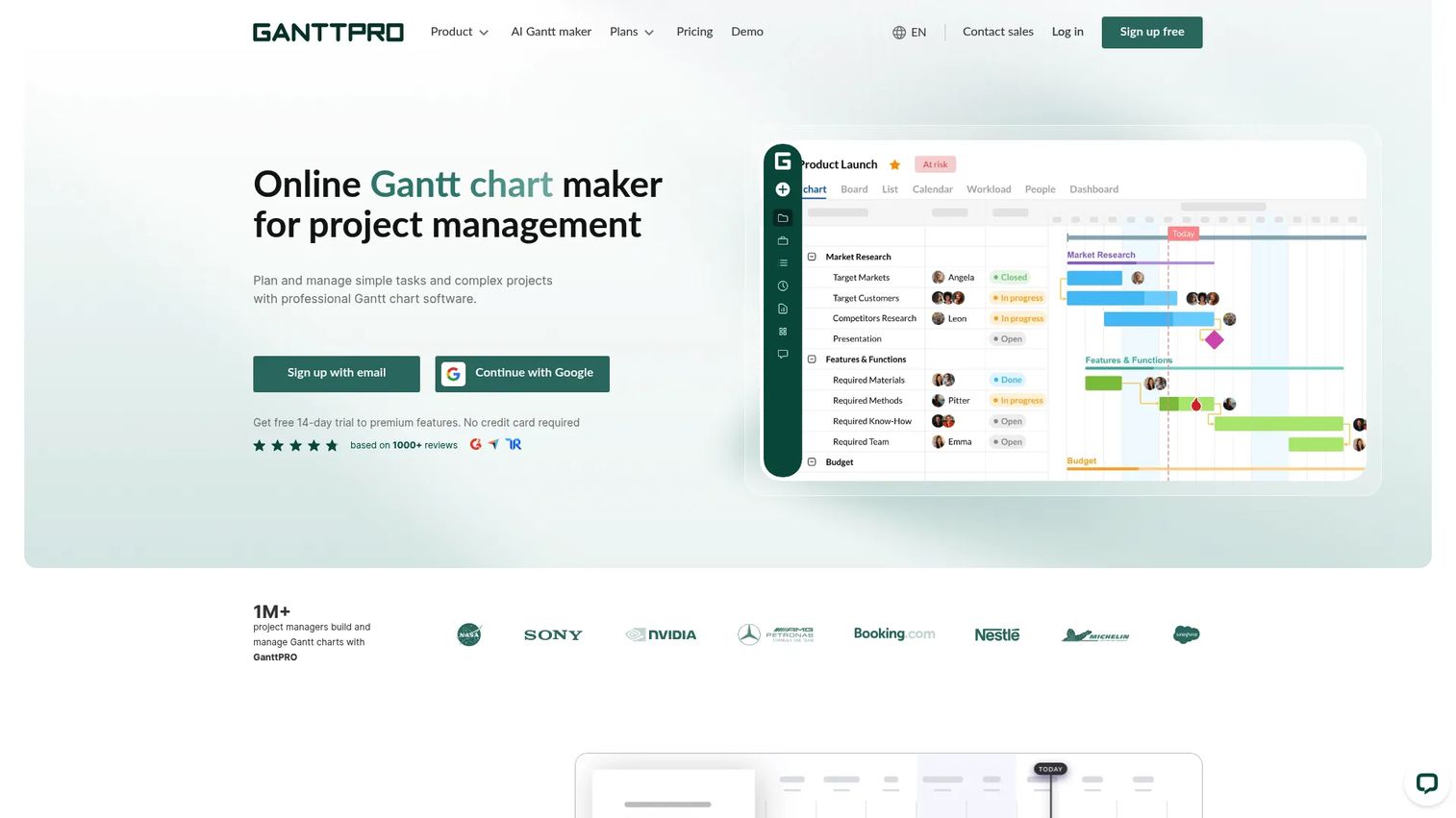
GanttPRO is an online project management tool centered on Gantt charts with clear critical path highlighting and auto-scheduling. You define task dependencies and durations, and GanttPRO calculates the critical path automatically, marking it visually so any team member can see which tasks are driving the finish date. Multiple project views (Board, List, Calendar) keep different stakeholders oriented without requiring separate tools.
Best for: Teams that want straightforward Gantt-based planning where critical path highlighting is the primary scheduling signal.
Key features
- Auto-scheduling with automatic critical path calculation and visual highlighting
- Task dependencies with predecessor logic across multiple relationship types
- Board, List, Calendar, and Gantt views in one workspace
- Resource management with workload tracking and conflict detection
- Export and sharing options including PDF, PNG, and shareable links
Why choose GanttPRO: GanttPRO works well for small to mid-sized teams that want CPM visibility without a steep learning curve or significant configuration overhead. The auto-scheduling engine handles most standard dependency structures, and the interface stays practical enough that team members outside of project management can follow the plan without training.
GanttPRO pricing: A free 14-day trial covers premium features. Paid plans start at $7/user/month (billed annually) for the Core tier. The Advanced plan runs $10/user/month, Business $17/user/month, and Enterprise $25/user/month, all billed annually. Enterprise requires a minimum of five users on an annual subscription.
GanttPRO holds a 4.8/5 rating based on more than 1,000 reviews on its platform profile.
4. ProjectManager
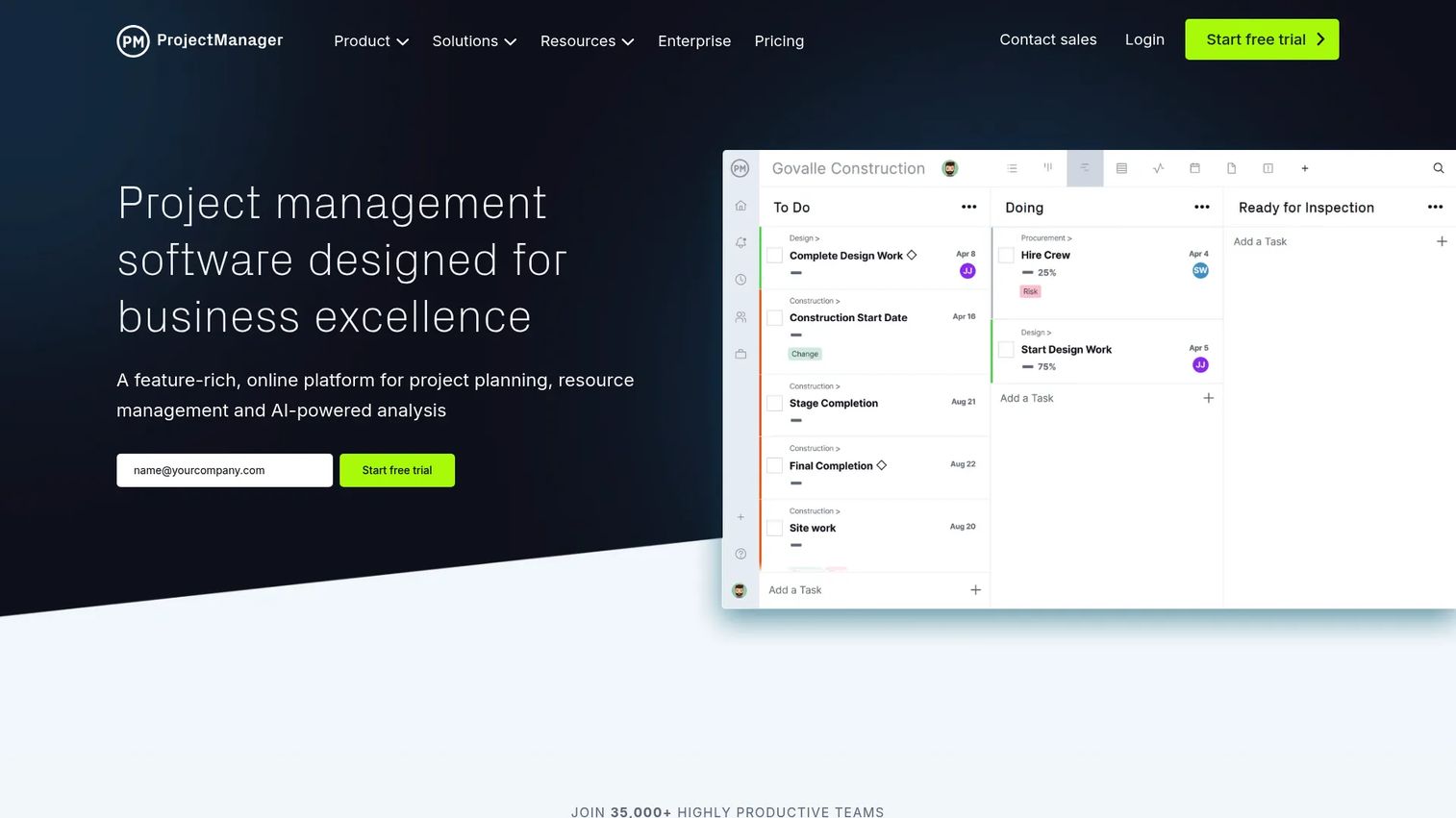
ProjectManager is a cloud-based project and portfolio management platform that combines CPM-capable Gantt scheduling with resource management, timesheets, and reporting in one place. It's positioned for PM teams that need a complete execution environment rather than a dedicated scheduling tool. The multiple view options (Gantt, list, sheet, board, calendar) let PMs manage their own workflow while keeping stakeholders in the format they find readable.
Best for: PM teams that want scheduling, workload planning, and portfolio visibility without switching between separate tools.
Key features
- Gantt chart with dependency tracking and critical path visibility
- Resource management with workload and capacity planning
- Time tracking, timesheets, and budget tracking
- Dashboards and reporting for portfolio-level visibility
- Integrations including Jira, Slack, Microsoft Teams, and Google Workspace
Why choose ProjectManager: ProjectManager suits teams that need scheduling depth alongside execution tools. If you're a PM tracking both the plan and the delivery, the built-in timesheets and resource views reduce the need to stitch together a separate time-tracking tool. The tradeoff is that it covers more ground than a pure CPM tool, so teams whose only need is schedule calculation may find lighter options more practical.
ProjectManager pricing: A free 30-day trial is available with no credit card required. Team, Business, and Enterprise plans are listed on the pricing page; exact plan prices were not publicly legible at the time of verification. Contact the vendor directly or check the pricing page for current figures.
ProjectManager holds a 4.4/5 rating on G2.
5. Microsoft Project
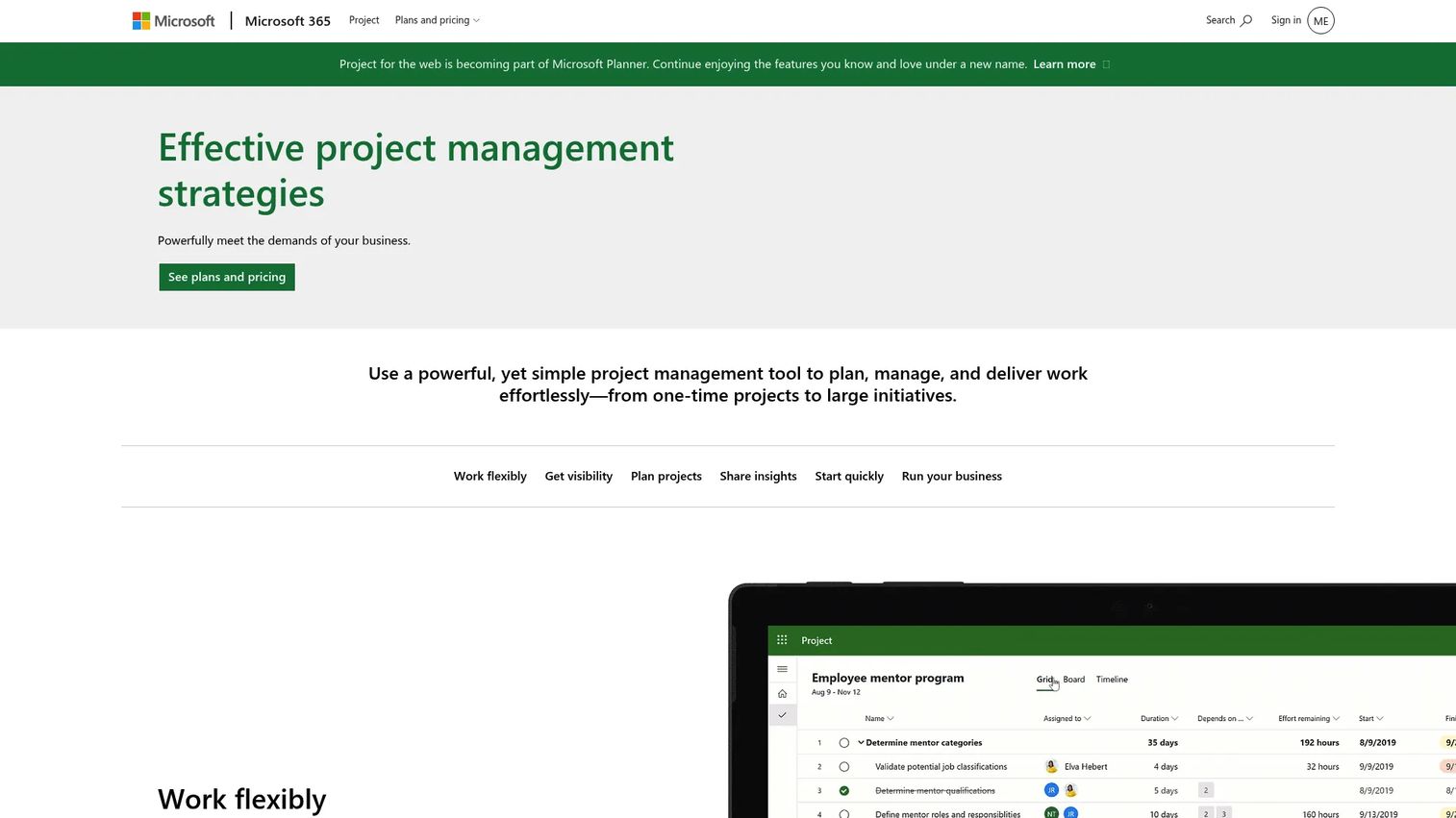
Microsoft Project is Microsoft's project management product, now being integrated into Microsoft Planner as part of the Microsoft 365 suite. It covers task creation, dependency logic, Grid, Board, Schedule, and Chart views, and real-time collaboration within the Microsoft 365 environment. For organizations already running Teams and Microsoft 365, the scheduling tools are accessible without adopting a separate platform.
Best for: Organizations already invested in Microsoft 365 that want project scheduling integrated into their existing Teams and Planner workflows.
Key features
- Task management with files, checklists, and labels
- Grid, Board, Schedule, and Chart views within the Microsoft 365 environment
- Real-time collaboration and sharing integrated with Teams
- Dependency tracking through predecessor task relationships
- Portfolio-level planning available at higher plan tiers
Why choose Microsoft Project: The primary reason to choose Microsoft Project is stack consolidation. If your org already pays for Microsoft 365, Planner is included at no additional cost, and Project Plan 3 adds more scheduling depth for $30/user/month. The tradeoff is that the CPM calculation depth in Planner is lighter than dedicated scheduling tools, and the interface has undergone branding changes as Project migrates into Planner.
Microsoft Project pricing: Microsoft Planner is included in Microsoft 365 subscriptions at no extra charge. Planner Plan 1 runs $10.00/user/month billed yearly. The Planner and Project Plan 3 tier is $30.00/user/month billed yearly.
Microsoft Project (via Planner) holds a 4.0/5 rating on G2.
6. Smartsheet
Smartsheet is a work management platform built around a spreadsheet-style interface that supports project planning, automation, reporting, and cross-team coordination. It offers Gantt views with dependency tracking and critical path visibility alongside the grid, forms, dashboards, and automation that PMO and operations teams rely on for ongoing work management. Integrations with Microsoft 365, Google Workspace, Slack, Jira, and Power BI make it practical for teams with complex stacks.
Best for: PMO and operations teams that want CPM-style schedule tracking inside a flexible work management layer they can maintain without heavy configuration.
Key features
- Sheets, reports, dashboards, and forms with multiple project views including Gantt
- Predecessor dependency tracking with critical path highlighting
- Automation and AI tools including Smart Assist and Smart Columns
- Integrations with Microsoft 365, Google Workspace, Slack, Jira, and Power BI
- 30-day free trial with no credit card required
Why choose Smartsheet: Smartsheet performs best when scheduling is one of several workflows the team needs to manage in the same tool. If you're tracking project timelines alongside operational processes, budget approvals, and stakeholder reporting, the spreadsheet-style interface lets you build all of that in one environment. For teams whose only need is CPM calculation, it may offer more surface area than necessary.
Smartsheet pricing: A free plan is available. The Pro plan starts at $9/member/month billed yearly. Business runs $19/member/month billed yearly. Enterprise and Advanced Work Management plans require contacting sales for a quote.
Smartsheet holds a 4.4/5 rating on G2.
7. Wrike
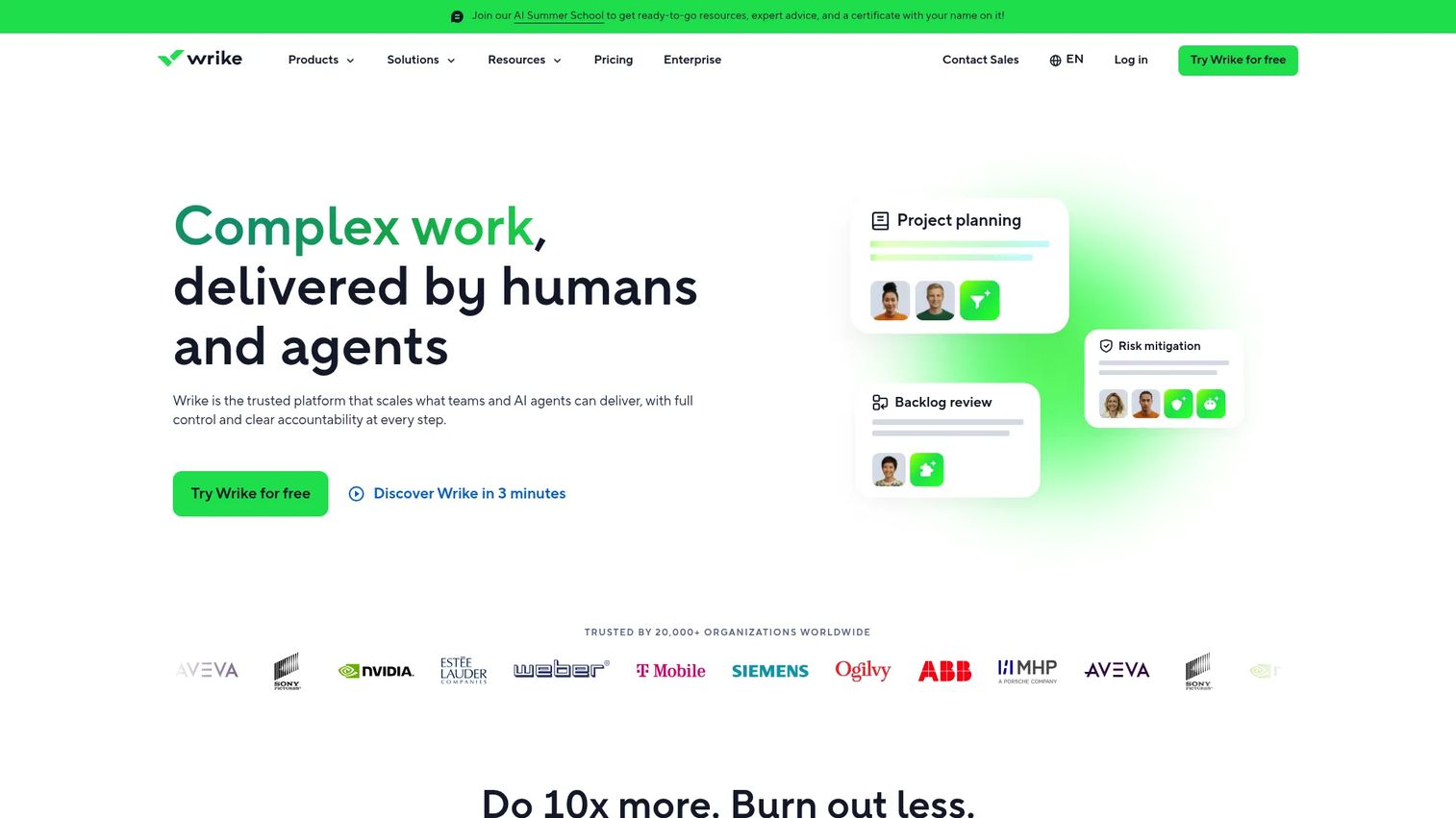
Wrike is a work management platform that covers project planning, task tracking, Gantt chart scheduling, and cross-team reporting. Its Gantt view supports dependency tracking with predecessor relationships, and the workload planner surfaces capacity issues before they become schedule problems. Dashboard and reporting tools give PMs and leadership a shared view of status without requiring a separate BI tool.
Best for: Cross-functional teams that need task tracking, workload planning, and project reporting in a single platform, with Gantt-based dependency visibility for schedule control.
Key features
- Project and task management with Gantt chart and workload views
- Predecessor dependency tracking for critical path visibility
- Dashboards and reporting with custom report building
- Proofing and approval workflows for content and design teams
- Automations for repetitive task routing and status updates
Why choose Wrike: Wrike suits teams that manage both project delivery and operational work in the same environment. The reporting depth is practical for PMs who need to show stakeholders a clear picture without building reports manually. For teams that need professional-grade CPM calculation with float analysis and schedule quality scoring, a dedicated scheduling tool will go further; Wrike covers critical path dependency tracking rather than deep CPM analytics.
Wrike pricing: A free plan is available. The Team plan runs $10/user/month. Business is $25/user/month. Pinnacle and Apex tiers require contacting Wrike for a quote. All paid plans are billed on an annual basis.
Wrike holds a 4.2/5 rating on G2.
Considerations
Check how the software handles dependency logic
Not every tool that shows a Gantt chart calculates the critical path. Look for finish-to-start, start-to-start, and finish-to-finish dependency types, float calculation, and automatic highlight of the critical sequence. If the tool only shows a timeline without dependency logic, a date change on one task won't propagate forward automatically.
Check automatic recalculation on schedule changes
The operational value of CPM software is that it recalculates downstream dates without manual intervention. Ask whether the tool updates the critical path in real time as tasks change, or whether you need to trigger a recalculation manually. For PMs managing release cadences across multiple teams, manual updates introduce lag that defeats the purpose.
Check collaboration and stakeholder sharing
PMs rarely work alone in a schedule. Verify that the tool supports comments on tasks, role-based permissions, and shareable views for stakeholders who need to see the plan but shouldn't edit it. Export options (PDF, CSV) matter for executive reviews and external partners.
Check integrations with your existing stack
A CPM tool that requires manual data entry to stay current will fall behind your actual schedule within weeks. Prioritize integrations with the systems your team already uses: Jira for engineering tickets, Slack or Teams for notifications, and your CRM or analytics platform if the schedule connects to customer commitments.
Check template and starting-asset support
Setting up a CPM schedule from scratch adds time before the tool delivers value. Look for templates that match your project types (product launch, migration, cross-functional delivery), and check whether those templates include pre-built dependency structures or require you to wire them manually.
Conclusion
The right critical path method software depends on what you need the schedule to do.
For teams that need a clean CPM diagram to align stakeholders, Lucidchart delivers diagram-first clarity. For Gantt-based planning with straightforward auto-scheduling, GanttPRO keeps the experience accessible without sacrificing critical path visibility. Smartsheet and Wrike suit teams managing scheduling alongside broader operational or execution workflows. Microsoft Project is the natural fit when your org is already on Microsoft 365 and consolidation matters more than scheduling depth. ProjectManager adds execution tooling for PMs who want scheduling and delivery management in one place. And Planera is the specialist choice for construction and delivery teams running professional-grade CPM schedules.
Pick the tool that matches your actual use case. A PM running a quarterly launch plan has different needs than a construction scheduler tracking hundreds of interdependent activities. Start with your dependency complexity and your team's tolerance for configuration, then work from there.
Start your journey with Guideflow today!
FAQs
Gantt chart software visualizes tasks on a timeline with bars showing duration and sequence. Critical path software goes further by calculating which specific sequence of dependent tasks determines the earliest possible finish date, and highlighting those tasks so teams know where schedule risk is concentrated. Many tools offer Gantt views, but not all perform automatic CPM calculation.
Yes, if the tool has an automatic recalculation engine. When you change a task's duration or start date, the software propagates that change through all downstream dependent tasks and recalculates the project finish date. Tools without this feature require you to update affected tasks manually, which means the plan goes stale as soon as one dependency shifts.
Yes. Product launches involve coordinated handoffs across engineering, design, content, and marketing, each with predecessor dependencies. Critical path analysis shows which tasks are load-bearing and which have float. That visibility helps PMs identify where a delay will compress the launch window, and where there's scheduling room to absorb a slip without affecting the release date.
No. Microsoft Project (now integrated into Microsoft Planner) is one option, but tools like GanttPRO, Smartsheet, and Wrike also support dependency tracking and critical path visibility at lower price points with less implementation overhead. Microsoft Project makes the most sense when your organization already runs Microsoft 365 and wants scheduling built into that environment rather than managed in a separate tool.
Focus on predecessor dependency logic, automatic downstream date recalculation, float and slack calculation, critical path highlighting in the schedule view, and collaboration features like comments and role-based permissions. Template support reduces setup time, and integrations with Jira, Slack, or your existing PM stack reduce the manual work of keeping the schedule current.
No. CPM originated in large engineering and defense programs, and construction scheduling still relies on it heavily. But the method applies equally to software product launches, IT migrations, marketing campaign timelines, operations planning, and any project where task dependencies determine the delivery date. Most of the tools in this guide serve software and operations teams, not just construction.
Float (also called slack) is the amount of time a task can be delayed without pushing the project finish date. Tasks on the critical path have zero float, meaning any delay directly extends the project. Tasks with positive float have scheduling flexibility. Understanding float helps PMs prioritize which delays need immediate attention and which can be absorbed within the current schedule.
The Critical Path Method (CPM) uses fixed duration estimates to calculate the schedule. PERT (Program Evaluation and Review Technique) uses three time estimates per task (optimistic, most likely, pessimistic) to model schedule uncertainty. CPM is more common in software and general PM workflows. PERT is more common in research, construction, and programs where duration uncertainty is high. Some tools, including Planera, offer Monte Carlo simulation that covers similar ground to PERT analysis.