



A single finished shot is rarely a single thing. It is live action, plus a keyed green screen, plus a CG element, plus a tracked matchmove, plus color grading, plus a matte painting in the background. Compositing software is where all of that gets stitched into one frame that looks like it was always real.
The friction is not the stitching. It is everything around it. Node graphs that grow to hundreds of connections. Render times that balloon when you add deep data. Color pipelines that break the moment someone forgets an ACES transform. Licensing that costs more than a workstation.
The global compositing software market hit roughly US$ 1.5B in 2025 and is projected to reach US$ 3.42B by 2032 at a 12.5% CAGR, according to Maximize Market Research (2025). More tools, more subscription models, more choices. Picking the wrong one costs you months of pipeline rework.
This guide compares four compositing tools so you can match one to your budget, your render setup, and your team.
What's inside
This guide is for VFX artists, compositors, motion graphics professionals, and post-production teams choosing a compositing tool in 2026. It covers open-source, desktop, and studio-grade options.
We picked and compared each tool on four criteria:
- Node workflow depth: how the node graph handles complex, multi-layer shots
- Compositing capability: keying, tracking, deep compositing, and 3D integration
- Render and performance: GPU acceleration, render farm support, and distributed rendering
- Licensing and pipeline fit: cost model, format support, and interoperability
TL;DR
- Best overall for studio compositing: Nuke, the node-based standard in high-end film and TV VFX
- Best for integrated editing and compositing: Fusion, built into DaVinci Resolve so cutting and compositing live in one app
- Best free open-source option: Natron, a node-based VFX compositing tool that runs on any major platform
- Best for teams already in 3D: Blender, whose compositor sits inside a full 3D creation suite
- Best for independent creators: HitFilm, an entry-friendly blend of editing and VFX
What is compositing software?
Compositing software combines multiple image, video, and CG elements into a single finished shot, using a node graph or layer stack to control how each element blends, masks, and renders together.
Most professional compositing today is node-based. Instead of stacking layers, you connect operations as nodes in a graph, which makes complex shots easier to read, revise, and reuse.
Core capabilities to expect in VFX compositing software:
- Node-based workflow: build shots as a connected graph of operations rather than a flat layer stack
- Keying and rotoscoping: pull mattes from green screen and hand-draw masks around moving objects
- Tracking and matchmoving: solve camera motion so CG elements sit correctly in the plate
- Deep compositing: merge elements using per-pixel depth data instead of flat 2D layers
- 3D integration: import geometry, cameras, and lights to composite CG directly in the graph
- Scripting and automation: drive repetitive tasks with Python or built-in scripting
- Render performance: GPU acceleration plus render farm and distributed rendering support
- Pipeline interoperability: read and write industry formats like OpenEXR, and support ACES, OpenColorIO, USD, and Hydra
That last point matters more than most buyers expect. A tool that ignores OpenColorIO or cannot read OpenEXR with multiple channels will slow every handoff. Format support is not a nice-to-have in a real pipeline. It is the pipeline.
When to use compositing software
Build film and TV shots
This is the core case. You have a shot plate that needs cleanup, a green screen that needs keying, and CG that needs to sit inside the frame convincingly. Film compositing software handles wire removal, sky replacement, set extension, and final shot finishing. When a shot passes through review, the compositor is usually the last hands on it.
Create motion graphics and titles
Not every project is a feature film. Motion designers use compositing tools to build animated titles, broadcast graphics, and stylized sequences. Tools that pair compositing with animation and editing let one artist take a graphic from concept to export without jumping apps.
Keep pipeline handoffs clean
Studios rarely work in one tool. A shot moves from tracking to lookdev to compositing to review, often across departments and machines. Here the value is interoperability: OpenEXR for image exchange, OpenColorIO for consistent color, USD and Hydra for scene data, and render farm support for distributed rendering. When handoffs stay clean, deadlines stay realistic.
Comparison table
Here is a side-by-side view of the 4 tools. Pricing and ratings reflect each vendor's current listing. Use it to shortlist, then read the full sections below before deciding.
| # | Product | Best for | Key differentiator | Pricing | G2 rating |
|---|---|---|---|---|---|
| 1 | Nuke | High-end studio VFX teams | Industry-standard node graph with deep compositing and 3D | From €3,139/yr | 4.5/5 |
| 2 | Fusion | Integrated editing and compositing | Node-based VFX built into DaVinci Resolve | Free; Studio $295 | 4.2/5 |
| 3 | Natron | Free open-source compositing | Node-based VFX with OpenFX plugin support | Free | Not listed |
| 4 | Blender | Teams already working in 3D | Compositor inside a full 3D creation suite | Free | 4.6/5 |
Best 4 compositing software tools for 2026
1. Nuke

Nuke is Foundry's node-based compositing and VFX software for film, TV, and high-end production. It is the tool most large studios standardize on, and its node graph is the reference point everyone else gets compared against. Nuke ships with over 200 creative nodes and an integrated 3D environment, so you can composite CG directly inside the graph rather than round-tripping to another app.
The Nuke family scales with the work. NukeX adds advanced tools, Nuke Studio folds in editorial and review workflow, and Nuke Render handles batch rendering across a farm. That range is why it fits deep compositing pipelines where per-pixel depth data, heavy multi-channel OpenEXR files, and distributed rendering are daily reality.
Best for: High-end VFX teams needing node-based compositing and tight pipeline integration.
Key features
- Industry-standard node-based compositing
- Over 200 creative nodes
- Integrated 3D environment for CG compositing
- Editorial and review workflow in Nuke Studio
- Python scripting and automation
Why choose Nuke: If you are hiring compositors or delivering to studio specs, Nuke is the tool the industry already speaks. The trade-off is cost, so it fits teams whose output justifies studio-grade licensing.
Nuke pricing: Foundry lists Nuke at €3,139/yr, NukeX at €4,759/yr, and Nuke Studio at €5,799/yr on annual subscription. Quarter rental options and free non-commercial access are also available.
Nuke holds a 4.5/5 rating on G2.
2. Fusion
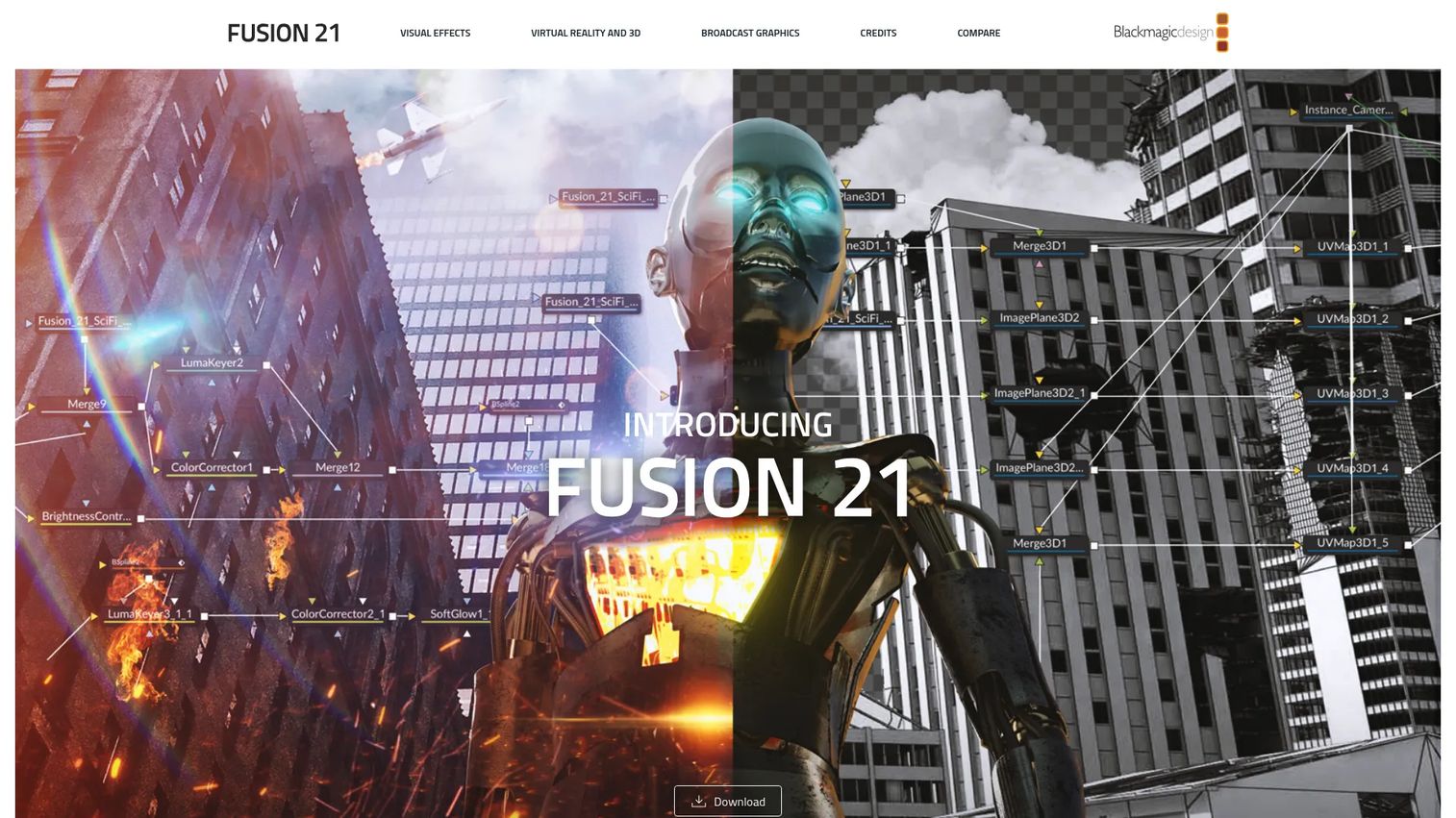
Fusion is Blackmagic Design's 2D and 3D compositing, VFX, and motion graphics software. Its biggest draw is that it ships inside DaVinci Resolve, so editing, color, and compositing all live in one application. You cut in the edit page, then jump to the Fusion page to build the shot, without exporting or re-importing anything.
The node-based workflow covers rotoscoping, keying, and tracking, plus a full 3D workspace with model import and rendering. VR tools and third-party OpenFX plugin support round it out. For teams that want professional compositing without stitching together separate editing and VFX tools, the integration is the whole point.
Best for: VFX artists and motion graphics teams who want professional compositing on desktop without leaving their edit.
Key features
- Node-based 2D and 3D compositing
- Rotoscoping, keying, and tracking
- 3D workspace with model import and rendering
- VR tools
- Third-party OpenFX plugin support
Why choose Fusion: The free version inside DaVinci Resolve makes it the obvious first stop for anyone already cutting in Resolve. Fusion Studio adds the standalone app for teams that need it.
Fusion pricing: Fusion is free when built into DaVinci Resolve. Fusion Studio 21 is a one-time purchase at $295, activated with a DaVinci Resolve license.
Fusion holds a 4.2/5 rating on G2.
3. Natron
Natron is free, open-source node-based VFX compositing software. If you have used a commercial node compositor, the layout will feel familiar, which makes it a practical open-source compositing software option for artists learning the node paradigm or studios that want to avoid per-seat licensing. It runs on all major platforms.
Natron covers the core 2D compositing work: OpenFX plugin support, 2D tracking, rotoscoping, and keying. Because it reads OpenFX plugins, you can extend it with the same third-party effects many commercial tools use. It also supports headless rendering, which matters when you push jobs to a render farm rather than rendering interactively.
Best for: VFX teams and individual artists who need a free node-based compositing tool.
Key features
- Free and open-source
- Node-based compositing workflow
- OpenFX plugin support
- 2D tracking
- Rotoscoping and keying
Why choose Natron: When budget rules out paid licenses, Natron gives you a real node compositor rather than a stripped-down layer editor. It fits solo artists, students, and teams standardizing on open tools.
Natron pricing: Natron is free and open-source, with no paid plans on the project site.
4. Blender

Blender is a free and open-source 3D creation suite, and its compositor is one node graph inside a much larger toolset. That framing matters. If you already model, animate, and render in Blender, the compositor lets you finish shots in the same app that produced the render passes, which keeps 3D compositing tight and avoids exporting intermediate files.
Blender covers modeling, rigging, animation, simulation, rendering, compositing, motion tracking, and video editing. Cycles and EEVEE handle rendering, and Python scripting plus add-ons extend nearly every part of the pipeline. The compositor reads render layers directly, so combining depth, mist, and object passes is a native operation rather than a workaround.
Best for: Individuals, studios, and teams needing a free professional 3D creation suite with built-in compositing.
Key features
- Modeling, animation, simulation, rendering, and compositing in one suite
- Cycles and EEVEE rendering engines
- Node-based compositor reading render passes directly
- Motion tracking and video editing
- Python scripting and add-ons
Why choose Blender: If your work starts in 3D, compositing inside Blender removes a whole export step. Dedicated compositing tools go deeper on 2D finishing, so pair accordingly for heavy live-action work.
Blender pricing: Blender is free and open-source. There is no paid tier to buy.
Blender holds a 4.6/5 rating on G2.
Considerations
Before you commit, run your shortlist through these four checks. The right pick depends less on any single feature than on how a tool fits the work you actually ship.
Node workflow depth
Look at how the node graph handles a shot with hundreds of nodes. Can you group, clone, and reuse setups? Does the graph stay readable at scale? A shallow node system feels fine on a simple shot and falls apart on a complex one.
3D and deep compositing needs
Decide whether you need deep compositing with per-pixel depth data and true 3D integration, or whether solid 2D compositing covers your work. Deep compositing changes how CG and live action merge, and not every tool implements it the same way.
Render and performance requirements
Check GPU acceleration and how the tool handles a render farm. If you rely on distributed rendering, confirm headless or batch rendering support. Interactive speed matters day to day, but farm behavior decides whether you hit delivery dates.
Pipeline compatibility
Confirm support for OpenEXR, ACES, and OpenColorIO, plus USD and Hydra if your scenes carry heavy 3D data. A tool that fits your existing formats saves the pipeline rework that quietly eats schedules.
Budget and licensing model
Weigh subscription against one-time purchase against free and open-source. Roughly 60% of compositing software users now run on subscription models, per MarketIntelo (2025), so factor recurring cost into the real total, not just the sticker price.
Conclusion
The right compositing software comes down to scale and budget. If you are building studio-grade VFX and hiring compositors to studio specs, Nuke is the node-based standard the industry runs on. If you already cut in DaVinci Resolve, Fusion gives you professional compositing in the same app for free, with Fusion Studio when you need the standalone.
Working without a budget? Natron is a real node compositor that costs nothing, and Blender adds a compositor inside a full 3D suite if your work starts in 3D. For independent creators who want editing and effects together without the depth of a full pipeline, HitFilm is the friendly entry point.
Pick the two that match your budget and render setup, download the free versions or trials, and run the same test shot through each. The tool that keeps your handoffs clean and your render farm busy is the one worth committing to.
Start your journey with Guideflow today!
FAQs
For beginners, the best compositing software depends on your starting point. If you want to learn node-based work without paying, Natron and the free Fusion inside DaVinci Resolve are strong choices. If you want editing and VFX together with a gentler curve, HitFilm is friendlier for creators new to the category.
No. Video editing assembles clips on a timeline in a sequence. Compositing combines multiple elements inside a single frame using keying, tracking, and blending. Some tools do both, like Fusion inside DaVinci Resolve or HitFilm, but editing and compositing are distinct crafts with different workflows.
Most high-end VFX studios standardize on Nuke for compositing because of its node graph, deep compositing tools, and pipeline integration. Studios often pair it with 3D and rendering tools upstream, then finish shots in Nuke before review and delivery.
It can be, depending on the work. Natron gives you a genuine node compositor with OpenFX plugin support, and Blender's compositor handles 3D-heavy finishing inside a full suite. Large studios still lean toward Nuke for standardized pipelines, but open-source tools cover a wide range of professional shots, especially for smaller teams and solo artists.
OpenEXR is the backbone, since it stores high dynamic range images with multiple channels and depth data. ACES and OpenColorIO keep color consistent across departments and tools. For scenes carrying 3D data, USD and Hydra matter for exchanging geometry, cameras, and lighting between applications.
For interactive work, GPU acceleration speeds up playback and effects noticeably, which shortens iteration time. For final output, many pipelines rely on a render farm and distributed rendering rather than a single GPU. Check both: how fast the tool feels while you work, and how it behaves on the farm.
Deep compositing merges image elements using per-pixel depth data instead of flat 2D layers. Because each pixel carries depth information, elements intersect correctly without hand-drawn holdout mattes. It is especially useful for volumetric effects like smoke and fog, and for combining many CG passes in complex shots.










