A commercial appraisal is not a form. It is a research project with a deadline. You gather property data, verify comps, model cash flows, write a narrative report, and defend every number if a lender or reviewer pushes back. Most teams still stitch this together across Excel, Word, macros, email, and disconnected comp databases. Data gets rekeyed three times. A template breaks the week before a deadline. Someone pastes the wrong cap rate into the wrong section.
That friction is expensive. The commercial real estate appraisal services market grew from $3.91 billion in 2024 to $4.14 billion in 2025, according to ResearchAndMarkets, and is projected to reach $5.60 billion by 2030 at a 6.18% CAGR. Demand is rising while the U.S. appraisal industry itself contracted at a 4.6% CAGR between 2021 and 2026, per IBISWorld. More reports, fewer appraisers, same deadlines. The teams that win that math are the ones who stop doing manual work software can do.
The category has moved fast. Cloud-based appraisal software now accounts for 58.4% of revenue in the real estate appraisal software market, MarketIntelo reported in 2025. That shift matters. Cloud-native platforms centralize your property database, sync work across a team, and cut the copy-paste that produces errors. Desktop form software still runs a large share of production work, and for good reason. This guide sorts both so you can match a tool to how your team actually produces reports.
What's inside
This guide compares six commercial appraisal software platforms by workflow depth, report writing, data and comparable management, collaboration, and accuracy controls. It is built for teams evaluating software for CRE appraisal production, not residential forms work, though several tools here serve both markets.
We prioritized four things when selecting and ranking tools: commercial real estate fit, workflow automation across research to report, reporting and template control, and trust signals from real appraisers. Every pricing figure and feature detail below comes from each vendor's own pages, verified in 2026. Where a rating could not be confirmed from a primary source, we left it out rather than guess.
TL;DR
- Best overall for cloud-native commercial appraisal workflows: Realquantum, with a web-based property database and AI-assisted report editing.
- Best for team productivity and AI-assisted appraisal writing: Valcre, built around comps data, mobile capture, and faster drafting.
- Best for end-to-end CRE valuation workflows: LightBox Valuation, covering jobs, research, and report writing in one platform.
- Best for established form-based commercial and residential teams: ClickFORMS and TOTAL, both mature desktop-first form systems.
- Best for job management and operational visibility: Anow, focused on order management, workflow tracking, and invoicing.
- Best starting point: shortlist the two tools closest to your current workflow, then compare their modernization path against one cloud-native option.
What commercial appraisal software is
Commercial appraisal software is a category of real estate appraisal software that helps appraisers gather property data, manage comparables, write valuation reports, track assignments, and support compliance across the commercial real estate valuation workflow.
Unlike residential forms tools that revolve around standardized GSE forms, commercial real estate appraisal software has to handle narrative reports, income-approach modeling, multi-property comps, and longer, more variable assignments. That is why the buying criteria differ so much between the two.
Buyers evaluating CRE appraisal software typically expect the platform to cover:
- Job and assignment management so every engagement has an owner, a status, and a due date
- Comparable data management for storing, searching, and reusing sales and lease comps
- Report writing with narrative templates, autofill, and formatting control
- Collaboration across appraisers, analysts, and reviewers on the same file
- Template automation to reduce repetitive formatting and rekeying
- Verification and auditability so numbers, sources, and adjustments hold up under review
- AI assistance for drafting, data organization, and editing
Cloud-native property valuation software adds real-time sync and a shared database, so a comp entered once is available to the whole team. Desktop form software keeps files local and excels at deep, forms-driven production. Both remain common in commercial practice, and the right fit depends on how your team already works.
When to use commercial appraisal software
When your team is outgrowing spreadsheets and document macros
You feel this before you can name it. The same property address gets typed into a spreadsheet, a Word template, and an email. A macro that worked for two years breaks after an Office update. A junior analyst formats a report by hand for an afternoon. Manual handoffs and duplicate entry are where errors enter and hours disappear. Dedicated appraisal report software centralizes the data and generates the document, so the work moves once instead of three times.
When you need a faster research to report workflow
Most of an appraisal is research: pulling property history, verifying comps, checking maps and flood data, and modeling income. When that research lives in one platform tied to your report writer, the narrative can pull directly from verified data instead of a copy-paste chain. Commercial real estate valuation software that connects comps, property records, and templates compresses the gap between finishing research and shipping a defensible report.
When collaboration and quality control matter
A solo appraiser can hold a whole file in their head. A team cannot. Once two or more people touch an assignment, you need status tracking, assignment routing, review workflows, and safeguards against calculation errors. Appraisal management software gives a manager visibility into who is working on what, where files are stuck, and which reports are ready for review, without a status meeting.
Comparison table
We ranked these tools by commercial real estate fit first, then workflow automation, reporting depth, and verified trust signals. Cloud-native platforms lead because they best fit teams moving off spreadsheets, followed by mature desktop form systems and a workflow-focused management tool. Pricing reflects each vendor's public pages as of 2026. Where a G2 rating could not be verified from a primary source, the cell is left blank rather than estimated.
| # | Product | Intent | Key differentiation | Pricing | G2 rating |
|---|---|---|---|---|---|
| 1 | Realquantum | Cloud-native CRE appraisal | Web database plus AI report editing | From $1,500/user/year | Not verified |
| 2 | Valcre | Team productivity, AI writing | Comps database, mobile capture, datasheets | From $167/user/mo (annual) | Not verified |
| 3 | LightBox Valuation | End-to-end CRE valuation | Jobs, research, report writer in one | Report Writer from $396/license/mo | Not verified |
| 4 | ClickFORMS | Form-filling plus field workflow | Inspect-a-Lot mobile, online team mode | From $54/mo | Not verified |
| 5 | TOTAL | Desktop appraisal production | Side-by-side comps, SmartAdjust | Elite System $1,799 | Not verified |
| 6 | Anow | Job and order management | Custom workflows, analytics, invoicing | From $49/mo | Not verified |
Best commercial appraisal software for 2026
1. Realquantum

Realquantum is a cloud-based commercial real estate appraisal software and database platform built for appraisers and valuation teams that want to move off spreadsheets and Word macros. Everything lives online: your property and appraisal database, your comps, and your reports. That single-source model is what lets a whole team pull from the same verified data instead of rekeying it into separate files.
Best for: Commercial appraisers and valuation teams that want a web-based system for report writing and a shared property database.
Key strengths
- Online property and appraisal database: Store, search, and reuse comps and property history across the whole team from one place.
- AI-powered editing and autofill: Draft and refine report sections faster, with data pulled directly into the narrative.
- Workflow tools: Assignments, dashboards, and exports keep every engagement visible from intake to delivery.
Why choose Realquantum: If your team is scaling past the point where one person can track everything, a cloud-native platform removes the copy-paste chain that produces errors. The shared database means a comp entered once serves every future report, which compounds over time. It fits teams that value professional, consistent report presentation and real-time collaboration over local desktop files.
Realquantum pricing: Pricing is a per-user annual subscription. RQ Base starts at $1,500 per user per year, RQ Pro is $2,500 per user per year, and RQ Premium is $2,800 per user per year. A 10-pack discount is available, and enterprise plans require contacting sales. There is no free tier.
2. Valcre
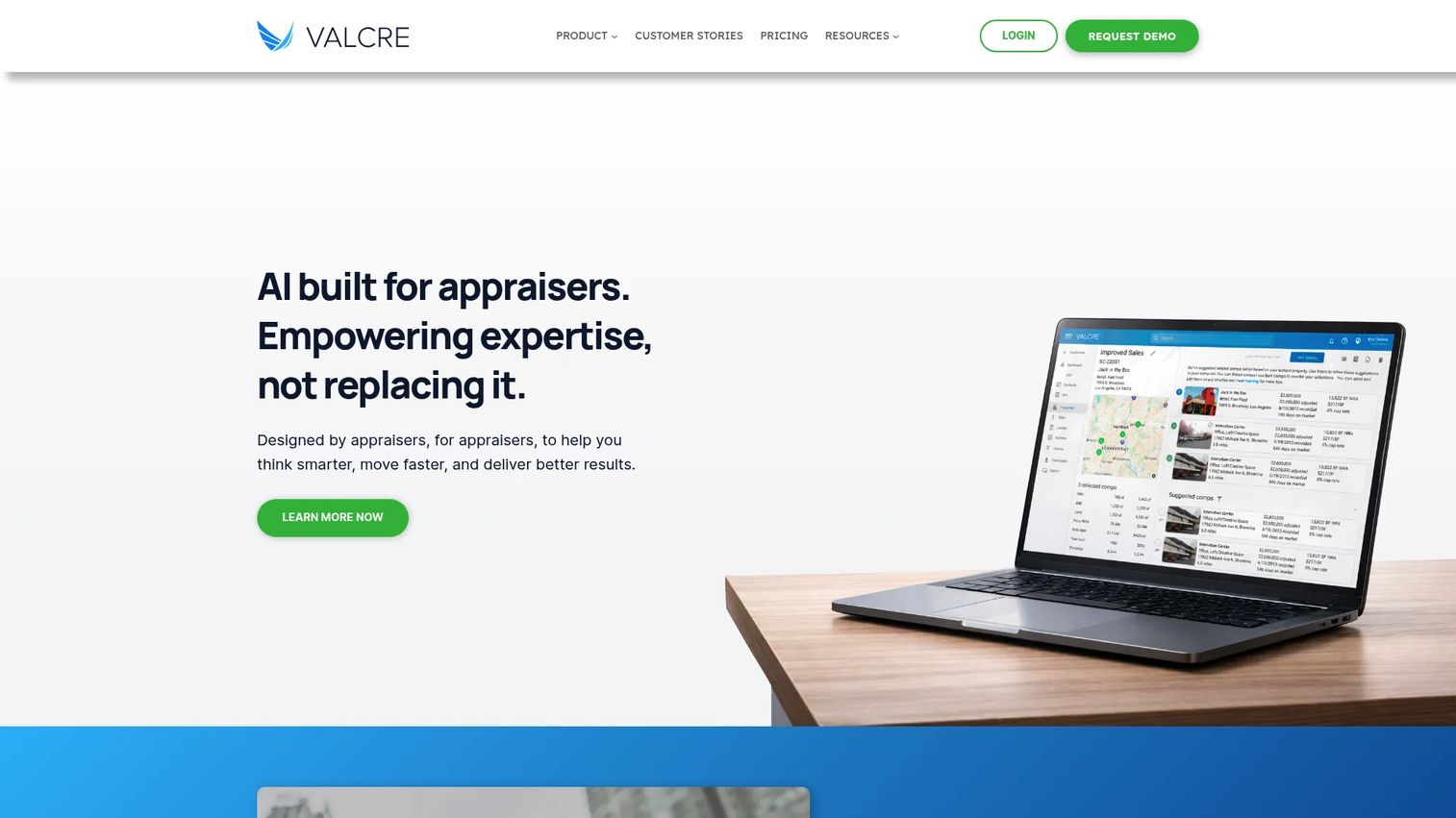
Valcre is commercial real estate appraisal software built around team productivity, faster drafting, and coordinated workflow. It combines a property and comps database with a mobile app for field capture and customizable datasheets and reports. The pitch is straightforward: give appraisers a system that speeds up the drafting and data work so more time goes to judgment, not formatting.
Best for: Commercial real estate appraisal teams that want workflow, reporting, and database tools in one platform with mobile capture.
Key strengths
- Property and comps database: Centralize sales and lease comps so the whole team searches and reuses the same verified data.
- Mobile app: Capture property details and photos in the field and sync them straight into the file.
- Customizable datasheets and reports: Tailor templates and datasheets to your practice, then autofill from the database.
Why choose Valcre: For teams that want more automation without giving up appraiser control over the final product, Valcre balances speed and flexibility. The mobile capture closes the gap between the site visit and the report, and the customizable datasheets let a firm standardize its output. It suits growing valuation teams that need coordination across multiple appraisers and assignments.
Valcre pricing: Essentials starts at $167 per user per month billed annually. Professional starts at $417 per user per month billed annually. Enterprise pricing requires contacting sales. Plans are prepaid annually, and a one-time implementation and professional services fee also applies. There is no free tier.
3. LightBox Valuation

LightBox Valuation is commercial real estate valuation software that covers the full appraisal workflow: RFP and bid management, property research, comp management, and report writing in one connected platform. It is built for appraisal teams and the lenders they serve, with property and market data feeding research and reporting so the file stays connected from job intake to final report.
Best for: Commercial appraisers and valuation teams that want an end-to-end workflow platform spanning research and report writing.
Key strengths
- RFP/bid and job management: Track engagements from bid through delivery so nothing falls through the cracks.
- Property research: Pull market and property data into the file to speed verification and support the narrative.
- Report writing with integrated comps: Write reports with comp management built in, not bolted on.
Why choose LightBox Valuation: If your firm wants a single platform to run the entire valuation workflow rather than assembling point tools, the connected jobs-research-report model reduces handoffs. The integration between research data and the report writer means less rekeying and stronger audit trails. It fits teams that value an end-to-end system and often work closely with lending workflows.
LightBox Valuation pricing: Public pricing is shown for the Report Writer component. One license is $396 per license billed monthly, 2 to 4 licenses are $333 per license, and 5 to 9 licenses are $312 per license. Teams of 10 or more contact LightBox for a quote, with prepaid annual and quarterly or annual billing options. Tiers cannot be mixed; all users must be on the same tier. No full-suite price is published, and there is no free tier.
4. ClickFORMS

ClickFORMS is appraisal form-filling software from Bradford Technologies, built for practical report production and field workflow. It pairs desktop form filling with the Inspect-a-Lot mobile inspection app and ClickFORMS Online for team appraising. For teams that need dependable report production and data management without a heavy platform overhaul, it is a pragmatic choice.
Best for: Real estate appraisers who need appraisal form-filling paired with field-inspection and team workflow tools.
Key strengths
- Desktop form filling: Fast, reliable form completion for day-to-day report production.
- Inspect-a-Lot mobile app: Capture inspection data in the field and bring it into the report.
- ClickFORMS Online and team appraising: Support collaborative work and online access for teams.
Why choose ClickFORMS: For firms that want a practical, affordable entry point into structured form production with mobile field capture, ClickFORMS keeps the workflow simple. The monthly membership model lowers the commitment, and the online mode supports team appraising as a firm grows. It fits appraisers who want production tooling without a large upfront investment.
ClickFORMS pricing: Monthly memberships include Gold at $54 per month, Gold Plus at $79 per month, and Platinum at $99 per month. A separate Student Edition is $49 one-time. A 30-day trial is available, and trainees may be free within membership plans.
5. TOTAL
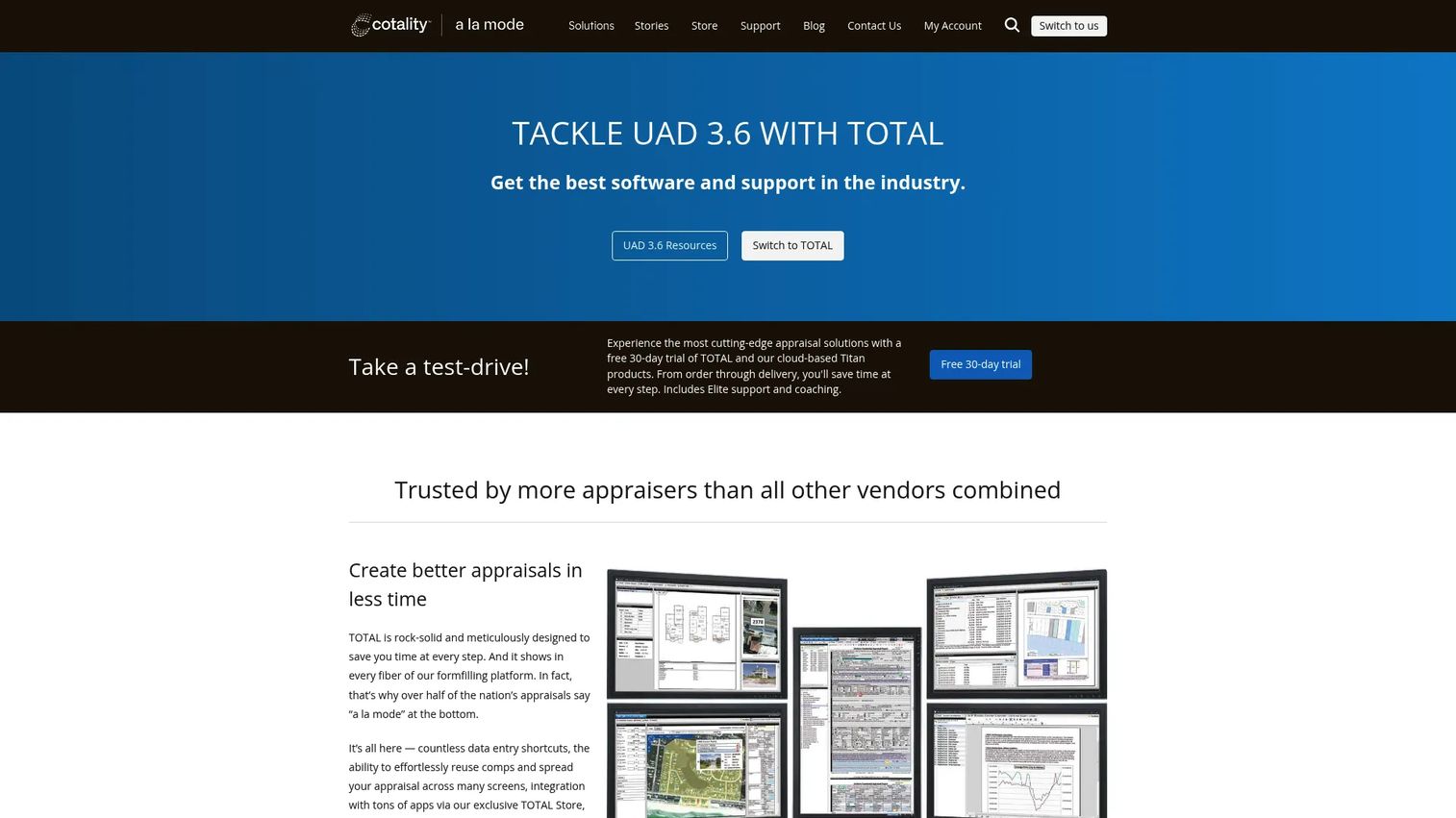
TOTAL is desktop appraisal form-filling software for real estate appraisers, built around a fast comps and production workflow. Its hallmarks are a side-by-side comps view, SmartAdjust for numeric and non-numeric adjustments, and a multi-window, multi-monitor workflow that lets appraisers work across the file at once. It is a broad, established toolkit for teams that produce a high volume of reports.
Best for: Real estate appraisers who need desktop appraisal form-filling with strong comp management and adjustment tooling.
Key strengths
- Side-by-side comps view: Compare subject and comparables directly to speed analysis.
- SmartAdjust: Apply numeric and non-numeric adjustments with guided logic.
- Multi-window workflow: Work across multiple monitors and windows to reduce repetitive clicking.
Why choose TOTAL: For appraisers who live in comps and adjustments, TOTAL's side-by-side view and SmartAdjust reduce the repetitive work that slows report production. The multi-monitor workflow suits high-volume producers who keep several parts of a file open at once. It fits teams that want a deep, established desktop toolkit for managing deliverables.
TOTAL pricing: Standalone public pricing was not published for TOTAL alone. The visible public price on the brand site is the Elite System bundle at $1,799, which includes TOTAL plus related products and support. There is no free tier listed for the bundle.
6. Anow
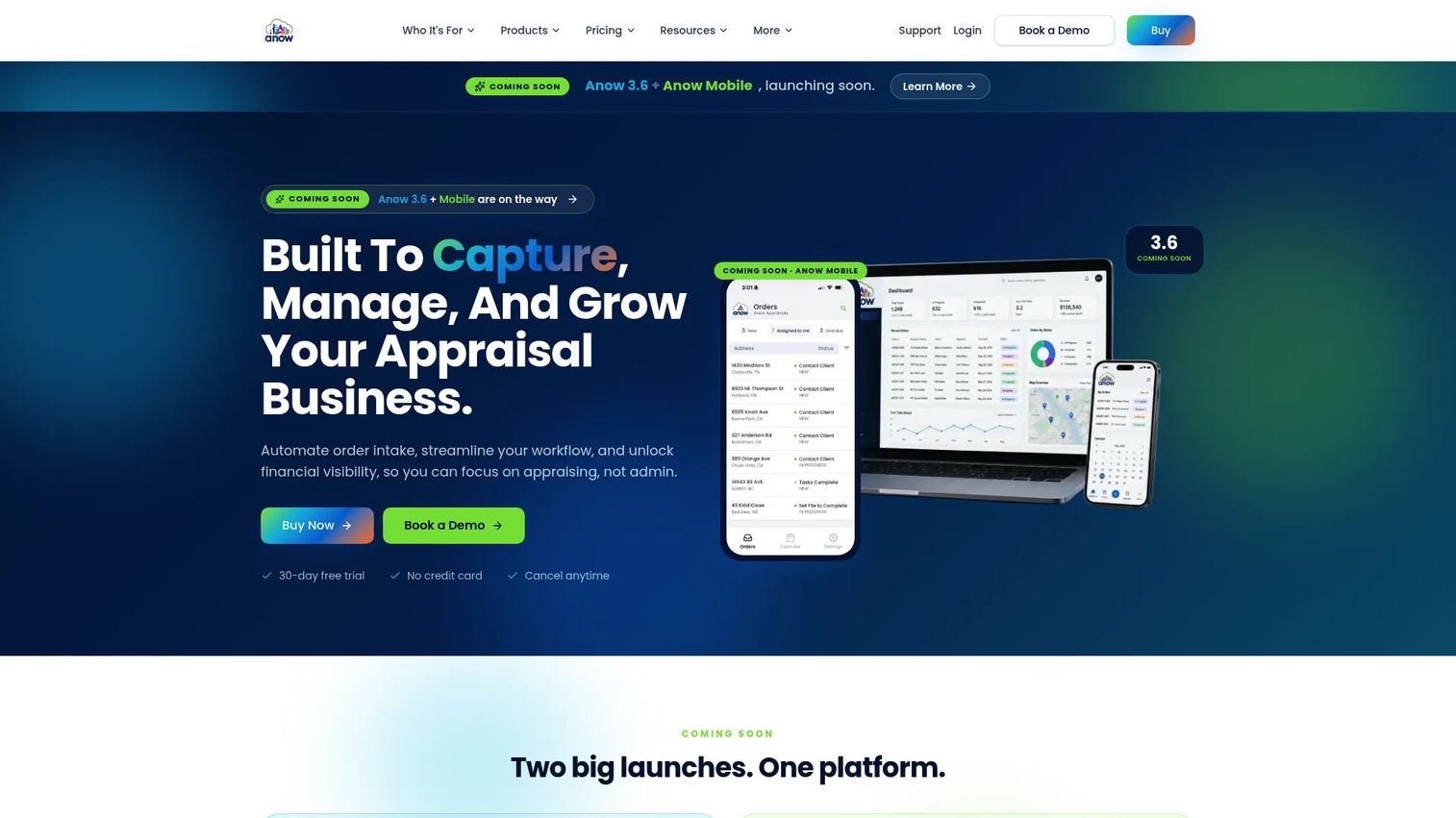
Anow is cloud-based appraisal management software focused on the operational side of an appraisal firm: order management, workflow and status tracking, team collaboration, and invoicing. It earns a place on this list because production tooling alone does not run a firm. When you have multiple appraisers and dozens of open assignments, someone needs visibility into who is doing what and when it is due.
Best for: Appraisal firms that need order management, workflow tracking, and reporting across many assignments.
Key strengths
- Custom workflows: Build assignment stages and routing that match how your firm actually operates.
- Business analytics and reports: See throughput, bottlenecks, and firm performance without a spreadsheet.
- Calendar integrations: Keep due dates, inspections, and deliverables in sync with your calendar.
Why choose Anow: For firm owners and managers who need operational visibility rather than another report writer, Anow tracks the assignments, status, and invoicing that keep the business running. It pairs naturally with a report-focused tool, covering the management layer that production software does not. It fits teams that want to see the whole pipeline at a glance.
Anow pricing: Essentials is $49 per month, billed annually at $588. Grow is $99 per month, billed annually at $1,188. Accelerate is $399 per month with month-to-month flexibility. A 30-day free trial is available with no credit card required.
Considerations before you buy
Workflow fit
The most common buying mistake is choosing on a feature checklist instead of your actual production process. Map how a report moves through your team today, from intake to comps to narrative to review, then check whether the tool supports that flow without forcing a rebuild. A platform that fits your workflow gets adopted. One that fights it becomes shelfware.
Data management and comparables
Comps are the asset you reuse most. Check how each tool stores, searches, and reuses property data, sales, leases, and valuation history. Cloud-native property valuation software keeps comps in a shared database so a single entry serves the whole team. Desktop tools keep files local, which suits solo and small-team production. Decide which model matches how your comps get used.
Report writing and templates
The report is the deliverable, so scrutinize the report writing engine. Confirm how the software handles narrative generation, templates, autofill from your data, and formatting control. AI-assisted drafting can compress hours of writing, but you still want full control over the final language and numbers. Test a real assignment before you commit.
Collaboration and assignment tracking
For any team past one person, evaluate assignment routing, status visibility, comments, and approval workflows. Can a reviewer see where a file stands without asking? Can two people work the same assignment without overwriting each other? This is where appraisal management software and cloud-native platforms pull ahead of local files.
Verification, compliance, and pricing
Finally, weigh the accuracy safeguards and the true cost. Review audit trails, data validation, source transparency, and protection against calculation errors, because a report that fails review costs far more than the software. Then compare subscription model, onboarding time, and migration effort against the productivity you expect to gain. List price is only part of the picture.
Conclusion
The right commercial appraisal software depends less on feature counts and more on how your team already produces reports. If you are outgrowing spreadsheets and want a shared database with modern collaboration, start with the cloud-native options: Realquantum for a web-based database and AI editing, Valcre for team productivity and mobile capture, or LightBox Valuation for an end-to-end research-to-report workflow. If your production is anchored in forms and you value a familiar, deep toolkit, ClickFORMS and TOTAL both bring mature form systems with strong comp and compliance tooling. If your bottleneck is operational visibility across many assignments, Anow handles the order management and workflow tracking that production software leaves out.
The decision lens stays constant: workflow automation, report quality, data and comparable management, and collaboration. Start with the two tools closest to your current process, then compare their modernization path against one cloud-native option. Shortlist two or three, request demos, and run a real assignment through each before you commit. The tool that fits your workflow is the one your team will actually use.
FAQs
Commercial appraisal software supports the full CRE valuation workflow: gathering property data, managing comparables, modeling income and cash flow, writing narrative reports, tracking assignments, and supporting compliance. It replaces the patchwork of Excel, Word, macros, and email that many teams still rely on, centralizing the work so reports move faster with fewer errors.
Residential appraisal software is built around standardized GSE forms and shorter, more uniform assignments. Commercial real estate appraisal software has to handle narrative reports, income-approach modeling, multi-property comps, and longer, more variable engagements. Commercial workflows also lean harder on team collaboration and data reuse, since assignments are larger and involve more stakeholders.
Prioritize comparable data management, report writing with templates and autofill, collaboration and assignment tracking, accuracy and compliance safeguards, and workflow automation from research to report. The specific weighting depends on your team size. Solo appraisers value production depth; growing teams value shared databases and status visibility.
AI helps most with drafting narrative sections and organizing data, cutting hours off report production and reducing rekeying. Several platforms now offer AI-assisted editing and autofill. That said, appraiser judgment still governs the valuation itself, so treat AI as a drafting and data-organization aid, not a replacement for professional analysis.
Cloud-native and workflow-focused platforms fit this transition best because they centralize your property database, sync work across the team, and generate reports from verified data. Realquantum, Valcre, and LightBox Valuation are strong starting points for teams leaving spreadsheets and document macros behind.
Look past list price. Compare the subscription model, support and training, migration effort, and the productivity you expect to gain. A tool at $167 per user per month that saves ten hours a week per appraiser can cost less in practice than a cheaper tool your team never fully adopts. Factor in any one-time implementation fees, which some platforms charge.
Confirm data import for your existing comps and property records, template compatibility so you keep your report formats, training resources to ramp the team, and reporting continuity so nothing breaks mid-assignment. Run a real report through the new tool during a trial before you move production over. The migration path is often the difference between a tool that sticks and one that gets abandoned.