A single missed playout event costs a station more than dead air. It costs credibility with listeners, advertisers, and regulators who expect the log to run exactly as scheduled. That is the real pressure behind every broadcast automation decision: the system either runs the day without you, or it becomes another thing you babysit.
The market reflects how central this software has become. The global broadcast automation software market was valued at roughly $2.29 billion in 2024 and is projected to reach $7.19 billion by 2030, a 21.0% CAGR, according to TechSci Research (2024). The radio automation subcategory alone is estimated at $530.5 million in 2025 and projected to reach $980.3 million by 2033, per Future Market Report (2024). Stations are not just buying software. They are betting operational reliability on it.
Here is what makes this decision hard. Feature lists look nearly identical across vendors. Every tool claims scheduling, playout, logging, and live assist. What actually separates them shows up in deployment model, maintenance burden, integration depth, and how the system behaves when something breaks at 2 a.m. Those are the lenses a product manager, station manager, or broadcast engineer needs to evaluate against, and they rarely appear on a spec sheet.
This guide compares eight broadcast automation systems across those operational realities, not just their feature checklists.
What's inside
This guide compares radio and television broadcast automation software across the workflows that decide real operational fit: scheduling, playout automation, media asset management, live assist, deployment model, and integrations. We looked at tools spanning open source broadcast software, entry-level commercial radio automation, professional station automation, and specialized cart-style playback.
We selected tools based on four criteria that matter most to a technical buyer: workflow coverage across acquisition to playout, deployment flexibility (on-premise, cloud automation, or hybrid), maintenance and administration burden, and integration depth with schedulers, traffic systems, and emergency broadcasting alerts. Pricing and ratings reflect verified first-party sources where available.
TL;DR
- Best for open source and full control: Rivendell, a free GPLv2 Linux-based radio automation program with deep administration tooling.
- Best for community TV and mixed radio/streaming: OpenBroadcaster, with cloud scheduling, media asset management, and CAP/EAS emergency alerting.
- Best for network-capable commercial radio: BSI Op-X One, with clock-based satellite programming and remote voice tracking.
- Best for small or internet stations on a budget: BSI Simian 2.3 Lite, affordable automated radio software with third-party log import.
- Best for pro on-air automation with remote workflows: BSI Simian 3.0 Pro or Enco DAD, depending on scale and newsroom needs.
- Best specialized live-assist playback: BSI WaveCart 5.1 Pro, an on-screen cart machine for manual control.
What is broadcast automation software?
Broadcast automation software is a system that schedules, plays out, logs, and manages audio or video content so a radio or television channel runs on a predictable, timed log with minimal manual intervention. It replaces the human operator for routine playout while leaving room for live assist and manual override when programming demands it.
At its core, broadcast automation handles a repeatable set of workflow components. Understanding these functions helps you separate tools that merely play files from systems that run a station.
- Scheduling and playlists: Timed logs, clock templates, dayparting, and event triggers that define what airs and when.
- Playout automation: Reliable, gapless playback of audio or video assets against the log, including hard-timed events and network joins.
- Media asset management: Ingest, metadata, categorization, and library search so content is findable and reusable across shows.
- Live assist: Manual control modes that let an operator take over, fire elements on cue, and voice-track without leaving automation.
- Logging and compliance: As-run logs, audio capture, and reporting that satisfy advertiser reconciliation and regulatory requirements.
- Emergency broadcasting: CAP and EAS alert integration that interrupts programming to air mandated messages.
- Audio routing and hardware control: Soundcard, GPIO, and device integration that ties software to the physical broadcast control room.
The category splits along a few lines. Radio automation software focuses on audio playout, music scheduling, and live assist. Television and IPTV automation add video playout, graphics, and channel branding. Open source broadcast software like Rivendell and OpenBroadcaster gives technical teams full control and no license fees, while commercial packages trade some flexibility for vendor support and packaged workflows. Cloud automation adds remote web access and virtual control room capabilities that on-premise systems handle through separate remote clients.
When to use broadcast automation software
Not every station needs the same automation depth. Matching the tool to the workflow matters more than buying the most feature-dense package. Here is how to pattern-match your situation.
Automate linear programming
Use full station automation when you run a linear channel that needs timed playlists, scheduled events, and predictable playout across the day and overnight. Stations with clock-based formats, satellite programming joins, or hard-timed network breaks need a scheduler that enforces the log without an operator watching it. If your programming is repetitive and time-sensitive, automation is the point.
Manage libraries and logs
Reach for strong media asset management and logging when your content library grows past what one person can track, or when compliance and advertiser reconciliation demand accurate as-run logs. Metadata, categorization, and searchable libraries matter when multiple shows reuse the same assets. Regulated environments and ad-supported stations need reliable logging as a first-class feature, not an afterthought.
Support live assist and recovery workflows
Choose systems with robust live assist and resilient control-room support when operators need to take manual control, fire elements on cue, or override automation for live segments. Emergency broadcasting overrides, failover behavior, and digital backup paths matter most for stations where dead air is unacceptable. If your format mixes automated and live hours, live assist quality should weigh heavily in your decision.
Comparison table
The table below summarizes each tool by buyer intent, key differentiation, verified pricing, and G2 rating where a rating was confirmed from a primary source. Pricing reflects first-party vendor pages as of mid-2026.
| # | Product | Intent | Key differentiation | Pricing | G2 rating |
|---|---|---|---|---|---|
| 1 | Rivendell | Open-source radio automation | Free GPLv2, Linux-based, deep administration tooling | $0 (free/open source) | Not verified |
| 2 | OpenBroadcaster | Community radio and TV automation | Cloud scheduling, MAM, CAP/EAS emergency alerting | Free (AGPL3); hardware/services from CAD $675 | 4.6/5 |
| 3 | BSI Op-X One | Network-capable commercial radio | Clock builder for satellite programming, remote VT | $3,295 one-time | Not verified |
| 4 | BSI Simian 2.3 Lite | Small or internet radio automation | Affordable log playback, third-party log import | $499 one-time | 4.3/5 |
| 5 | BSI Simian 3.0 Pro | Pro on-air automation | Remote VT via Gateway, multi-instance support | $1,999 one-time | 4.3/5 |
| 6 | Enco DAD | Enterprise radio and newsroom automation | Ingest, newsroom, remote web/iPad control | Custom (request quote) | Not verified |
| 7 | NextKast OnAir | Online and terrestrial radio | All-in-one automation, scheduling, traffic, streaming | $100/mo or $3,000 buyout | Not verified |
| 8 | BSI WaveCart 5.1 Pro | Live-assist cart playback | 10 on-screen decks, 24 HotKeys, remote control | $399 one-time | Not verified |
1. Rivendell
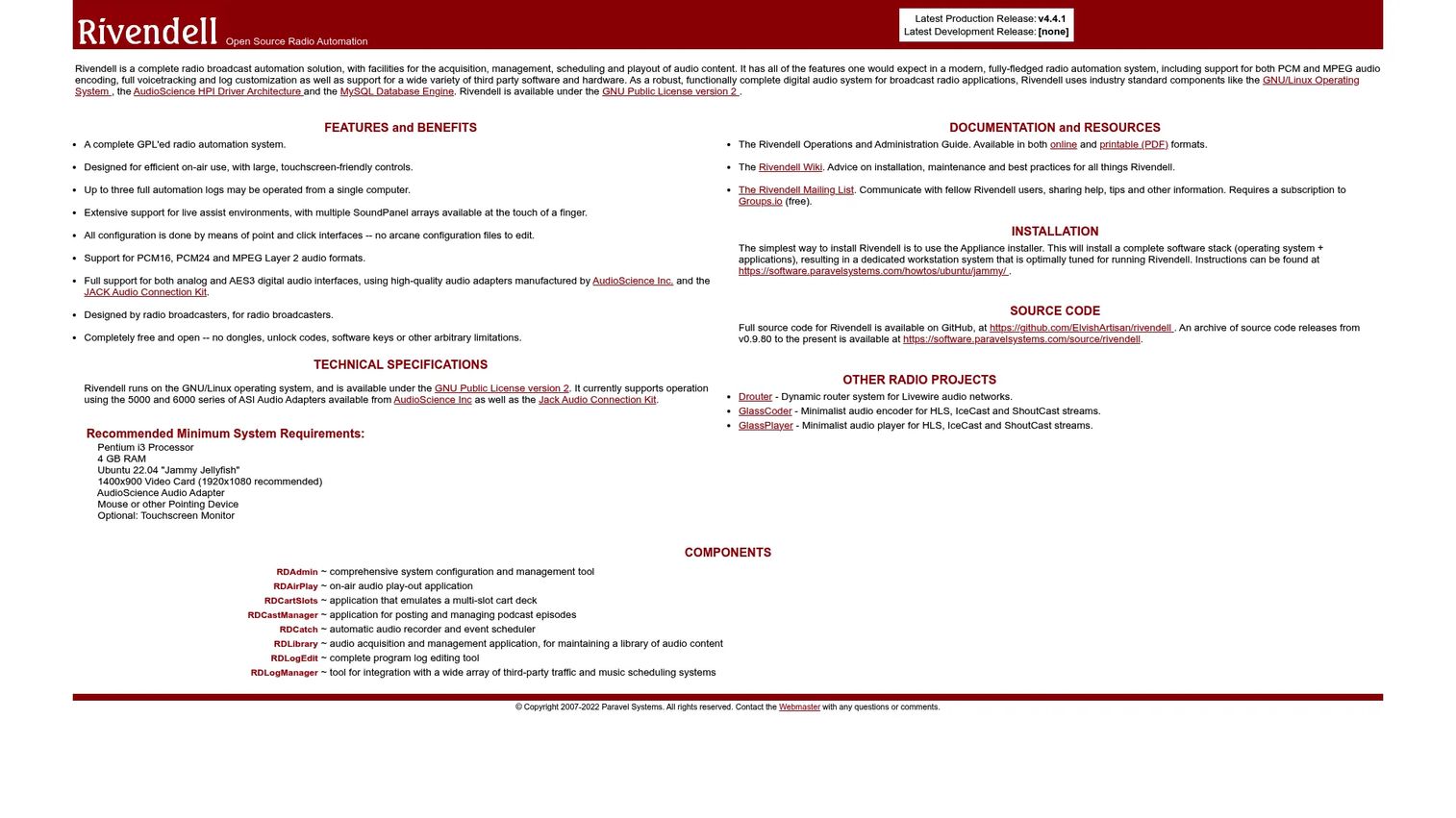
Rivendell is an open-source radio broadcast automation and digital audio content management system built on Linux. It covers the full workflow from acquisition through scheduling to playout, and it runs on a MySQL database with support for standard PCM and MPEG audio. Technical teams choose it because it gives complete control over the stack with no license cost, licensed under the GNU GPL v2.
Best for: Professional radio stations with Linux-capable engineers who want open-source broadcast automation and full administrative control.
Key strengths
- Full-stack radio automation: Handles acquisition, scheduling, and playout in one system with voicetracking and log customization.
- Open and free: Distributed under GPLv2 at no cost, with source access for teams that want to modify or audit it.
- Hardware and format flexibility: Supports PCM and MPEG audio plus third-party hardware and software integration.
Why choose Rivendell: Rivendell fits teams that treat their broadcast stack as infrastructure they own, not a product they license. The Linux and MySQL foundation rewards stations with in-house technical depth and a preference for open standards. If you have the administration capability and want a station automation platform with no recurring cost, it is a strong long-term choice.
Rivendell pricing: Rivendell is completely free and open source under the GNU GPL v2, per its official site. There is no software license fee. Budget instead for the Linux hardware, storage, and internal administration time the deployment requires.
2. OpenBroadcaster
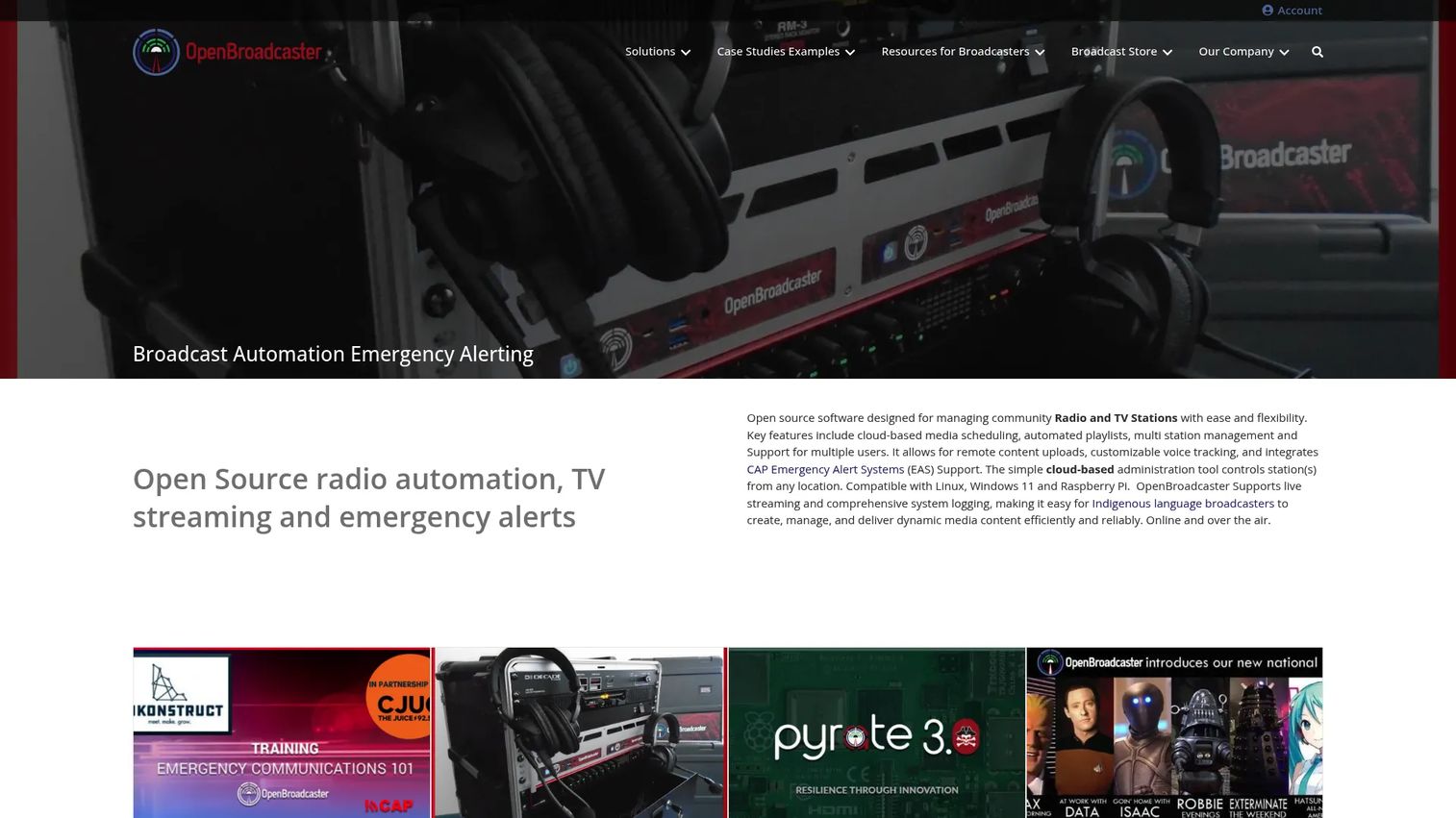
OpenBroadcaster is open-source broadcast automation, streaming, and media asset management software for community radio and TV stations, with built-in emergency alerting. It leans into cloud automation with browser-based scheduling and remote content uploads, which makes it a strong fit for volunteer-run and multi-site operations. The core software is free under AGPL3, while the vendor sells optional hardware, installation, and service packages.
Best for: Community broadcasters and PEG or cable channels that need open-source automation across radio, TV, and streaming, plus optional hardware and support.
Key strengths
- Cloud scheduling and playlists: Browser-based media scheduling and automated playlists that support remote and distributed teams.
- Multi-station management: Multiple-user support and multi-station control from a central interface.
- Emergency alerting built in: CAP and EAS alert integration for compliant emergency broadcasting, plus voice tracking and remote uploads.
Why choose OpenBroadcaster: OpenBroadcaster fits organizations that need TV, IPTV, or community television automation alongside radio, without paying per-seat license fees. The cloud and remote web access model suits stations run by rotating volunteers or spread across locations. When you want open source broadcast software with optional paid support to fall back on, it balances both.
OpenBroadcaster pricing: The core software is free to use under AGPL3, per the vendor. Optional store packages include an emergency alerting service combo from CAD $675, a Radio Station in a Box at CAD $19,995, and a Digital TV Station in a Box at CAD $29,995. OpenBroadcaster holds a 4.6/5 rating on G2.
3. BSI Op-X One radio automation software
BSI Op-X One is radio automation software from Broadcast Software International built for studio and multi-station broadcasting workflows. It combines stand-alone automation with a clock builder for satellite programming, which makes it a practical fit for stations that carry network feeds and need tightly timed joins. Remote voice tracking and remote control access extend it beyond a single studio.
Best for: Radio stations running a single station or a network-capable automation system that carries satellite programming.
Key strengths
- Stand-alone automation: Powerful playout automation that runs the log without depending on external components.
- Clock builder for satellite: Purpose-built scheduling for satellite programming and timed network joins.
- Remote workflows: Remote voice tracking and remote control access for hosts working off-site.
Why choose BSI Op-X One: Op-X One suits commercial stations that want operational consistency and clean satellite integration without assembling an open-source stack themselves. The clock builder handles the timing complexity that trips up simpler tools. For a station manager who values workflow simplicity and vendor support over full customization, it is a dependable commercial pick.
BSI Op-X One pricing: BSI lists Op-X at $3,295 as a one-time purchase on its site. No public free tier was found. Pricing reflects BSI's first-party product page as of mid-2026.
4. BSI Simian 2.3 Lite automation
BSI Simian 2.3 Lite is radio automation and computer playout software aimed at internet broadcasting and smaller stations. It delivers fully automated program log playback and imports logs from major third-party log generators, so it slots into existing scheduling and traffic workflows without forcing a full platform switch. Streaming metadata output over HTTP, TCP, and UDP supports online delivery.
Best for: Small broadcasters or internet radio stations that need affordable automated radio software with reliable log playback.
Key strengths
- Automated log playback: Runs program logs start to finish without operator intervention.
- Third-party log import: Accepts logs from major external log generators, protecting existing scheduling investments.
- Streaming metadata output: Pushes now-playing metadata via HTTP, TCP, and UDP for internet streams.
Why choose BSI Simian 2.3 Lite: Simian Lite fits stations that need dependable playout without paying for pro-tier features they will not use. It is the entry point into the Simian line, and its log-import flexibility makes it easy to adopt alongside tools a station already runs. For internet radio and budget-conscious operators, it covers the essentials.
BSI Simian 2.3 Lite pricing: BSI lists Simian 2.3 Lite at $499 as a one-time purchase, with a $100 upgrade discount for owners of Simian Lite 2.2 or earlier. No free tier is offered. Simian carries a 4.3/5 rating on G2.
5. BSI Simian 3.0 Pro
BSI Simian 3.0 Pro is radio automation software for broadcast, internet, and satellite stations that need more control than the Lite tier provides. It adds remote voice tracking through Simian Gateway, multi-instance support on a single computer, and workflow extras like weather retrieval and announcement. The purchase bundles the SayTime kit, a year of web-based support, and a year of the Tech Advantage plan.
Best for: Broadcasters that need on-air automation with remote voice tracking, multi-station options, and vendor support included.
Key strengths
- Remote voice tracking: Simian Gateway lets hosts voice-track from anywhere, supporting distributed teams.
- Multi-instance support: Runs multiple station instances on one computer, useful for operators managing several channels.
- Workflow automation extras: Weather and forecast retrieval with automated announcements built into the log.
Why choose BSI Simian 3.0 Pro: Simian Pro fits teams that have outgrown Lite and need robust control, remote workflows, and multi-station reach. The included support and Tech Advantage plan matter for stations without deep in-house engineering. Optional add-ons for Gateway and multi-instance mode let you scale the license to your actual footprint.
BSI Simian 3.0 Pro pricing: BSI lists Simian 3.0 Pro at $1,999 as a one-time purchase. Add-ons include Gateway at +$299 and multi-instance mode at +$499, with upgrade discounts of up to $1,000 for existing Simian Pro owners. Simian carries a 4.3/5 rating on G2.
6. Enco DAD ON AIR radio automation software
Enco DAD is a radio automation platform centered on Enco's long-running DAD playout and workflow system, built for professional and enterprise broadcast environments. It covers automated playout and station automation alongside voice tracking, multi-track editing, scheduling, ingest, and newsroom workflows. Remote web and iPad control extend the system to hosts and journalists working outside the studio.
Best for: Broadcasters and enterprise stations that need a flexible radio automation system with newsroom, ingest, and remote control workflows.
Key strengths
- Enterprise-grade playout: Automated playout and station automation engineered for professional broadcast reliability.
- Newsroom and ingest: Integrated scheduling, ingest, and newsroom workflows for content-heavy operations.
- Remote control: Web and iPad control for voice tracking and live operation away from the studio.
Why choose Enco DAD: DAD fits larger operations that need production depth, multi-track editing, and newsroom integration in one platform. Its focus on reliability and live operation suits professional broadcast environments where uptime is non-negotiable. For enterprise stations weighing a full-service vendor relationship, DAD is built for that scale.
Enco DAD pricing: Enco does not publish pricing on its site. Product pages route buyers to request information or a demo rather than showing a price, which is common for enterprise broadcast platforms. Budget for a sales-led quote sized to your station's channels and workflows.
7. NextKast OnAir software
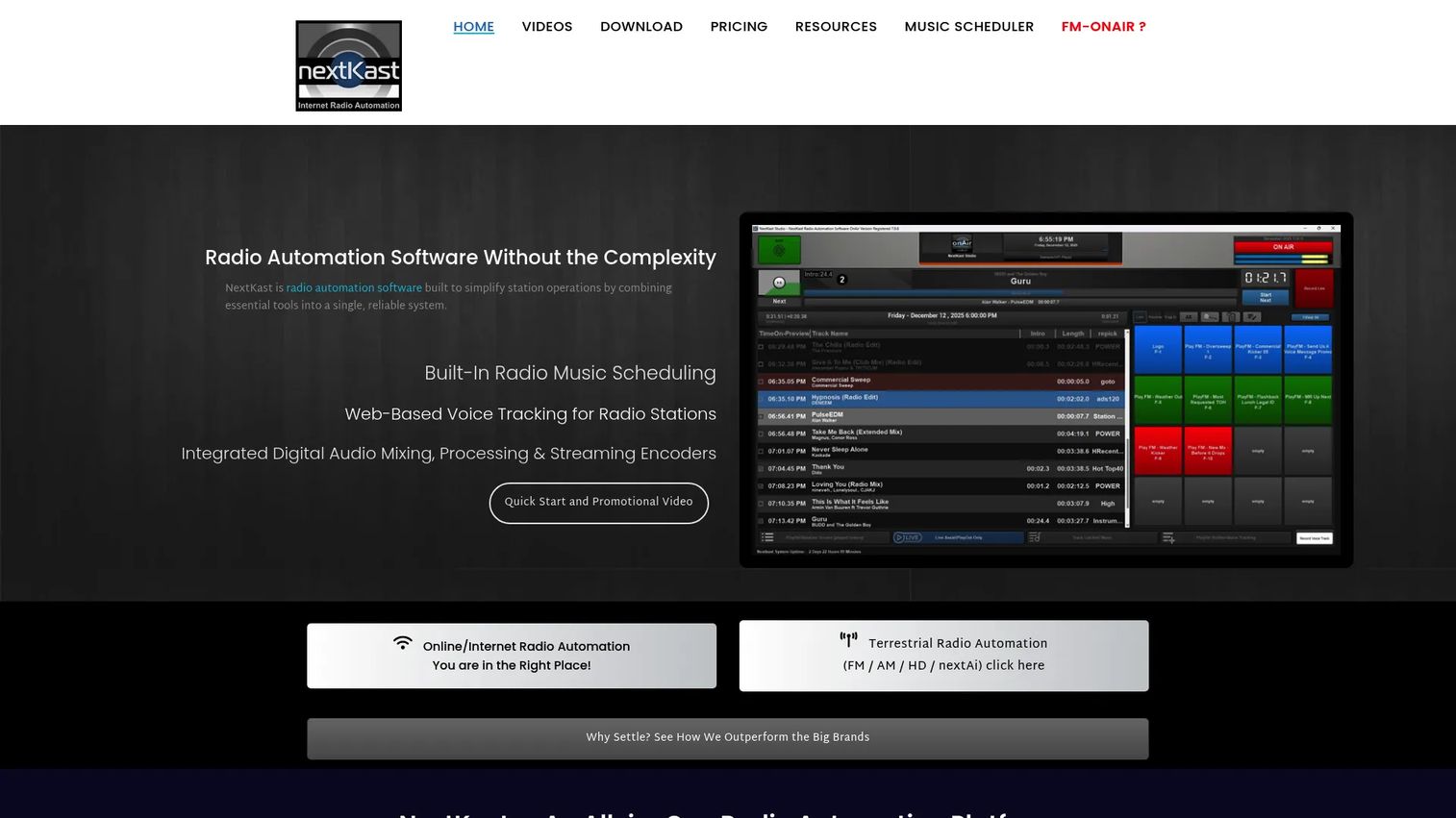
NextKast OnAir is radio automation and music scheduling software for online and terrestrial stations, packaged as an all-in-one suite. It combines automation, music scheduling, traffic, and streaming with AI tools, plus StudioLink remote voice tracking and GoLive live hosting. Integrated nextTraffic handles billing, reconciliation, and reporting, which keeps commercial operations in one system.
Best for: Commercial and non-commercial stations, including online and LPFM setups, that want integrated automation, scheduling, and remote hosting.
Key strengths
- All-in-one suite: Automation, music scheduling, traffic, streaming, and AI tools in a single package.
- Remote hosting tools: StudioLink remote voice tracking and GoLive live hosting for distributed hosts.
- Integrated traffic and billing: nextTraffic handles billing, reconciliation, and reporting for commercial stations.
Why choose NextKast OnAir: NextKast fits smaller commercial and online stations that want scheduling, traffic, and automation without stitching separate tools together. The monthly subscription lowers the barrier for stations that cannot commit to a large upfront license. Its LPFM and internet radio fit makes it a practical buy for lean operations.
NextKast OnAir pricing: NextKast lists an FM Commercial Station plan at $100 per month, with a $3,000 buyout option and a $50 per month support and updates add-on. Small to mid-market commercial station plans are also available. Pricing reflects NextKast's first-party purchase page as of mid-2026.
8. BSI WaveCart 5.1 Pro software
BSI WaveCart 5.1 Pro is an on-screen cart-machine replacement for radio and live-assist playback. It gives operators up to 10 on-screen decks with timers and labels, plus 24 configurable HotKeys for instant playback of jingles, drops, and effects. Remote control through the WaveCart Remote client lets a host trigger playback from a separate position.
Best for: Radio stations or live-assist operators who need cart-style instant playback and remote triggering rather than full station automation.
Key strengths
- On-screen decks: Up to 10 decks with timers and labels for organized live playback.
- HotKey playback: 24 configurable HotKeys for instant access to frequently used audio.
- Remote triggering: WaveCart Remote client for firing playback from a separate operator position.
Why choose BSI WaveCart 5.1 Pro: WaveCart is more specialized than full station automation. It excels as the live-assist and instant-playback layer that sits alongside a scheduler or automation system, handling the manual, on-cue elements a log cannot anticipate. For production studios and live shows that need fast, tactile control, it fills that role cleanly.
BSI WaveCart 5.1 Pro pricing: BSI lists WaveCart 5.1.0 at $399 as a one-time purchase on its product page. No free tier is offered. Pricing reflects BSI's first-party listing as of mid-2026.
Considerations before you buy
Feature parity is a trap. Two tools can list the same capabilities and behave completely differently under load. Evaluate against these operational criteria before committing.
Deployment model and remote access
Decide early whether you need on-premise control, cloud automation, or a hybrid. On-premise systems like Rivendell and the BSI line give you local control and predictable performance, while cloud-based options like OpenBroadcaster and NextKast add remote web access and virtual control room flexibility. Match the model to your team's location and technical capacity, not to the marketing.
Maintenance and administration burden
Open source broadcast software trades license cost for administration time. Budget for the engineering hours a self-managed Linux and database stack requires, versus the packaged support and updates that come with commercial licenses. A tool that saves money upfront can cost more in ongoing maintenance if you lack in-house depth.
Integration and log import depth
Check how the system connects to your existing scheduler, traffic, and billing tools. Third-party log import, API integration, and streaming metadata output determine whether the automation fits your workflow or forces a rebuild. The best fit is often the tool that respects the systems you already run.
Live assist and emergency workflows
Test how the system behaves during manual takeover, failover, and emergency broadcasting. CAP and EAS alert integration, digital backup paths, and reliable live assist matter most when programming goes off-script. These are the workflows you cannot afford to discover are weak after go-live.
Conclusion
The right broadcast automation software depends less on feature count and more on how the tool fits your deployment, team, and programming reality. For open-source control with no license cost, Rivendell rewards technically capable teams. For community TV, IPTV, and mixed radio with emergency alerting, OpenBroadcaster covers the broadest ground. Commercial radio stations that want packaged support and satellite integration should look at the BSI Op-X One and Simian line, scaling from Lite to Pro as their footprint grows. Enterprise operations with newsroom and ingest needs fit Enco DAD, while lean online and LPFM stations get integrated automation, traffic, and streaming from NextKast OnAir. WaveCart 5.1 Pro rounds out a stack as the live-assist and instant-playback layer.
Start by mapping your programming and deployment model, then shortlist two tools that match it. Request a trial or demo, run your real log through each, and test failover and emergency workflows before you commit. The tool that survives your actual workday is the one to buy.
FAQs
Broadcast automation software schedules, plays out, logs, and manages audio or video content so a radio or TV channel runs on a timed log with minimal manual work. It handles routine playout automatically while allowing live assist and manual override for live segments. It is the backbone of predictable linear programming.
Radio automation software manages music scheduling, timed playlists, playout, voice tracking, and logging for a radio station. It runs the program log automatically, fires scheduled events, imports logs from traffic and scheduling tools, and outputs streaming metadata. Most systems also support live assist so operators can take manual control when needed.
Playout automation is the specific function of playing scheduled content to air reliably and gaplessly. Broadcast automation is the broader system that includes playout plus scheduling, media asset management, logging, live assist, and emergency alerting. Playout is one component inside a full broadcast automation platform.
Yes, when the team has the technical capacity to run it. Open source options like Rivendell and OpenBroadcaster power professional and community stations worldwide, offering full-stack automation with no license fee. The trade is administration time for license cost, so they fit stations with in-house Linux and database capability best.
Start with reliable playout automation, flexible scheduling and log import, and strong live assist for manual takeover. Then verify emergency broadcasting support through CAP and EAS integration, accurate as-run logging for compliance, and integration with your existing traffic and billing tools. Deployment model and support terms come next.
Most do. Live assist lets an operator take manual control of the log, fire elements on cue, and voice-track without leaving automation. Tools range from full automation with built-in live assist modes to specialized cart-style players like WaveCart that handle instant, on-cue playback alongside a scheduler.
Some can. OpenBroadcaster supports radio, TV, IPTV, and community television or PEG automation from one platform, including video playout and streaming. Radio-focused tools like the BSI Simian line and NextKast concentrate on audio. Match the tool to whether you run audio-only, video, or both.
Prioritize third-party log import from your scheduler and traffic system, streaming metadata output for online delivery, and CAP or EAS integration for emergency broadcasting. API integration and remote web access matter for distributed teams. The strongest integration fit is usually the tool that connects cleanly to the systems you already run.