



You pulled 40 sources for one report. Half came from web pages, a handful from PDFs, the rest from a database export. Now you have to format every one in APA, and the deadline is tomorrow.
The bibliography is not the hard part. Keeping references clean, consistent, and reusable across the next five documents is the hard part. Copy a citation once and you inherit its formatting errors forever.
The reference management software market hit $1.2B in 2025 and is projected to reach $2.3B by 2034, according to MarketIntelo (2025). That growth tracks a simple shift: More people write with sources, and manual formatting does not scale.
If you own a research function, a content team, or a knowledge base at a growing company, standardizing this workflow removes a recurring tax. The right tool captures a source once, formats it in any style, and keeps your library in sync so nobody rebuilds a bibliography by hand again.
What's inside
This guide compares the best bibliography software for anyone who needs to capture sources, organize a library, sync across devices, and format citations without hand-editing every entry. We picked tools you can actually standardize on, not one-off generators that leave you stranded on the next project.
We evaluated each tool against four criteria:
- Source capture and import: How fast it pulls references from the web, DOIs, ISBNs, and databases
- Citation style coverage: How many styles it supports and how accurately it formats them
- Sync and device access: Whether your library follows you across machines and browsers
- Collaboration and sharing: How well it supports shared libraries and team workflows
TL;DR
- Best all-around reference manager: Zotero, free, open-source, strong capture and citation in one place
- Best quick browser-based bibliography tool: ZoteroBib, no account, no install, done in a minute
- Best for institutional and heavy research workflows: EndNote, deep formatting plus an AI research assistant
- Best for free storage and discovery: Mendeley, generous free tier with annotation and literature discovery
- Best for library and group-managed workflows: RefWorks, cloud access built for institutions
- Best for Google Docs writing: Paperpile, citations native to Docs and Drive
- Best for LaTeX and BibTeX users: JabRef, open-source, local control, BibTeX-first
What is bibliography software
Bibliography software is a tool that collects research sources, organizes them into a searchable library, and formats them into citations and bibliographies in styles like APA, MLA, and Chicago.
It helps to separate three jobs that often get lumped together. A citation generator turns a single source into a formatted reference. A works cited generator produces the reference list at the end of a document. A reference manager does both, plus it stores, tags, and syncs every source so you reuse them across projects instead of starting over each time.
Cloud-based deployment now holds 58.7% of revenue share in this market, according to MarketIntelo (2025). Most teams want a library that follows them, not a file trapped on one laptop.
Core features to expect:
- Source capture: Save references from web pages, journal pages, and databases with a browser extension
- Metadata import: Pull full citation data from a DOI, ISBN, PMID, or arXiv ID
- Citation insertion: Add and update citations inside Word, Google Docs, and LibreOffice
- Style formatting: Generate bibliographies across APA, MLA, Chicago, and thousands of other styles
- Organization: Sort sources with collections, tags, notes, and saved searches
- Sync and sharing: Keep libraries current across devices and share them with a team
- Research assistance: Summarize, annotate, or surface related papers where the tool supports it
The distinction that matters most for a buyer: A quick generator solves today's deadline. A reference manager solves the next hundred deadlines by making every source reusable.
When to use bibliography software
Keep sources organized while you research
Manual notes break down past a few dozen sources. A library lets you save as you read, tag by theme, and search your own collection later. When you find a paper twice, the tool tells you. That single habit saves hours of re-finding sources you already read.
Generate citations while you write
Plugin-based citation insertion drops formatted references into your document and updates them if you change styles. Switch from APA to Chicago and the whole bibliography reformats without a rewrite. No more hand-fixing a comma that turns into a formatting error across 40 entries.
Share references with a team or class
Shared libraries let a lab, a class, or a content team pull from one source of truth. Permissions control who edits and who reads. Instead of emailing a spreadsheet of links, everyone cites from the same clean set of references.
Comparison table
Here is how the seven tools stack up on positioning, price, and rating. Pricing and G2 figures reflect each vendor's current listing at the time of writing.
| # | Product | Best for | Key differentiator | Pricing | G2 rating |
|---|---|---|---|---|---|
| 1 | Zotero | All-around reference management | Free, open-source, strong web capture | Free, storage from $20/year | 4.4/5 |
| 2 | ZoteroBib | Fast one-off bibliographies | No account, no install, browser-based | Free | Not rated |
| 3 | EndNote | Institutional research teams | Cite While You Write plus AI research assistant | From $150 one-time | 4.1/5 |
| 4 | Mendeley | Discovery plus management | Free storage tier and reading assistant | Free, PLUS from $4.99/month | Not rated |
| 5 | RefWorks | Library and group workflows | Cloud access built for institutions | Custom pricing | 3.9/5 |
| 6 | Paperpile | Google Docs writing | Native Docs and Drive integration | From $4.15/month | 4.5/5 |
| 7 | JabRef | LaTeX and BibTeX users | BibTeX-first, local, open-source | Free | 4.7/5 |
Best 7 tools for bibliography software
1. Zotero
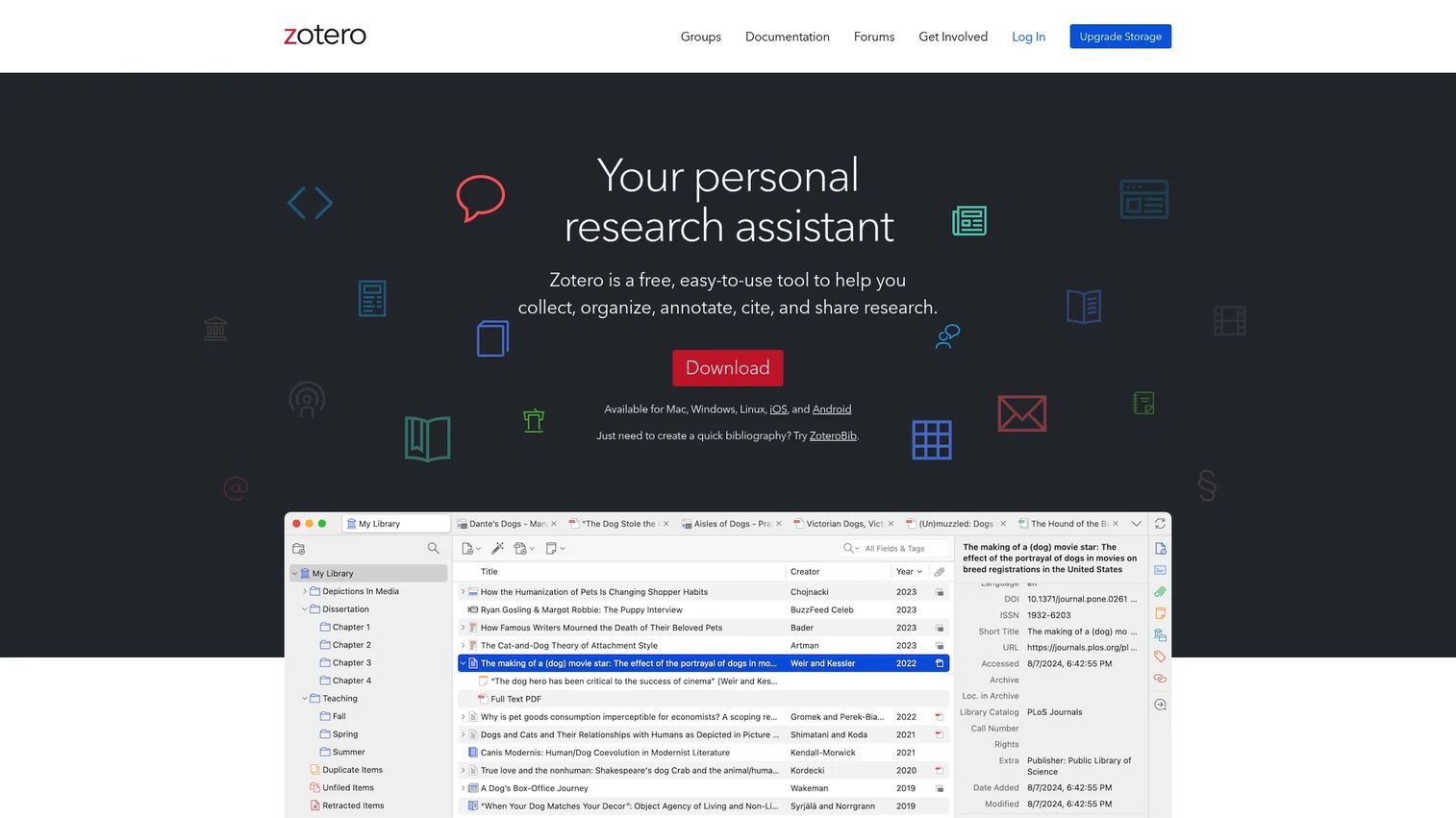
Zotero is a free, open-source reference manager that collects, organizes, cites, and shares research sources in one place. Its browser connector saves items from journal pages, news sites, and databases with a single click, pulling clean metadata as it goes. From there you organize with collections and tags, then cite directly inside your writing tool.
Best for: Researchers and students who want capture, organization, and citation without paying for a license.
Key features
- Save research items from the web
- Organize items into collections and tags
- Cite in Word, LibreOffice, and Google Docs
- Saved searches for large libraries
- Cross-device sync
Why choose Zotero: Choose it when you want a full reference manager without a subscription. Unlike a quick generator, Zotero keeps every source reusable across projects, and its open-source model means no vendor lock-in on your library.
Zotero pricing: The software is free, and every account includes 300 MB of storage. Paid storage runs $20/year for 2 GB, $60/year for 6 GB, and $120/year for unlimited.
Zotero holds a 4.4/5 rating on G2.
2. ZoteroBib
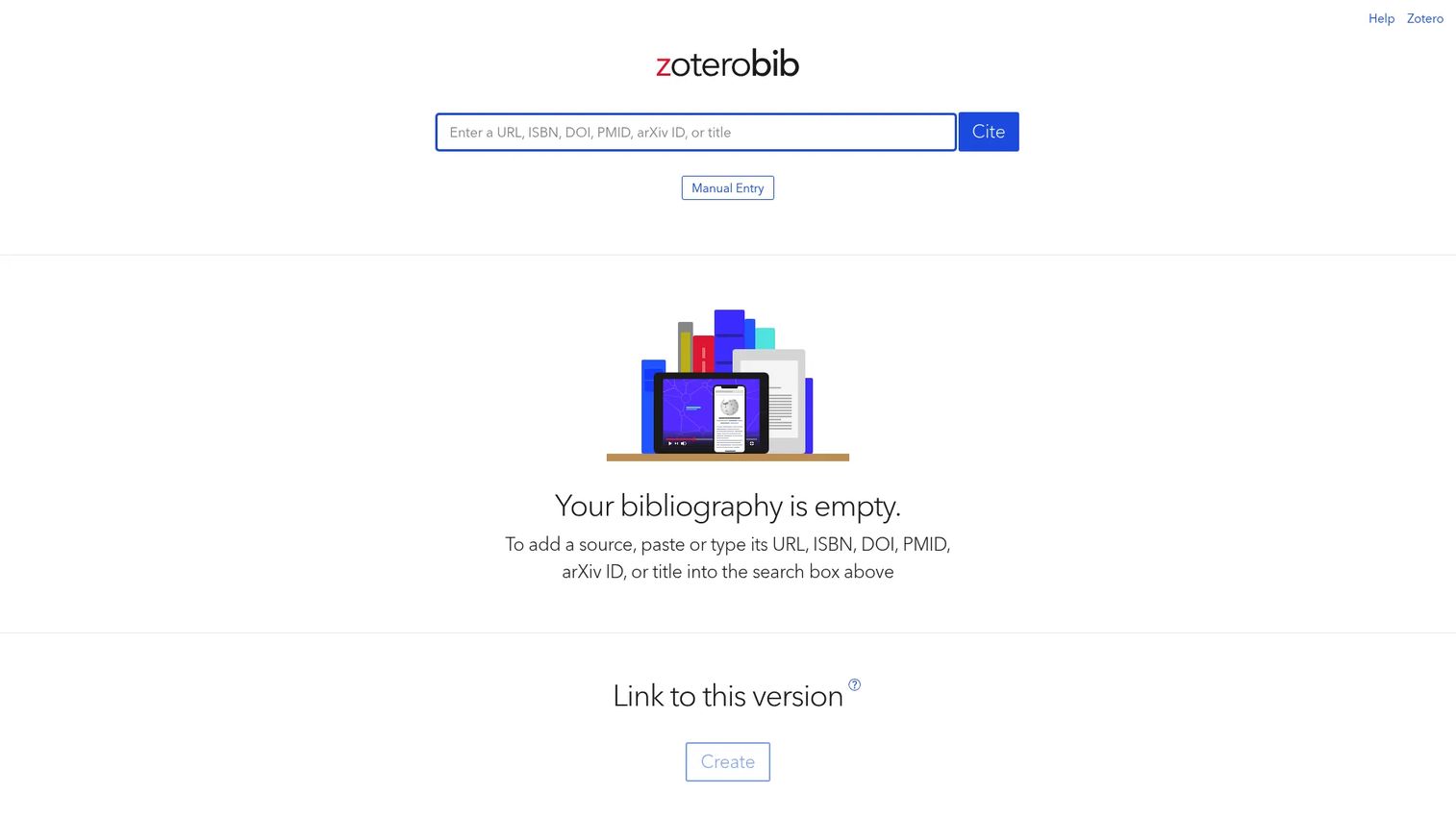
ZoteroBib is a free bibliography generator from the Zotero team that needs no account and no install. Paste a URL, ISBN, DOI, PMID, or arXiv ID, and it extracts the citation data automatically. Pick a style, then copy or export the finished list. It is the fastest path from a pile of links to a formatted works cited page.
Best for: Students and researchers who need a clean one-off bibliography without setting up software.
Key features
- No account or install required
- Auto-extract from URLs, ISBNs, DOIs, PMIDs, arXiv IDs
- Supports 10,000+ CSL citation styles
- Export to clipboard, HTML, RTF, RIS, BibTeX
- Shareable bibliography link
Why choose ZoteroBib: Choose it for speed and zero friction. It skips the library layer entirely, so it suits a single paper rather than a workflow you reuse across a team.
ZoteroBib pricing: ZoteroBib is completely free and ad-free, with no paid tiers.
No verified G2 rating is currently listed for ZoteroBib.
3. EndNote
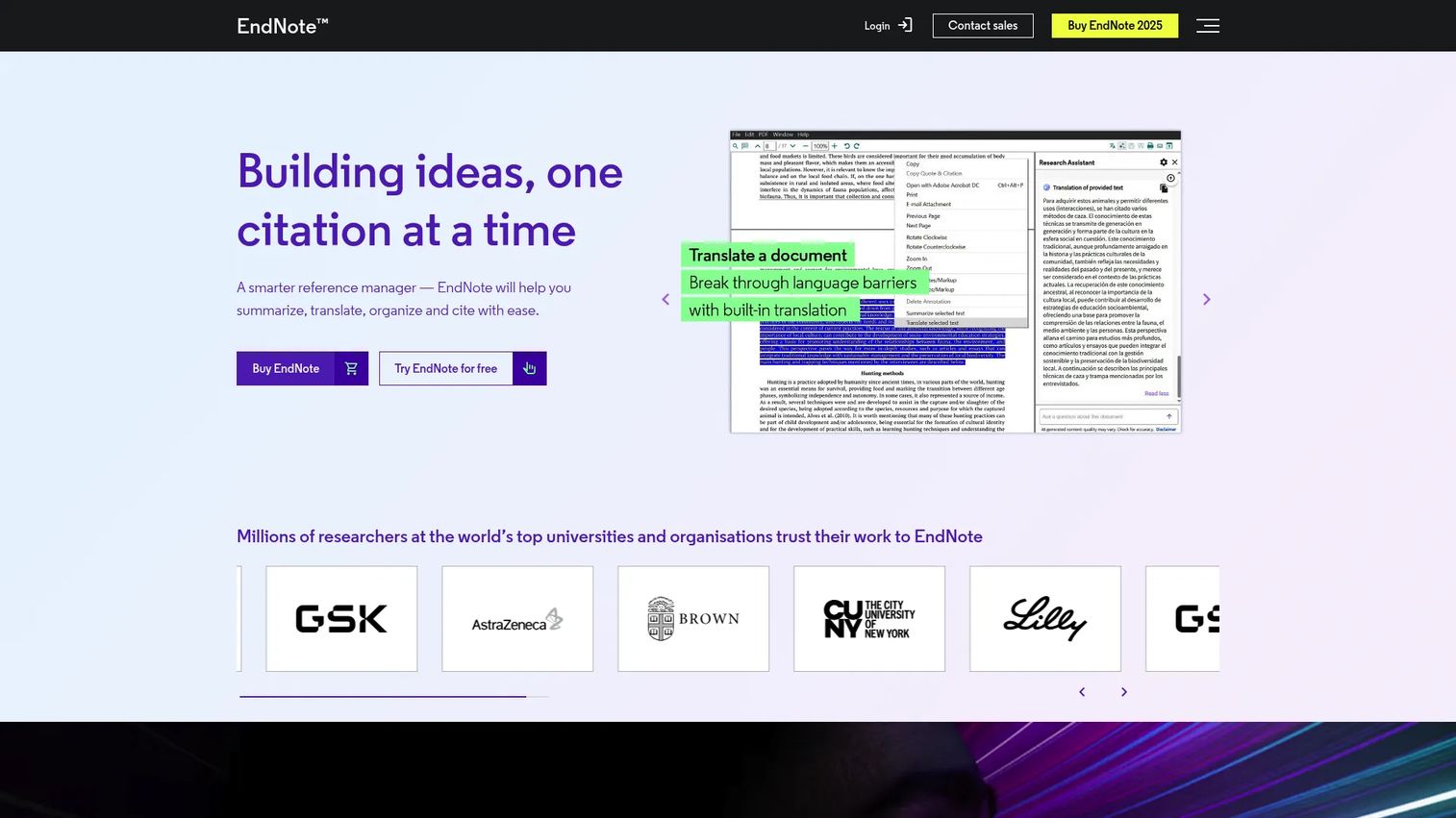
EndNote is reference management software for organizing citations, PDFs, and bibliographies across desktop and web. Its Cite While You Write plugin formats references inside Word and Google Docs as you type. A newer AI-powered research assistant summarizes, translates, and lets you chat with your documents. It is built for research at institutional scale.
Best for: Researchers and academic teams that need deep citation formatting and structured reference organization.
Key features
- Citation and bibliography management
- Cite While You Write for Word and Google Docs
- AI research assistant for summarizing and translating
- Large-scale library sharing
- Desktop and web workflows
Why choose EndNote: Choose it when a team needs heavy formatting control and collaboration on large libraries. The one-time license suits organizations that prefer a purchase over a recurring subscription.
EndNote pricing: EndNote sells one-time licenses: $150 for students, $125 for an upgrade, and $275 for a full license. Multi-user pricing is by contact sales, and a 30-day trial is available.
EndNote holds a 4.1/5 rating on G2.
4. Mendeley
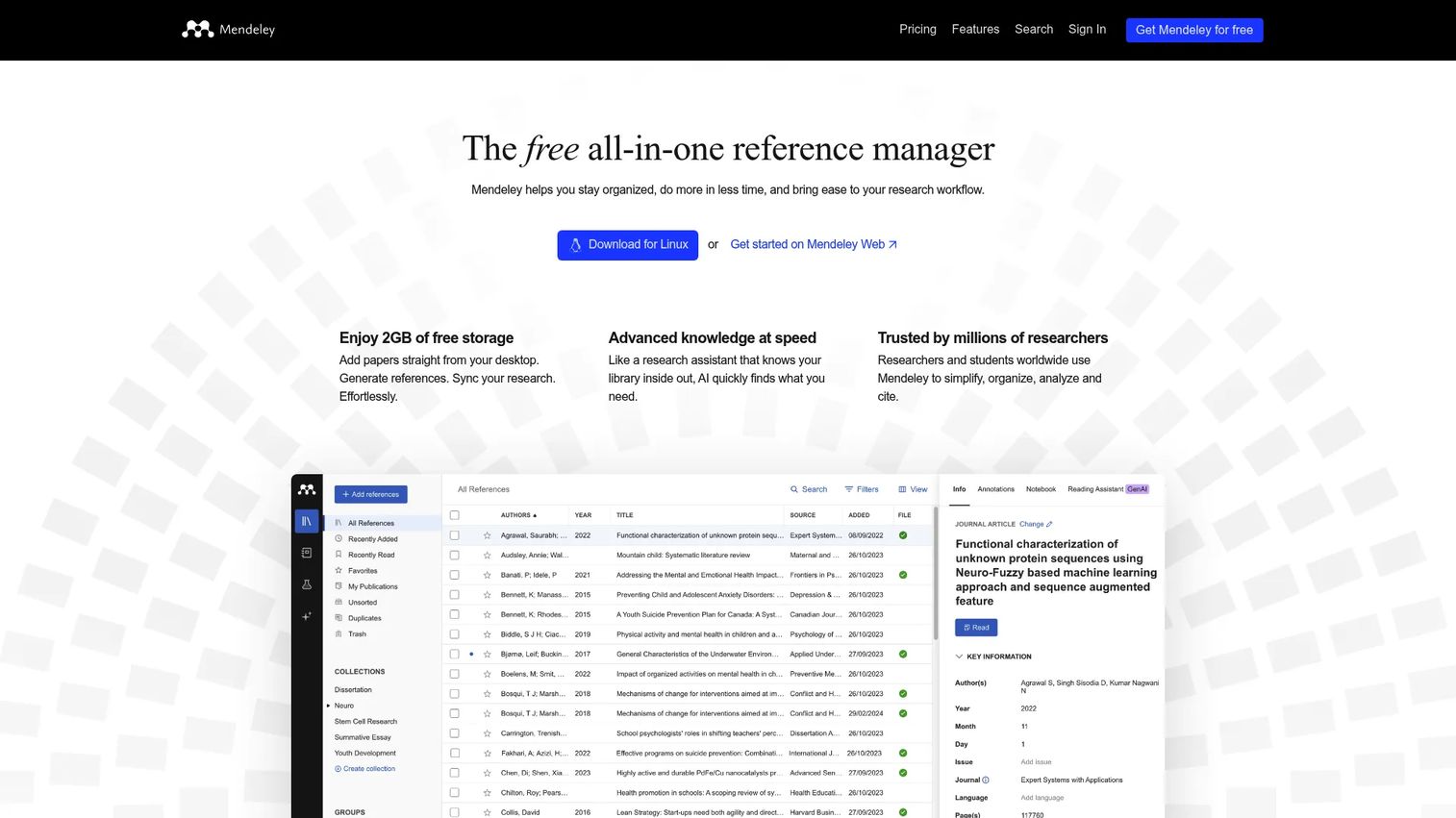
Mendeley is a reference manager that pairs citation management with PDF organization and literature discovery. Its Web Importer saves sources from the browser, and you can import PDFs and full folders at once. Mendeley Cite drops references into your document, while Groups support shared libraries for collaborative review. A free tier makes it easy to start.
Best for: Researchers who want reference management plus discovery and annotation tools in one place.
Key features
- Import PDFs and folders
- Web Importer for saving sources
- Groups for shared libraries
- Annotations on stored papers
- Mendeley Cite for Word
Why choose Mendeley: Choose it when discovery matters as much as management, or when a lighter free workflow beats a paid license. The free storage tier lowers the barrier for a team testing the water.
Mendeley pricing: The free plan includes 2 GB of storage and 5 reading assistant questions. Paid plans are PLUS at $4.99/month, PRO at $9.99/month, and MAX at $14.99/month, with annual options that lower the monthly cost.
Mendeley carries a 4.2/5 rating on Capterra.
5. RefWorks
RefWorks is a cloud-based reference management, writing, and citation tool built for researchers and institutions. Everything runs in the browser, so there is no desktop app to maintain across a campus. Shared folders and style management make it a fit for group-managed workflows where a library administers access for many users at once.
Best for: Students, researchers, and libraries managing citations and bibliographies under institutional access.
Key features
- Cloud-based browser access
- Reference organization and collaboration
- Bibliography and citation generation
- Shared folders for groups
- Import and export across formats
Why choose RefWorks: Choose it when an institution wants to standardize citation management centrally rather than have each person run their own tool. It fits academic administration more than a solo researcher.
RefWorks pricing: RefWorks lists a contact-sales option, and access is typically arranged through a university or library subscription rather than an individual plan.
RefWorks holds a 3.9/5 rating on G2.
6. Paperpile
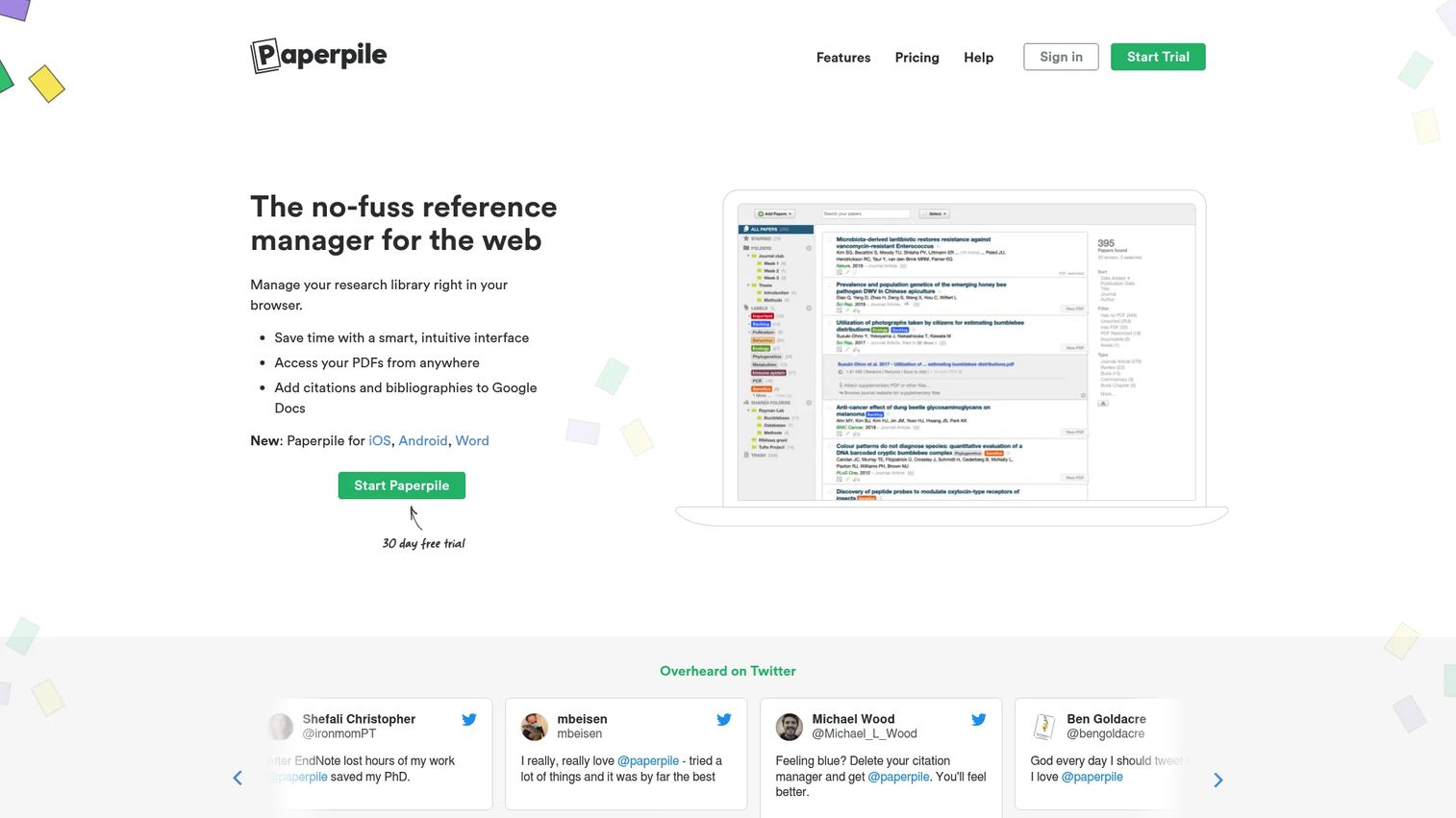
Paperpile is a web-based reference manager built around Google Docs and Drive. Its citation plugin inserts and formats references directly inside Docs, and PDFs sync to your Drive storage. Browser import saves sources as you research, and shared folders support team workflows. If your writing already lives in Docs, Paperpile fits without a context switch.
Best for: Researchers and teams who write in Google Docs and store references in Drive.
Key features
- Google Docs citation plugin
- Google Drive PDF sync and storage
- PDF annotations
- Shared folders
- Browser import
Why choose Paperpile: Choose it when your work happens in Docs first. It trades the breadth of a desktop tool for tight integration with Google's stack, which suits Docs-native teams.
Paperpile pricing: Paperpile starts at $4.15/month for Regular and $5.75/month for Expert, both billed annually, with a 30-day free trial and an academic discount. Enterprise and institution plans use custom pricing.
Paperpile carries a 4.5/5 rating on G2.
7. JabRef
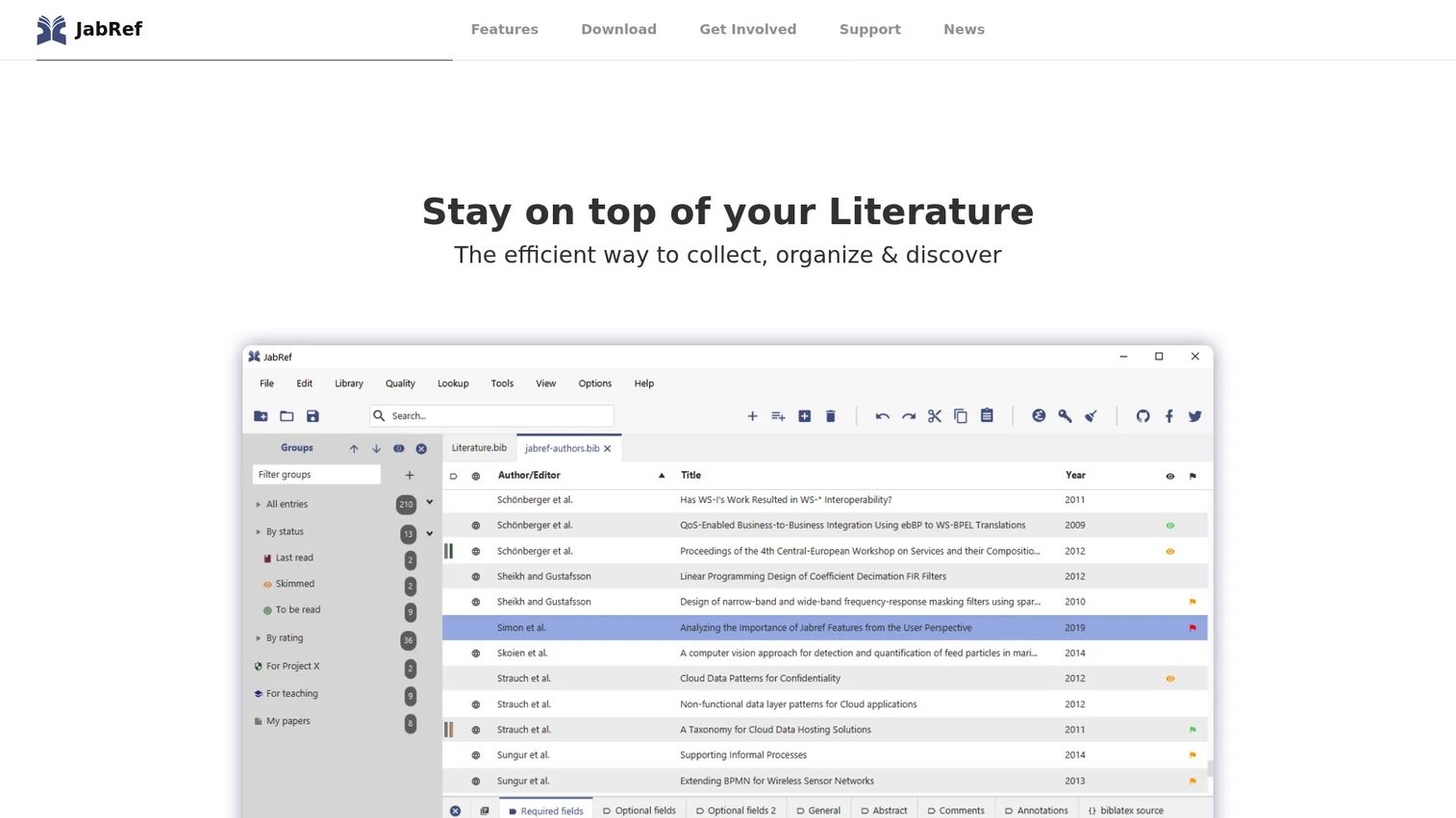
JabRef is a free, open-source reference manager built around BibTeX and BibLaTeX. It stores your library as a plain BibTeX file, so LaTeX users cite without a conversion step. The cross-platform desktop app runs on Windows, macOS, and Linux, and browser plus office integrations handle import and citation. You keep full local control of your data.
Best for: Researchers and academics managing BibTeX or BibLaTeX bibliographies for LaTeX writing.
Key features
- BibTeX and BibLaTeX reference management
- Cross-platform desktop app
- Citation key handling
- Browser and office integrations
- Local file control
Why choose JabRef: Choose it when you write in LaTeX and want your references as a portable BibTeX file. It rewards technical users who value open-source control over a polished cloud interface.
JabRef pricing: JabRef is 100% free and open-source, with no paid tiers.
JabRef holds a 4.7/5 rating on G2, the highest in this list.
Considerations
Before you standardize a team on any tool, run through these checks. Bibliographic management applications made up 22.4% of the reference management market's value in 2025, according to MarketIntelo (2025), which means plenty of overlapping options. The fit comes down to your actual workflow, not the feature count.
Source capture quality
Test how the tool handles the sources you actually use. A browser connector that pulls clean metadata from your key databases saves more time than any other feature. Capture a web page, a PDF, and a DOI, then check whether the author, date, and title come in correctly.
Style coverage and accuracy
Confirm the tool supports the exact styles your work requires, then verify the output. Some tools support thousands of CSL styles but still format edge cases inconsistently. Generate a sample bibliography in your primary style before you commit.
Sync and device access
Decide whether your library needs to follow you across machines and browsers. Cloud sync suits teams and multi-device researchers, while a local file suits users who want full control. Match the model to how your people actually work.
Collaboration and permissions
If more than one person cites from the same sources, shared libraries and permission controls become the deciding factor. Check how many collaborators a plan allows and who can edit versus read. A shared library beats a passed-around spreadsheet every time.
Export and workflow fit
Verify you can export in the formats your other tools need, such as RIS, BibTeX, or RTF. Clean export is your insurance against lock-in, so you can move your library later without rebuilding it.
Conclusion
Pick by workflow, not by habit. If you want one tool to capture, organize, and cite without a subscription, Zotero is the strongest all-around choice. Need a bibliography in the next five minutes with no setup? ZoteroBib gets you there.
For institutional teams that need heavy formatting and an AI research assistant, EndNote fits. Mendeley suits researchers who want discovery alongside management, and RefWorks fits libraries standardizing citation workflows across many users. If your writing lives in Google Docs, Paperpile removes the context switch. And if you write in LaTeX, JabRef keeps your references as a portable BibTeX file.
Your next step is simple: Shortlist two tools that match how your team already writes, then run a real project through each. Capture ten sources, format one bibliography, and share the library once. The tool that survives that test is the one to standardize on.
Start your journey with Guideflow today!
FAQs
Zotero is the best pick for most students because it is free, captures sources from the web, and cites inside Word and Google Docs. For a single assignment with no setup, ZoteroBib generates a formatted bibliography in under a minute. Students on a tight budget rarely need a paid license.
A citation generator formats one source at a time and usually stops there. Bibliography software, or a reference manager, stores every source in a searchable library, syncs it across devices, and reuses those references across many documents. The generator solves one deadline, while the manager solves a workflow.
For most individual users, Zotero wins on price and web capture, since it is free and open-source. EndNote earns its one-time license fee for large institutional teams that need deep formatting control, an AI research assistant, and structured sharing at scale. The right answer depends on whether you work solo or across a research organization.
Yes. Every tool in this list formats APA, MLA, Chicago, and thousands of other styles automatically. Tools built on CSL, such as Zotero and ZoteroBib, support more than 10,000 styles. You can switch styles and the bibliography reformats without a manual rewrite.
Zotero, ZoteroBib, and JabRef are all free. Zotero is the best free full reference manager, ZoteroBib is the best free quick generator, and JabRef is the best free option for LaTeX and BibTeX users. Mendeley also offers a free tier with 2 GB of storage.
Yes, most tools export and import standard formats like RIS and BibTeX. That interoperability lets you migrate a library between tools without rebuilding it by hand. Before you commit to any tool, confirm it exports in a format your other software can read.
Most do. Zotero, EndNote, and Mendeley all offer plugins for both Word and Google Docs. Paperpile is built specifically around Google Docs, and JabRef integrates with office and LaTeX writing tools. Check the specific plugin support before you choose.
JabRef is the strongest choice for LaTeX and BibTeX users because it stores your library as a native BibTeX file. That removes the conversion step other tools require. Zotero also exports BibTeX, so it works as a secondary option if you want a broader capture workflow feeding your LaTeX documents.










