How to view a list of archived articles in Zendesk Guide Admin
Here is how to view a list of archived articles in zendesk guide admin
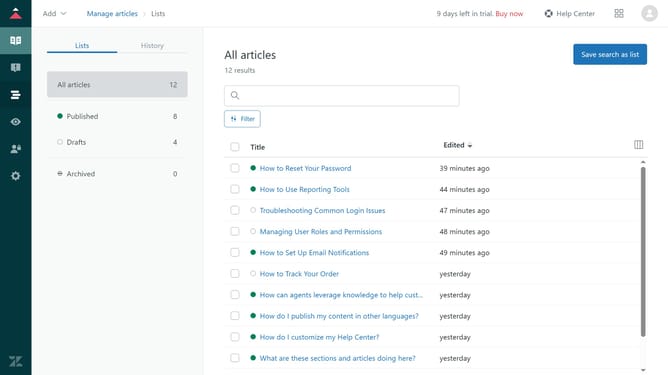
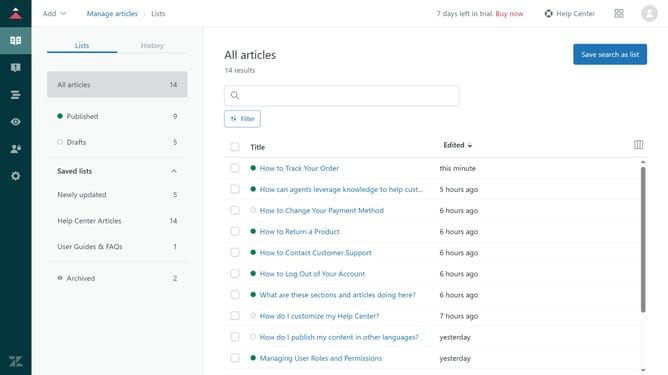
- First in Guide admin, click on the "Manage articles" icon in the left sidebar
- Then click on the "Lists" tab
- Next click on "Archived" section in the left sidebar menu
- You can now view and manage your archived articles as needed
Why should you view a list of archived articles in Zendesk Guide Admin
Zendesk is a dynamic platform designed to enhance customer service and streamline interactions.
Viewing a list of archived articles in Zendesk Guide Admin offers a straightforward way to manage and revisit previous content. This feature allows users to effortlessly track and retrieve articles that are no longer active yet still hold valuable information.
The benefits of accessing archived articles are multifold. It provides a historical perspective, aiding in content strategy, and ensuring critical information is never lost, thus enhancing organizational efficiency and knowledge management.
Last update