How to use Traffic Potential metric in Keywords Explorer
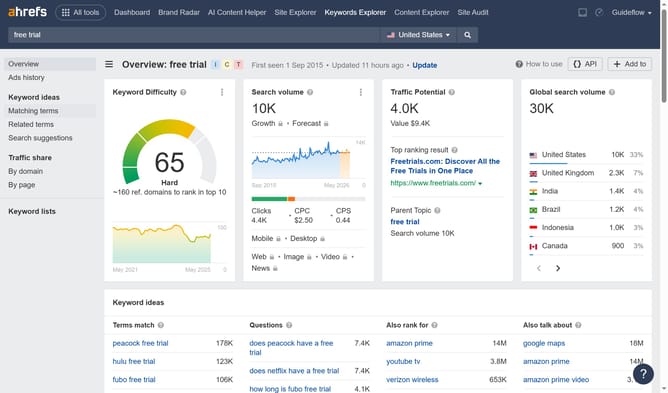
Here is how to use traffic potential metric in keywords explorer
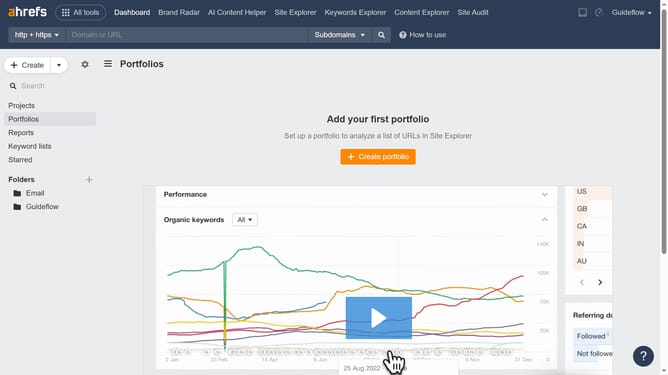
- First click on the "Keywords Explorer" tab in the main navigation menu
- Then click in the search text area to enter keywords
- Next click the "Search" button
- Scroll down to the “SERP overview” section to see the top-ranking pages
- Look at the “Traffic” column to find the Traffic Potential for each page
Why should you use Traffic Potential metric in Keywords Explorer
Ahrefs is a powerful tool designed to enhance your SEO strategy and improve your website's search engine visibility.
The Traffic Potential metric in Keywords Explorer provides an insightful estimate of the potential traffic a keyword can generate. Leveraging this feature can significantly influence your content strategy by uncovering promising keywords beyond search volume alone.
Understanding the Traffic Potential allows you to target keywords that maximize your site's organic reach and growth. This empowers you to make informed decisions that lead to increased website traffic and enhanced online presence.
Last update