How to edit your keyword list in Ahrefs
Here is how to edit your keyword list in ahrefs
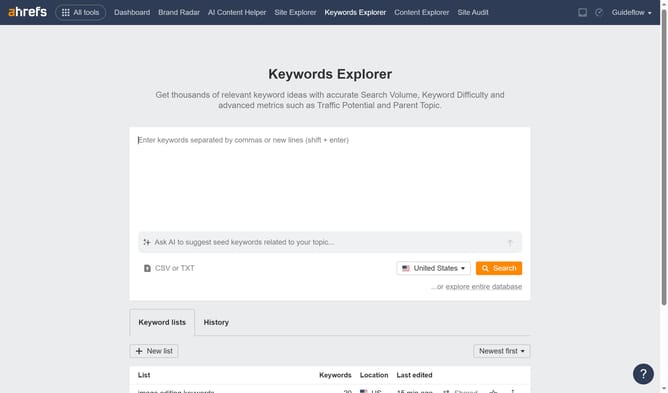
- First click on the "Keywords Explorer" tab in the top navigation menu
- Next click on the actions menu (three dots) for the list in the keyword lists table
- Then select "Edit" from the dropdown menu that appears
- Then go ahead and edit your keyword list to fit your needs
- Finally click on "Save" button once done editing
Why should you edit your keyword list in Ahrefs
Ahrefs is a powerful SEO toolset designed to boost your online presence.
Editing your keyword list in Ahrefs offers dynamic flexibility that lets you focus on what truly matters for your business. This feature allows you to adjust, refine, and prioritize keywords based on current trends and data-driven insights.
By tailoring your keyword strategy, you align more closely with your target audience's search behavior, which can enhance your website's visibility and drive more relevant traffic. Keeping your keywords updated ensures you're always one step ahead in the SEO game.
Last update