How to download paid keyword reports from Ahrefs
Here is how to download paid keyword reports from ahrefs
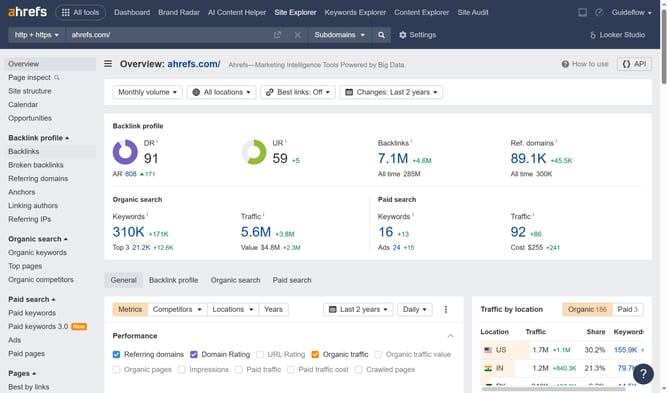
- First, click on the "Site Explorer" link in the top navigation menu
- In the search bar, click the domain input field to enter a URL
- Click the "Search" button to analyze the URL
- Click the search button to analyze the domain
- Click the "Export" button in the top right corner of the paid keywords table
- Finally, click the "Export" button after choosing the desired format
Why should you download paid keyword reports from Ahrefs
Ahrefs is a powerful SEO tool designed to enhance your digital marketing performance by providing in-depth data analytics.
One standout feature of Ahrefs is its ability to download paid keyword reports, offering a treasure trove of insights into keyword performance and competitive landscape.
By accessing these reports, marketers can effectively identify lucrative keywords, optimize advertising strategies, and elevate their results with data-driven decisions.
Utilizing paid keyword reports from Ahrefs ensures a strategic edge, driving growth through skillful SEO management.
Last update