How to style a section in Webflow
Here is how to style a section in webflow
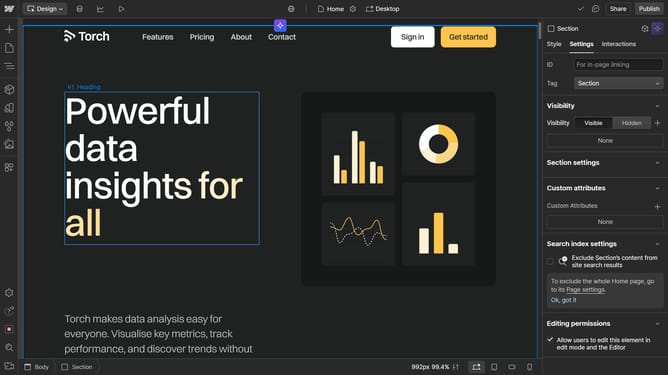
- First select the section in the main canvas area
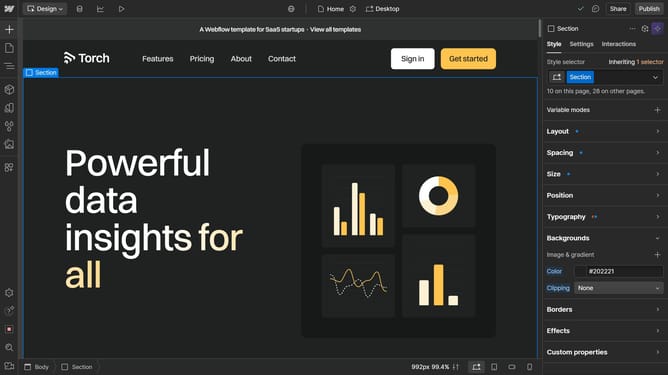
- Then click on the "Style" tab in the right sidebar
- Next choose an option you want to edit in the styles tab, in this demo we will be using "Backgrounds"
- Then click on the "Color" picker in the background settings
- Finally adjust the color using the color slider in the expanded color picker panel
Why should you style a section in Webflow
Webflow is an intuitive platform designed for visually developing responsive websites without coding.
Styling a section in Webflow provides the flexibility to bring creativity to life with just a few clicks. It empowers users to customize the look and feel of their sections, enhancing the overall user experience.
This feature allows for precise control over typography, colors, and spacing, which enhances branding consistency across your web project.
Utilizing Webflow for section styling ensures a professional, polished design that integrates seamlessly across devices, maximizing engagement.
Last update