How to start a Mailchimp campaign
Here is how to start a mailchimp campaign
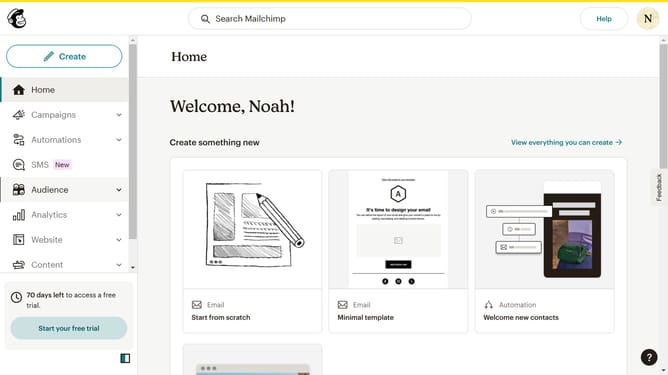
- First click on the "Create" button in the top navigation bar
- Pick the kind of campaign you wish to create. You can choose from emails, workflow automations, websites, landing pages, surveys, etc
- Click to expand the "Email" section in the dropdown menu
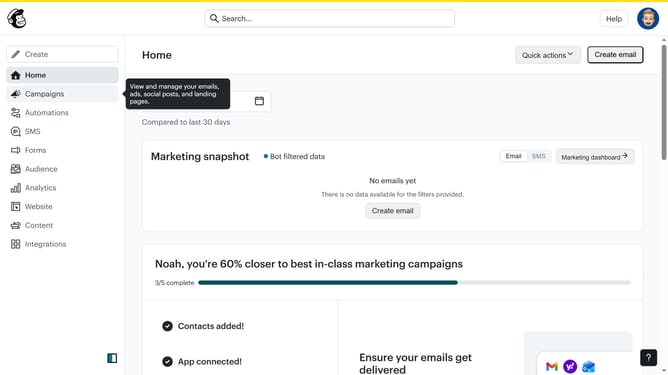
- To view the campaign you created, go to the "All campaigns" menu in the left column
- You will find your created campaigns here and can filter them based on their type or status
Why should you start a Mailchimp campaign
Mailchimp is a powerful marketing platform designed to help businesses effectively manage their customer engagement through emails and more.
Starting a Mailchimp campaign is a streamlined process that empowers you to craft targeted messages, ensuring you reach the right audience with tailored content.
Using this feature enhances your marketing strategy by allowing you to track performance metrics, gain insights, and adapt your communication efforts.
This ultimately improves brand awareness and drives growth by building stronger customer relationships.
Last update