How to star a chat from the sidebar in Claude.ai
Here is how to star a chat from the sidebar in claude.ai
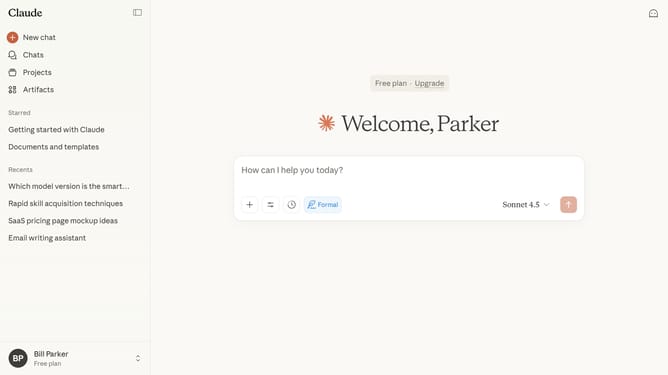
- First locate the chat you want to star in the left sidebar
- Hover over the chat name and click on the three-dot menu button next to it
- Then click on the "Star" option in the context menu
- The chat will now appear in your Starred section for quick access
Why should you star a chat from the sidebar in Claude.ai
Claude.ai is a sophisticated AI platform designed to enhance productivity through smart chat interactions.
The ability to star a chat from the sidebar in Claude.ai helps users quickly mark important conversations for easy access. This feature streamlines workflow by allowing users to prioritize and revisit crucial chats without wasting time searching.
By starring a chat, users can effortlessly manage their interactions, ensuring that essential discussions remain at the forefront. This boosts efficiency, aids in better time management, and keeps significant information always within reach.
Last update