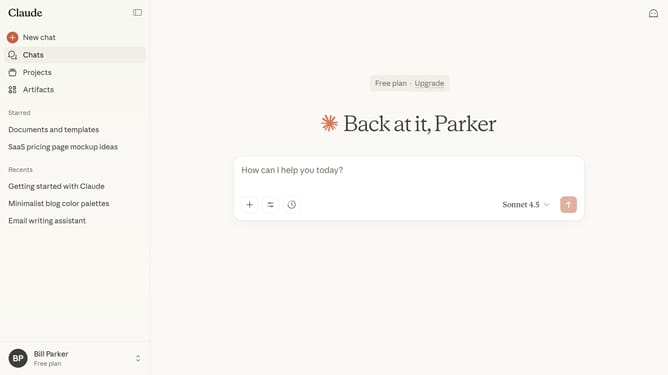
How to create an artifact in Claude.ai
Here is how to create an artifact in claude.ai
- First click on the "Artifacts" menu item in the left sidebar
- Then click on the "New artifact" button in the top right corner of the page
- Next select the a category from the artifact category options
- Click in the text input field at the bottom of the page to enter your prompt
- After that, click the submit button to send your request to Claude
- Finally the Artifact editor will open on the right side of the screen
- You can review or edit the generated content directly in the Artifact panel
Why should you create an artifact in Claude.ai
Claude.ai is a cutting-edge AI platform designed to facilitate seamless and intelligent automation.
The "create an artifact" feature in Claude.ai empowers users to store, manage, and refine data into structured insightful outputs.
This dynamic tool enhances productivity by simplifying complex data tasks, allowing users to focus on strategic decision-making. It transforms raw data into easily accessible knowledge bases, enhancing understanding and efficiency.
Embrace the power of Claude.ai to streamline your data processes and articulate value effortlessly.
Last update