How to set reminder notifications on Linear
Here is how to set reminder notifications on linear
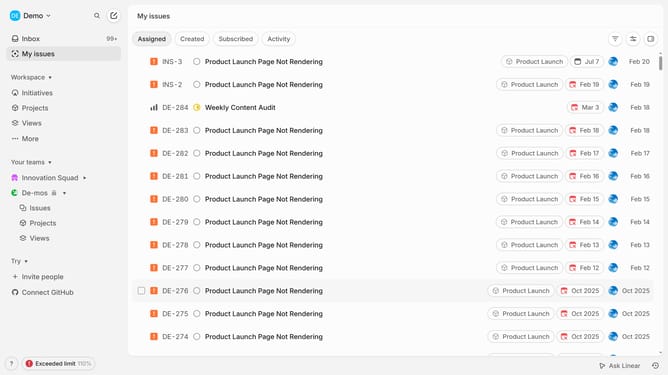
- First click on "My issues" in the left sidebar.
- Then click on the issue that you want to manage
- After that, click on the three dots icon in the header of the issue.
- Next, click on "Remind me" option from the dropdown menu.
- Finally select "A month from now" from the reminder options.
Why should you set reminder notifications on Linear
Linear is a powerful tool designed to streamline team workflow and boost productivity through effective project management.
Setting reminder notifications on Linear is a feature that helps teams to stay on top of tasks and deadlines. It improves focus and ensures that important tasks are not forgotten amidst a busy schedule.
By using reminders, you can prioritize tasks efficiently, enhancing team collaboration and making sure that everyone is aligned on project timelines and milestones.
Last update