How to save a Workdoc as a template in Monday.com
Here is how to save a workdoc as a template in monday.com
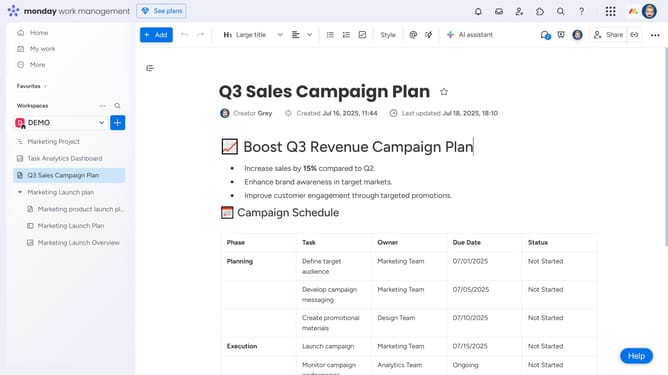
- First open your Workdoc you want to save as a template
- Next click on the "More" button (three dots) in the top-right corner of the document
- Then click on "Save as a template" option in the dropdown menu
- Finally click on "Save as template" button in the confirmation dialog box
- Your Workdoc has been successfully saved as a standard template and any changes you make here will apply to all future Docs created from it
Why should you save a Workdoc as a template in Monday.com
Monday.com is a versatile platform designed to enhance your team's productivity and collaboration.
Saving a Workdoc as a template in Monday.com allows users to streamline their workflow by reusing carefully crafted documents across multiple projects or instances.
This feature ensures consistency and saves time, eliminating the need to recreate documents from scratch every time a similar task arises.
By utilizing templates, teams benefit from increased efficiency, making project management smoother and more organized.
Last update