How to rename documents in a project on Linear
Here is how to rename documents in a project on linear
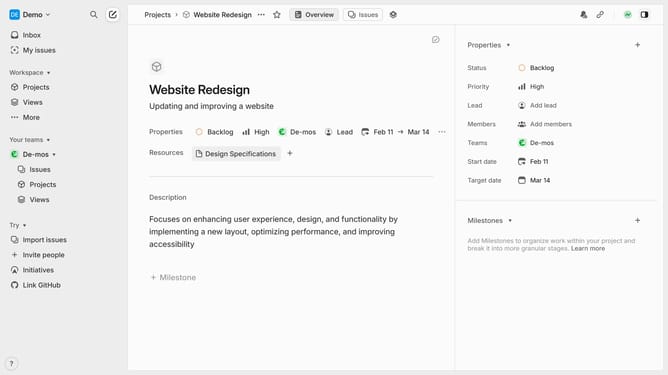
- First click on "Projects" item in the side menu
- Then click on a project in the main content area
- Next click on the document resource in the main content area
- Then click on the three dots menu icon in the header
- Next select "Rename" option from the dropdown menu
- Finally type the new document title into the rename input field
Why should you rename documents in a project on Linear
Linear is a robust project management tool designed to streamline workflow and enhance team productivity.
Renaming documents within this platform is not just a feature—it's a boost to organization and clarity.
By keeping names relevant and up-to-date, your team easily navigates and retrieves documents.
This simple capability ensures clarity in communication, aiding in maintaining focus and coherence across project stages.
Last update