How to preview an invoice before printing on Zoho CRM
Here is how to preview an invoice before printing on zoho crm
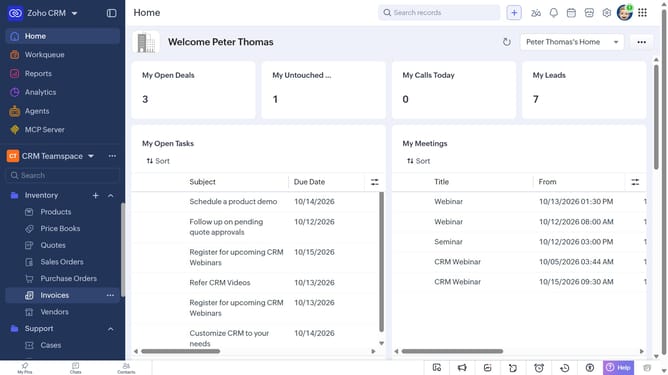
- First, click on "Invoices" under "Inventory" in the left sidebar menu
- Next, click on the invoice you want to print
- Click on the "More options" button in the top right corner
- Select "Print Preview" from the dropdown menu
- Next, click the "Choose an Inventory Template" dropdown
- Select a template from the dropdown menu
- Then, choose to view the invoice as HTML or PDF
- Finally, click on the "Print" button
Why should you How to preview an invoice before printing on Zoho CRM
Zoho is a dynamic platform designed to streamline business operations with its versatile suite of online applications.
Previewing an invoice before printing in Zoho CRM is a valuable feature that ensures accuracy and professionalism in your business communications.
By using this feature, you can visually confirm all invoice details, such as customer information, itemized charges, and payment terms, are correct.
This step is essential for minimizing errors, maintaining brand reputation, and ensuring a seamless experience for both your business and customers.
Last update