How to schedule a call for an invoice on Zoho CRM
Here is how to schedule a call for an invoice on zoho crm
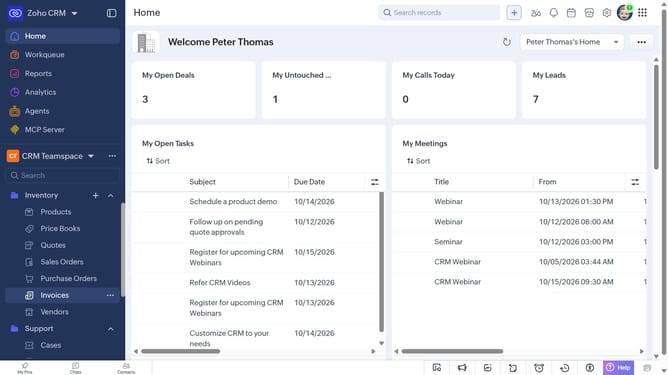
- First, click on "Invoices" under "Inventory" in the left sidebar menu
- Next, locate the invoice you want to schedule a call for
- Click on the "More options" button next to the invoice
- After that, click on "More"
- Next, click on the "Create Call" option
- Then click on "Schedule a call"
- Then, enter the call details in the "Schedule a call" modal
- Finally, once you're done, click on the "Schedule" button
Why should you How to schedule a call for an invoice on Zoho CRM
Zoho CRM is a robust platform designed to streamline and enhance customer relationship management processes.
Scheduling a call for an invoice on Zoho CRM is a straightforward process that significantly improves efficiency. It allows teams to effortlessly organize their communication with clients regarding financial transactions.
This feature ensures timely follow-ups, reducing the risk of missed payments and enhancing customer satisfaction. By scheduling calls directly within the CRM, users maintain a well-organized schedule, ensuring critical financial discussions are prioritized.
Overall, using Zoho CRM’s call scheduling for invoices fosters better client relationships and a more streamlined workflow.
Last update