Mural
Mural is a visual collaboration platform for brainstorming, planning, and running remote workshops on a shared canvas.
Website
Industry
Design
Share this article:

How to mark a file as a favorite in Mural

Here is how to mark a file as a favorite in mural

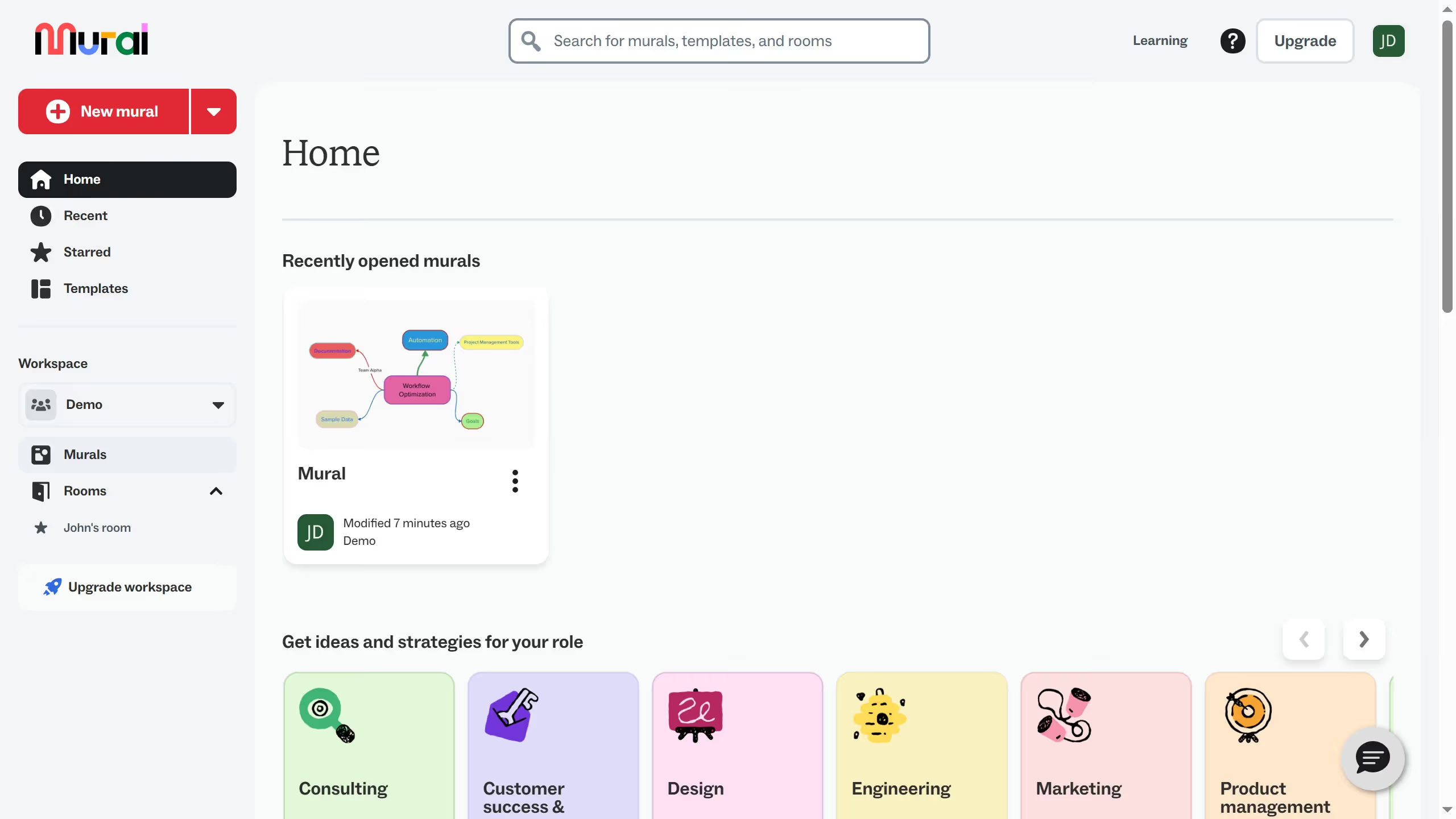
  1. First click on the "Murals" menu item in the left sidebar to navigate to the Murals section
  2. Then click on the three-dot menu button on the Mural card murals section
  3. Finally click on the "Add to Starred" option from the dropdown menu

Create your own interactive guide with Guideflow

Why should you mark a file as a favorite in Mural

Mural is an innovative online workspace designed for visual collaboration and brainstorming.

Marking a file as a favorite in Mural enhances your workflow by allowing quick access to the documents you use the most.

This feature is essential for keeping your creative process smooth and organized, minimizing the time you spend searching for important resources.

By highlighting crucial files, you streamline team projects and ensure that key materials are always a click away, fostering efficiency and productivity.

Last update
March 13, 2026
Cursor MariaA cursor points to a button labeled "James."

Create your first demo in less than 30 seconds.