How to manage live docs in a Confluence space
Here is how to manage live docs in a confluence space
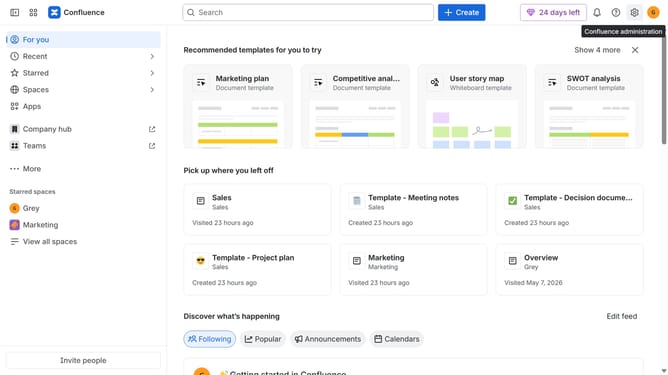
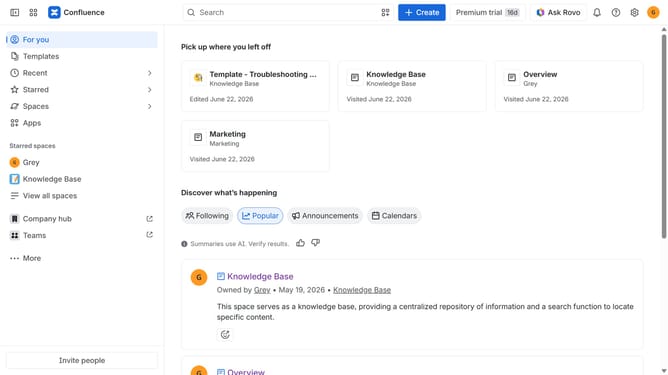
- First click on "Spaces" in the left sidebar
- Next click on the "View all spaces" option
- From the list of spaces, select the space you want to manage features for
- Then click on the "three dots" button next to the space name in the sidebar
- From the dropdown menu, select the "Space settings" option
- Next click the "General" menu in the left sidebar
- Select "Features" from the submenu
- Then, locate the “Live docs” feature in the Content section
- Finally, turn the toggle on or off to enable or disable live docs features for the space
Why should you manage live docs in a Confluence space
Confluence is a dynamic workspace designed for seamless team collaboration and knowledge sharing.
Managing live documents in a Confluence space means maintaining an organized and up-to-date shared environment where changes are instantly visible to all team members.
This capability enhances collaborative efficiency by ensuring everyone is aligned, reducing duplication of efforts, and fostering transparent communication.
The real-time updates and centralized access streamline the workflow, allowing teams to focus more on innovation and less on tracking document versions.
Last update