How to export a Confluence space as XML
Here is how to export a confluence space as xml
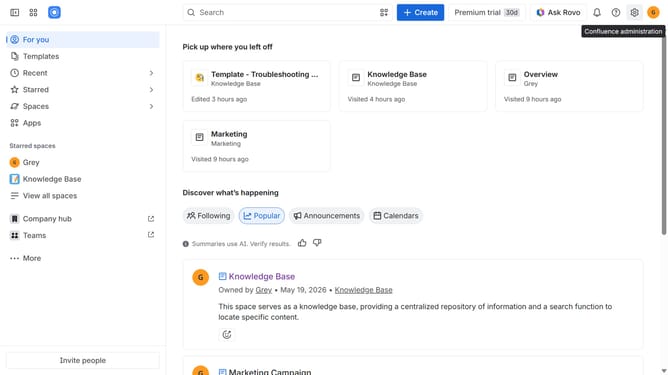
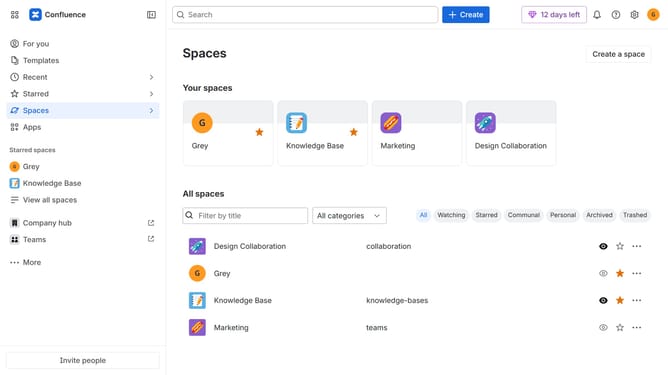
- First click on "Spaces" in the left sidebar
- Next click on the "View all spaces" option from the pop-up menu
- Click on the space you want to export to open it
- In the left sidebar, click on the three dots menu next to the space name
- After that, click on "Space settings" in the dropdown menu
- In the left panel, click on "General"
- Then, click on "Export space" in the submenu
- Next, click on the "Advanced Options" button in the "File format" section
- Then, select the "XML" export format under Advanced options
- After that, click on the "Next" button
- Now, select the content you want to include in the export
- Then click on the "Export" button
- Finally, click on the "Download here" link to download the XML export file
Why should you export a Confluence space as XML
Confluence is a powerful collaboration tool designed to help teams organize and share their work effectively.
One standout feature is the ability to export a Confluence space as XML. This allows you to back up your content seamlessly and ensures data portability.
Exporting as XML provides a comprehensive structure, enabling data integration with other systems or future proofing your content for system migrations.
Utilizing this feature enhances data security and preserves the integrity of your work, granting peace of mind and flexibility.
Last update