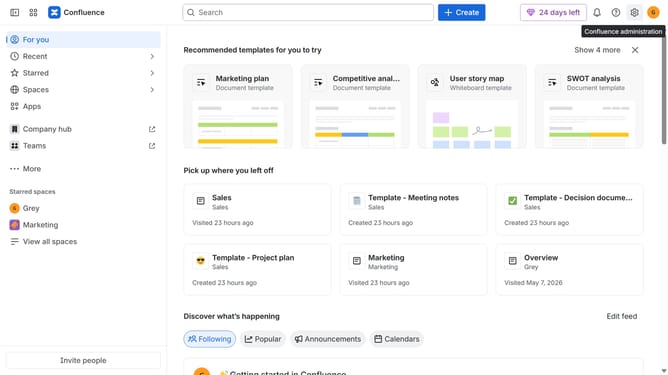
How to install MultiExcerpt in Confluence
Here is how to install multiexcerpt in confluence
- First click on "Apps" in the navigation
- Next, select the "Explore more apps" option
- From the list, locate "MultiExcerpt" and click on it to open the app details page
- Click on the "Try it free" or "Install" button
- Select the Confluence site where it will be installed
- Then click on the "Review" button to proceed
- Review the app details, permissions, and other information
- Finally, click on the "Start free trial" or "Confirm installation" button
Why should you install MultiExcerpt in Confluence
Confluence is a robust collaboration tool designed to enhance team communication and documentation.
Installing MultiExcerpt in Confluence allows teams to efficiently reuse content across multiple pages, significantly boosting productivity. This feature grants users the ability to centralize key information, ensuring consistency and saving precious time otherwise spent on repetitive tasks.
By integrating MultiExcerpt, you streamline content management, support collaborative work habits, and foster a seamless flow of information across your Confluence pages.
Last update