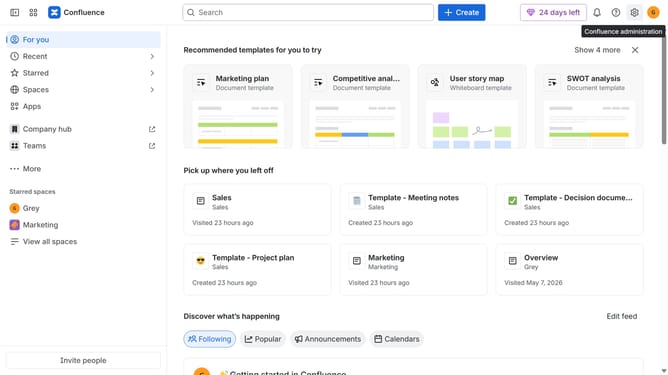
How to receive weekly recommended content in Slack from Confluence
Here is how to receive weekly recommended content in slack from confluence
- First click on the gear icon in the top right corner
- Find "Settings" in the Confluence administration menu
- Next, click on the "Configuration" option
- Select "Notifications" from the expanded settings menu
- After that, locate the "Slack settings" section
- Then check the box for "Recommendation Slack message" to enable it
- Finally, click on the "Save Slack setting changes" button
Why should you receive weekly recommended content in Slack from Confluence
Confluence is a collaborative platform for team documentation and knowledge sharing.
Receive weekly recommended content in Slack from Confluence to stay connected with key updates effortlessly. This feature ensures you're always in the loop, enhancing team collaboration by keeping conversations and information flow streamlined.
Integrating Confluence with Slack means you're not just reminded but actively informed with curated insights, promoting a culture of proactive knowledge management.
Last update