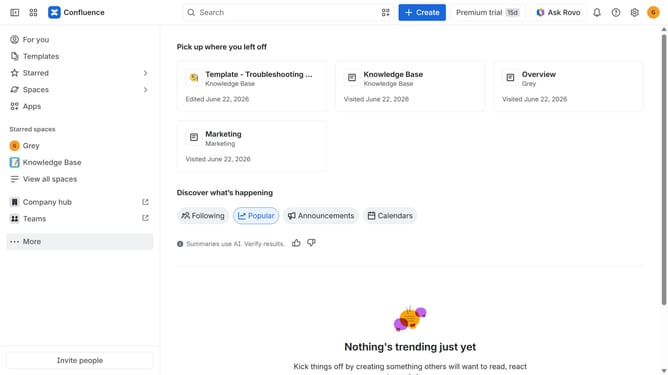
How to install Meetical Calendar & AI Meetings in Confluence
Here is how to install meetical calendar & ai meetings in confluence
- First click on "Apps" in the navigation
- Next, select the "Explore more apps" option
- From the list, locate "Meetical Calendar & AI Meetings" and click on it to open the app details page
- After that, click on the "Try it free" button
- Select the Confluence site where it will be installed
- Then click on the "Review" button to proceed
- Review the app details, permissions, and other information
- Finally, click on the "Start free trial" button
Why should you install Meetical Calendar & AI Meetings in Confluence
Confluence is a collaborative workspace that enhances team productivity by centralizing information and streamlining communication.
By installing Meetical Calendar & AI Meetings in Confluence, teams can effortlessly manage their schedules and optimize meeting productivity. These features are seamlessly integrated, offering intuitive solutions for scheduling and managing meetings efficiently within the Confluence interface.
Leveraging these tools, users benefit from automated scheduling, enhanced collaboration, and improved synchronicity across their teams, leading to more effective teamwork and time management.
Last update