How to manage blog features in a Confluence space
Here is how to manage blog features in a confluence space
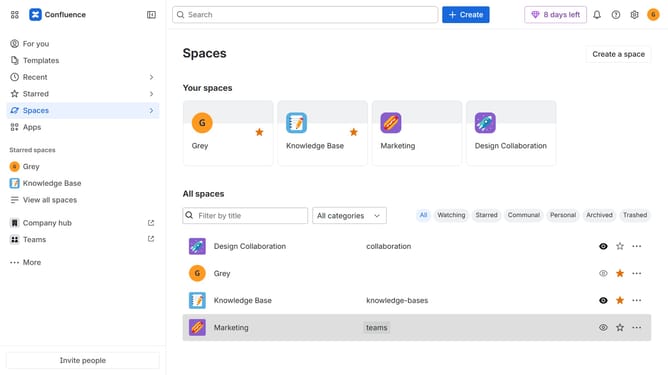
- First click on "Spaces" in the left sidebar
- Next click on the "View all spaces" option
- From the list of spaces, select the space you want to manage features for
- Then click on the "three dots" button next to the space name in the sidebar
- From the dropdown menu, select the "Space settings" option
- Next click the "General" menu in the left sidebar
- Select "Features" from the submenu
- Then, locate the “Blogs” feature in the Features section
- Finally, turn the toggle on or off depending on your preference to enable or disable blog features for the space
Why should you manage blog features in a Confluence space
Confluence is a powerful collaboration tool designed to help teams create, share, and work on content seamlessly.
Managing blog features within a Confluence space enables you to organize, publish, and maintain company knowledge efficiently. By leveraging these features, you can ensure that important updates and information are easily accessible and consistently structured across your team.
This capability streamlines communication and ensures that content remains relevant and engaging, ultimately fostering a more informed and cohesive team environment.
Last update