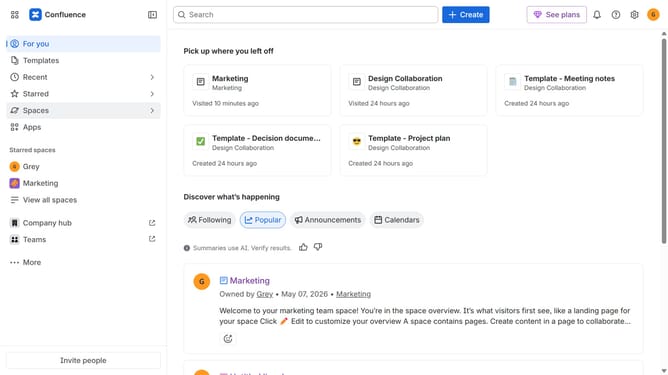
How to install Advanced Tables in Confluence
Here is how to install advanced tables in confluence
- First click on "Apps" in the navigation
- Next, select the "Explore more apps" option
- From the list, locate "Advanced Tables for Confluence" and click on it to open the app details page
- Click on the "Try it free" or "Install" button
- Select the Confluence site where it will be installed
- Then click on the "Review" button to proceed
- Review the app details, permissions, and other information
- Finally, click on the "Start free trial" or "Confirm installation" button
Why should you install Advanced Tables in Confluence
Confluence is an innovative collaboration tool designed to enhance teamwork and streamline project management.
Installing Advanced Tables in Confluence brings an array of features to improve data organization and presentation.
With Advanced Tables, you can effortlessly format tables, making data visually appealing and easy to interpret. It enhances team efficiency by enabling quick access and analysis of information.
Overall, this feature supports better decision-making processes and a more productive work environment.
Last update