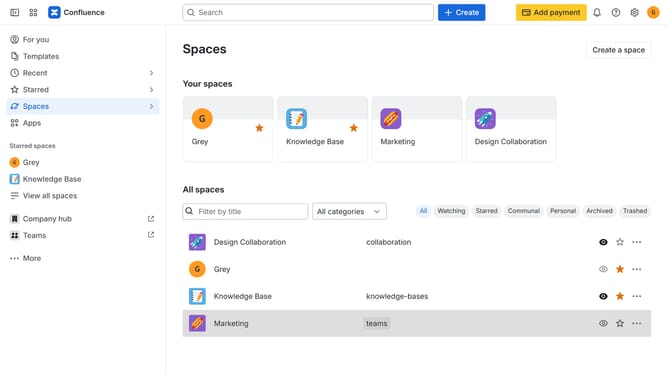
How to open the Customize sidebar menu in Confluence
Here is how to open the customize sidebar menu in confluence
- First click on "More" button in the sidebar
- Next click on "Customize sidebar"
- The Customize sidebar menu will open, allowing you to show, hide, and reorder sidebar items
Why should you open the Customize sidebar menu in Confluence
Confluence is a powerful collaboration tool that helps teams organize their work and share knowledge.
One of its key features is the ability to customize the sidebar menu, offering a tailored navigation experience. This feature allows users to easily adjust their workspace, ensuring that all essential pages and shortcuts are just a click away.
By personalizing the sidebar, teams can streamline their workflow, enhancing productivity and efficiency. It's an intuitive way to keep everyone aligned and focused on their priorities in a seamless manner.
Last update