How to hide the Buy Now button in Webflow
Here is how to hide the buy now button in webflow
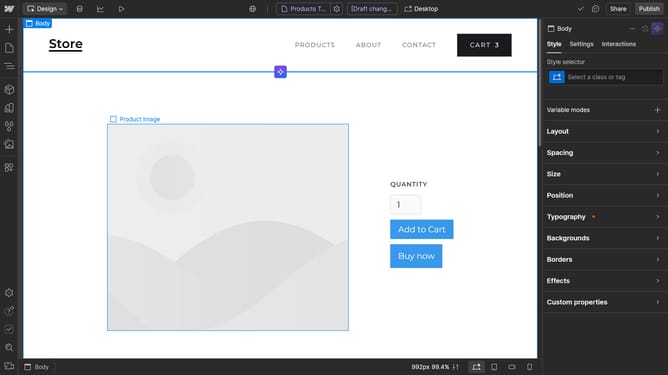
- First click on the "Add to Cart" element in the product section
- Then click on the "Add to Cart settings" option in the right sidebar menu
- Finally click on the "Hide" button under the Buy now settings in the right sidebar configuration panel
Why should you hide the Buy Now button in Webflow
Webflow is a powerful platform that enables users to design, build, and launch responsive websites visually, without coding.
Hiding the Buy Now button in Webflow is a strategic feature that allows business owners to tailor the customer journey.
This can be particularly beneficial for sites that aim to provide more information or collect leads before prompting a purchase.
Utilizing this feature can enhance user experience, streamline the sales funnel, and ultimately increase conversion rates.
Last update