How to find referring domains with dofollow links in Ahrefs
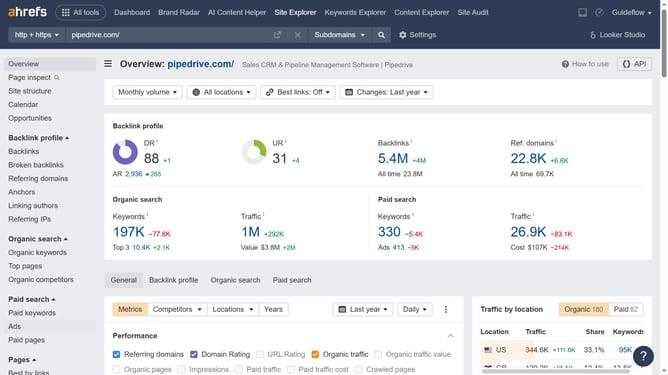
Here is how to find referring domains with dofollow links in ahrefs
- First click on "Site Explorer" in the top navigation menu
- Enter the domain in the URL search field on the Site Explorer page
- Click the "Search" button to analyze the domain
- In the left sidebar navigation, click on "Referring domains" under the Backlink profile section
- Click on the "Dofollow" filter button in the referring domains view
- Finally click the "Show results" to apply the filter
Why should you find referring domains with dofollow links in Ahrefs
Ahrefs is a powerful tool designed to enhance your SEO strategy by providing comprehensive insights into your website's backlink profile.
Discovering referring domains with dofollow links in Ahrefs empowers you to identify influential sites boosting your rankings. This feature allows you to evaluate the quality of these vital backlinks easily.
Using Ahrefs to track dofollow links helps you focus on building strong relationships with authoritative domains, ultimately increasing your website's visibility and search engine performance.
Last update