How to filter people by job title in Apollo
Here is how to filter people by job title in apollo
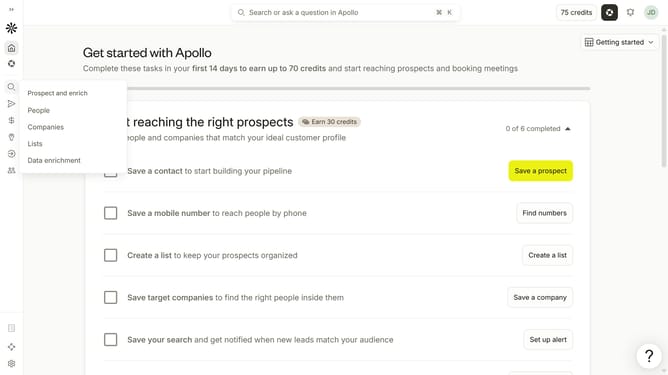
- First click on the search icon in the left sidebar
- Then click on "People" in the opened menu
- Then click on the "Job Title" dropdown
- Then click on the "Simple" button
- Then click on the "Search for a job title" input field
- Finally select job title from the dropdown list
Why should you How to filter people by job title in Apollo
Apollo is a powerful platform designed to supercharge your business growth by connecting you with the right professionals.
One of its standout features is the ability to filter people by job title, streamlining your search for key contacts in any industry.
This feature is invaluable for targeting specific roles, ensuring your outreach is precise and impactful. It saves time by narrowing the pool to those most relevant to your business needs.
By using these filters, you gain a strategic advantage, enhancing your networking efforts with targeted, efficient connections.
Last update