How to exclude specific past company in a job search Apollo
Here is how to exclude specific past company in a job search apollo
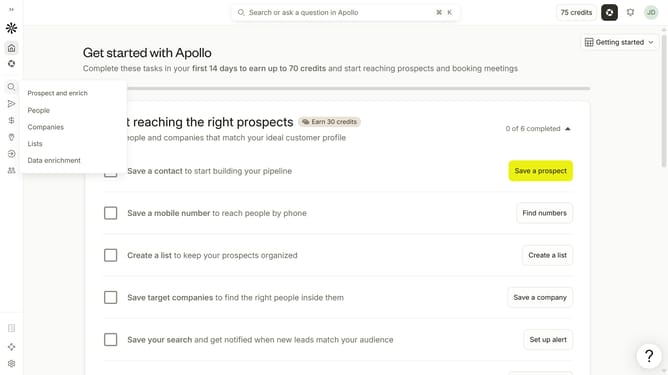
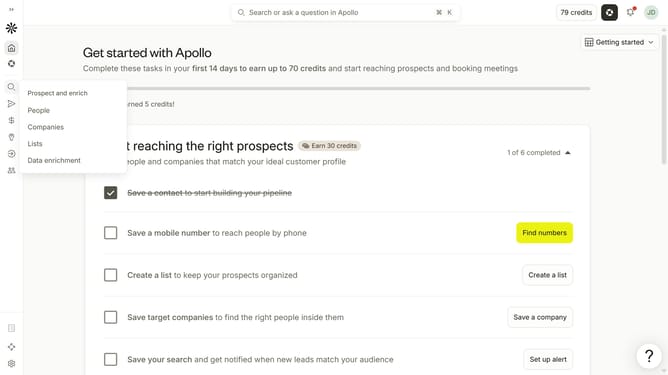
- First click on the magnifying glass icon in the left sidebar
- Then click on "People" in the opened menu
- Next click on the dropdown arrow next to "Company" in the left panel
- After that, click on the "Is none of" button under "Past Company"
- Then click on the "Enter companies" input field and enter the excluded company name
- Finally select from the list of suggested companies
Why should you How to exclude specific past company in a job search Apollo
Apollo is a leading platform designed to streamline professional networking and job searches.
One of its standout features is the ability to exclude specific past companies from your job search results. This feature allows users to curate their job search experience, ensuring results that are more relevant and tailored to personal preferences.
Excluding past companies can help avoid positions at businesses you're not interested in revisiting, enabling a more focused and efficient job search. This ensures that your energy and efforts are directed towards opportunities that genuinely excite you, enhancing the overall job search journey.
Last update