How to edit a dashboard in Zendesk Explore
Here is how to edit a dashboard in zendesk explore
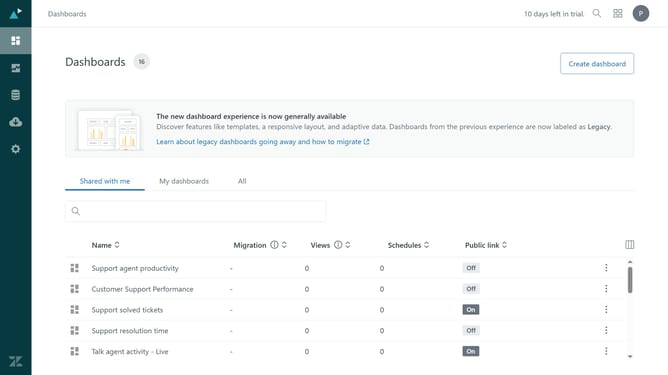
- First in Zendesk Explore, click on the "Dashboards" icon in the left sidebar
- Find the dashboard you want to edit and click on the "Edit" button next to it
- Make the necessary changes to the dashboard (e.g., modifying widgets, changing filters, etc.)
- Then once you're finished, click on the "Publish changes" button in the top toolbar to save your changes
- Finally click on the "Publish changes" button in the confirmation dialog
Why should you edit a dashboard in Zendesk Explore
Zendesk is a leading customer service platform designed to enhance customer interactions and support quality.
Editing a dashboard in Zendesk Explore is a powerful feature that allows users to customize data visualization according to specific business needs.
This flexibility ensures that teams can focus on the metrics that matter most, enabling more informed decision-making and strategic planning.
By tailoring dashboards, organizations can streamline data analysis, identify trends quickly, and improve overall operational efficiency.
Last update