How to disable signature color picker in a registration form in Jotform
Here is how to disable signature color picker in a registration form in jotform
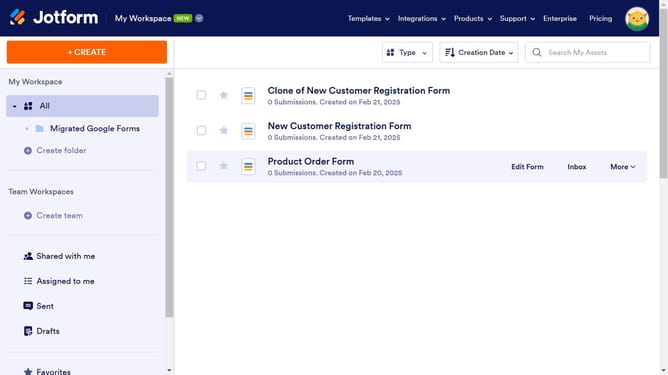
- First, click on "All" in the left sidebar
- Next click on "Edit Form" button at the right side of the form name that you want to edit
- Next, click on the signature tab in the form builder
- In the form editor, click on the gear icon next to the signature field
- On the right panel, click on the "Options" tab under "Signature Properties"
- Finally, click on the toggle OFF or "Show Signature Color Picker" option
Why should you disable signature color picker in a registration form in Jotform
Jotform is a versatile online form builder that simplifies the process of creating customizable forms for various needs.
One beneficial feature is the ability to disable the signature color picker in a registration form, streamlining the signature capture process.
By doing so, it ensures a standardized look, enhancing the form's professional appearance and preventing distraction from unnecessary color options.
This functionality is particularly useful in maintaining brand consistency and simplifying user interaction, which ultimately leads to a more efficient form submission experience.
Last update