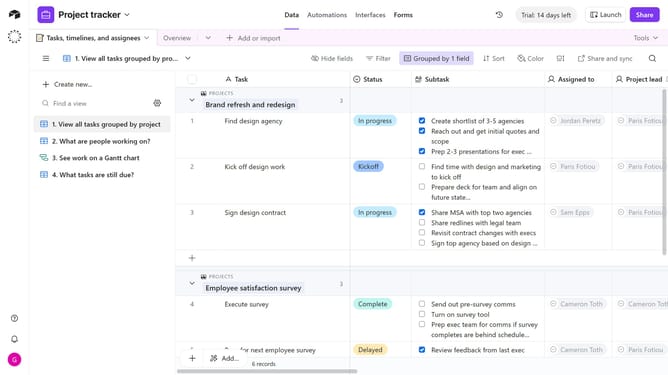
How to delete a view in Airtable
Here is how to delete a view in airtable
- First click on a base from the Airtable home screen
- Next open the table where the view you want to delete is located
- Then locate the view you want to delete in the view sidebar
- Then hover over the view name and click on the more options menu (three dots) next to it
- Finally click on "Delete view" option in the dropdown menu
Why should you delete a view in Airtable
Airtable is a versatile platform that combines the simplicity of a spreadsheet with the functionality of a database to streamline project management and organization.
Deleting a view in Airtable is an efficient way to maintain a clutter-free workspace, ensuring that your database remains organized and relevant to current needs.
This feature is particularly beneficial when you need to eliminate outdated perspectives, allowing team members to focus on the most pertinent information.
By removing unnecessary views, you enhance overall productivity and ensure that your Airtable setup remains clean and focused.
Last update