How to delete a sub-issue on Linear
Here is how to delete a sub-issue on linear
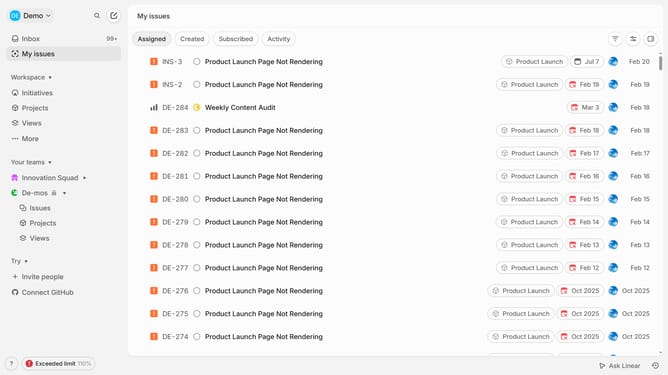
- First, click on "My issues" link in the left sidebar
- Then, click on the layout that you want to manage
- Next, right-click on the sub-issue in the details panel
- Then, click on the "Delete" option in the dropdown menu
- Finally, click on the "Delete" button in the confirmation dialog
Why should you delete a sub-issue on Linear
Linear is a streamlined project management tool designed to enhance productivity and organization.
The ability to delete a sub-issue in Linear helps maintain clarity within your project workflow, ensuring only relevant tasks occupy space in your task management system.
By removing unnecessary sub-issues, you streamline focus, reduce noise, and maintain team alignment on priorities, further enhancing efficiency and effectiveness.
Utilizing this feature is crucial for keeping project objectives sharp and communication crystal clear within teams.
Last update