How to deactivate a user in Salesforce
Here is how to deactivate a user in salesforce
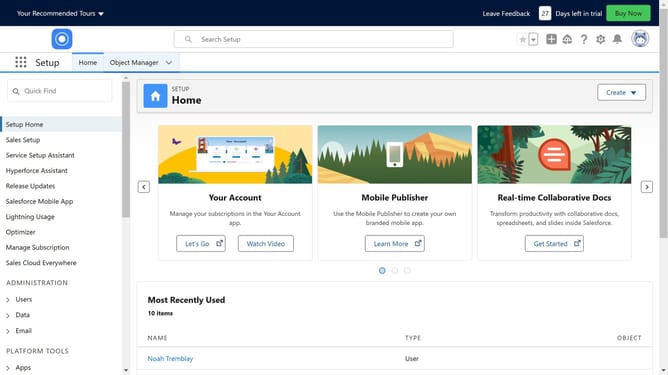
- First click on the gear icon in the top menu to open Setup Menu
- Then click on "Setup" option in the Setup Menu dropdown
- Next click on "Users" in the left sidebar under ADMINISTRATION section
- Then click on "Users" submenu item in the expanded Users section
- Click on "Edit" link next to user you want to deactivate
- Remove the checkmark for "Active"
- When confirmation dialog appears, click "OK" button
- Finally click "Save" button at the bottom of the form
Why should you deactivate a user in Salesforce
Salesforce is a powerful CRM platform designed to manage customer relationships and drive business growth.
The ability to deactivate a user in Salesforce enhances security and helps maintain organizational efficiency. This crucial feature allows you to manage access as team dynamics change, ensuring only active personnel have entry to sensitive data.
Deactivation is vital when team members depart or shift roles, streamlining account management. It optimizes system performance by minimizing unnecessary user access, ultimately fostering a secure and well-organized environment.
Last update