How to create Salesforce JWT API credential in n8n
Here is how to create salesforce jwt api credential in n8n
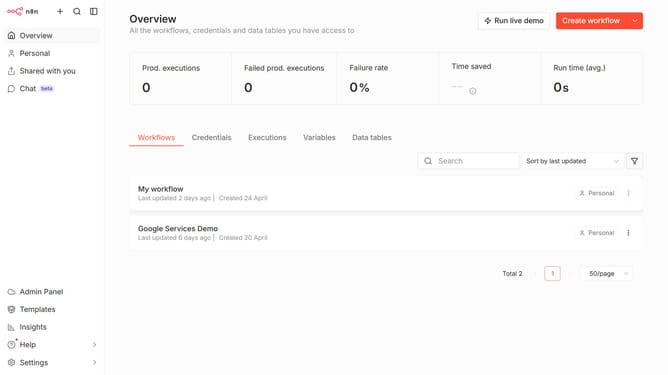
- First click on the dropdown arrow next to "Create workflow" button
- Then click on "Create credential" button
- Next click on the search bar and enter "Salesforce"
- Then select "Salesforce JWT API" from the list
- After that click on the "Continue" button
- Next fill in the required credential details
- Finally click on the "Save" button
Why should you create Salesforce JWT API credential in n8n
n8n is a versatile workflow automation tool that enhances productivity by seamlessly integrating various applications.
One of its valuable features is the ability to create Salesforce JWT API credentials effortlessly. By establishing these credentials in n8n, users can benefit from a secure, server-to-server communication that enables smooth data flow between Salesforce and other integrated platforms.
This not only enhances security but also increases the efficiency of workflow processes, allowing teams to automate tasks without the need for user intervention, thereby saving time and reducing manual errors.
Last update