How to share a workflow in n8n
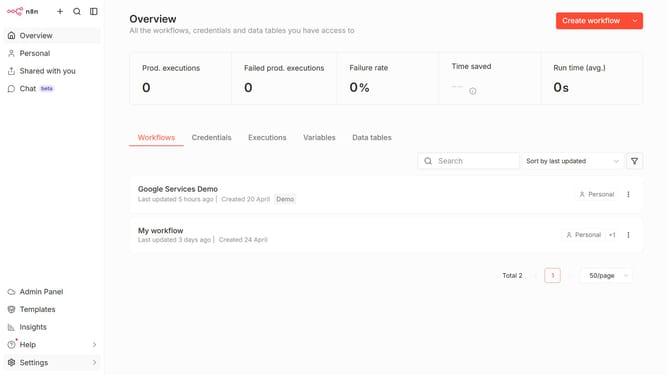
Here is how to share a workflow in n8n
- First click on the three dots icon of the workflow that you want to share
- Then click on the 'Share...' option
- Next, click on the 'Add users...' input field
- Then click the user card of the person you want to share it to
- Finally click on the 'Save' button
Why should you share a workflow in n8n
n8n is a versatile automation tool designed to streamline processes by connecting different apps and services.
Sharing a workflow in n8n allows users to seamlessly collaborate, ensuring team alignment and enhanced efficiency. By enabling easy workflow sharing, teams can quickly build on each other's work without redundant efforts.
This feature fosters creativity and innovation, as it encourages sharing best practices and optimizations, ultimately enhancing productivity and collaborative problem-solving capabilities.
Last update