How to create Google Docs OAuth2 API credential in n8n
Here is how to create google docs oauth2 api credential in n8n
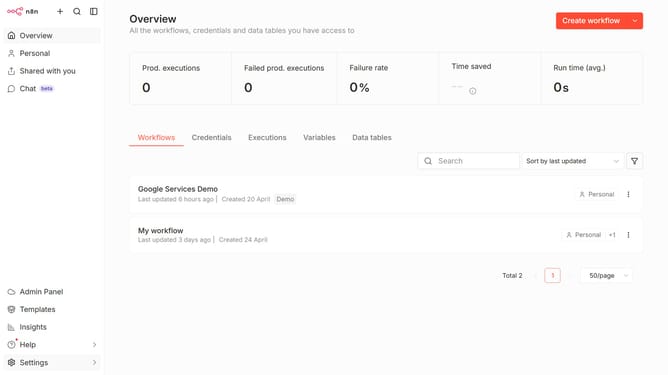
- First click on the dropdown arrow next to "Create workflow" in the header.
- Then click on the "Create credential" option from the opened dropdown menu.
- Next, in the "Add new credential" modal, click on the "Search for app..." input field.
- Then type "google docs" into the search bar and click on "Google Docs OAuth2 API" from the search results.
- After that, click on the "Continue" button in the "Add new credential" modal.
- Finally, click on the "Sign in with Google" button in the "Google Docs account" configuration page.
Why should you create Google Docs OAuth2 API credential in n8n
n8n is a versatile workflow automation tool that connects different apps and services seamlessly.
Creating a Google Docs OAuth2 API credential in n8n enables a secure and efficient integration, allowing users to automate document workflow processes with ease.
This feature ensures privacy and data security, as OAuth2 provides token-based authorization without sharing user credentials, enhancing the safe execution of automated tasks.
Streamlining processes saves time and minimizes errors, making workflows in business and personal projects more effective and worry-free.
Last update