How to create RabbitMQ credential in n8n
Here is how to create rabbitmq credential in n8n
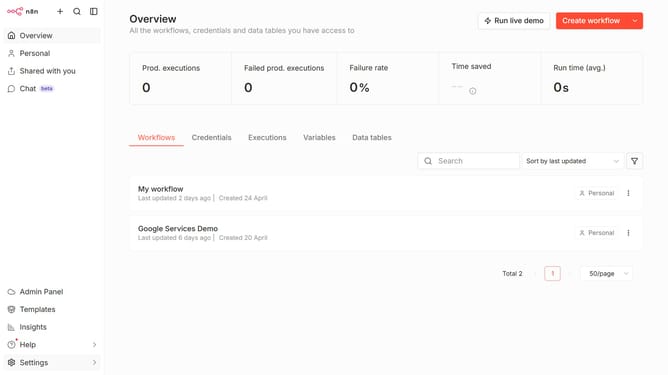
- First click on the dropdown arrow next to 'Create workflow' button
- Then click on 'Create credential' button
- Then click on the search input field and type in 'Rabbit'
- Then click on the 'RabbitMQ' option
- Then click on the 'Continue' button
- Then fill in the credential details
- Finally click on the 'Save' button
Why should you create RabbitMQ credential in n8n
n8n is a powerful automation tool designed to connect various applications and streamline workflows effortlessly.
Incorporating RabbitMQ credentials within n8n enhances its ability to manage message queues efficiently, making data communication more reliable.
Creating RabbitMQ credentials in n8n ensures secured access and seamless interaction between different systems, promoting real-time data processing.
This feature empowers users to automate processes, reducing manual tasks and freeing up valuable resources for more strategic activities.
Last update