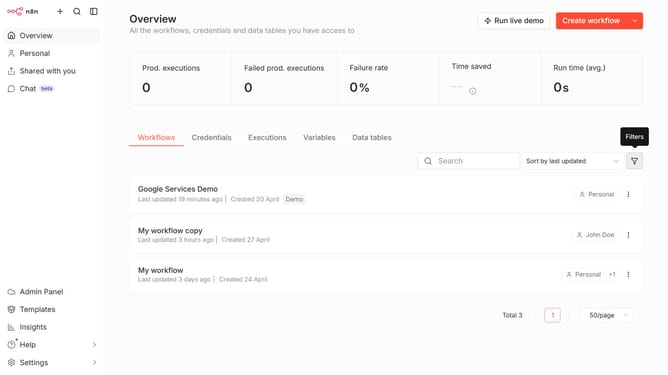
How to create Keap OAuth2 API credential in n8n
Here is how to create keap oauth2 api credential in n8n
- First, click on the dropdown arrow next to the "Create workflow" button.
- Then click on the "Create credential" button.
- Next, click on the "Search for app..." input field.
- Then, type "keap" into the search bar and click on "Keap OAuth2 API".
- After that, click on the "Continue" button.
- Finally, click on the "Connect to Keap" button.
Why should you create Keap OAuth2 API credential in n8n
n8n is a versatile workflow automation tool designed to connect various apps and streamline operations effortlessly.
Creating Keap OAuth2 API credentials in n8n enhances the integration process, allowing seamless data flow between applications. By obtaining these credentials, users ensure secure authorization, which empowers their workflows with efficient, real-time data exchange.
This not only optimizes processes by harmonizing data operations but also reduces manual input, increasing productivity and minimizing errors in a fast-paced digital environment.
Last update