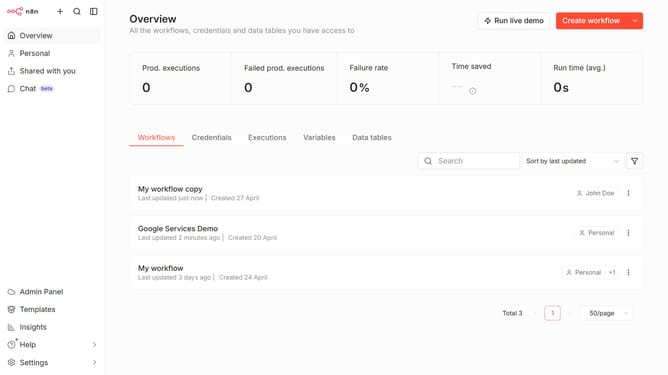
How to create Form.io API credential in n8n
Here is how to create form.io api credential in n8n
- First click on the dropdown arrow next to "Create workflow" button
- Then click on "Create credential" button
- Next click on the "Search for app..." input field and type in "form"
- Then select "Form.io API" from the list
- After that click on the "Continue" button
- Next fill in the necessary input fields
- Finally click on the "Save" button
Why should you create Form.io API credential in n8n
n8n is an intuitive workflow automation platform designed to streamline tasks across various applications.
Creating Form.io API credentials in n8n elevates your ability to seamlessly integrate forms with custom workflows. This feature enriches data management, ensuring efficiency in handling user submissions.
By setting up these credentials, you optimize automation and enhance the power of n8n, allowing for dynamic interactions and smoother data processing across different platforms.
Last update