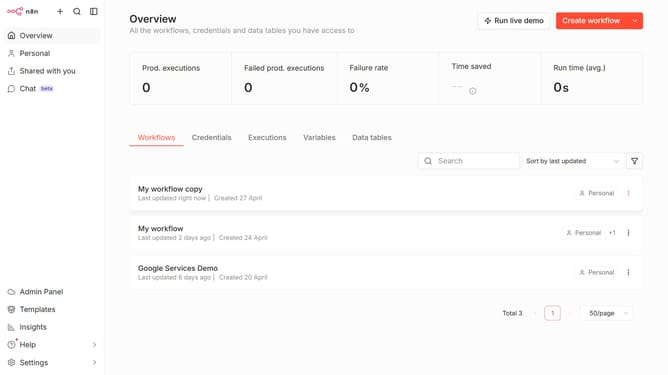
How to create Plivo API credential in n8n
Here is how to create plivo api credential in n8n
- First click on the dropdown arrow next to "Create workflow" button
- Then click on "Create credential" button
- Then input "Plivo" text in the search input field inside the modal window
- Then select "Plivo API" from the search results
- Then click on the "Continue" button
- Then enter the credential details
- Finally click on the "Save" button
Why should you create Plivo API credential in n8n
n8n is an open-source workflow automation tool that connects different apps and services to streamline processes and boost productivity.
Creating Plivo API credentials within n8n allows businesses to integrate and automate communication workflows effortlessly. This setup is essential for sending and receiving messages or calls through the Plivo platform, ensuring seamless communication management.
Utilizing Plivo API in n8n enhances operational efficiency by simplifying complex tasks and reducing manual efforts, focusing on delivering powerful automation solutions.
Last update