How to create Bubble API credential in n8n
Here is how to create bubble api credential in n8n
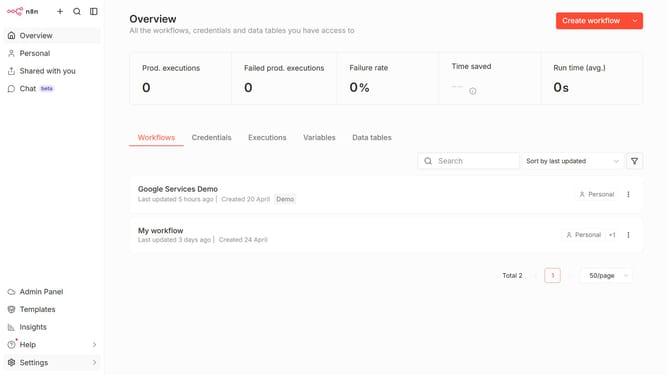
- First click on the dropdown arrow next to "Create workflow" in the header.
- Then click on "Create credential" in the dropdown menu.
- Next, select "Bubble API" from the list of apps. The list appears in the main content area.
- Then click on the "Continue" button in the modal. The button is located in the bottom part of the modal window.
- Next, enter an API token in the "API Token" input field, located in the center of the main content area.
- Finally, click on the "Save" button in the header of the modal window.
Why should you create Bubble API credential in n8n
n8n is a powerful workflow automation tool that seamlessly connects various apps and services.
Creating Bubble API credentials in n8n allows users to integrate Bubble’s capabilities into automated workflows effortlessly.
This feature is beneficial for streamlining tasks, enhancing productivity, and ensuring data flows smoothly between Bubble and other services.
Using Bubble API credentials in n8n benefits users by enabling them to automate processes, minimize manual errors, and enhance business efficiency.
Last update