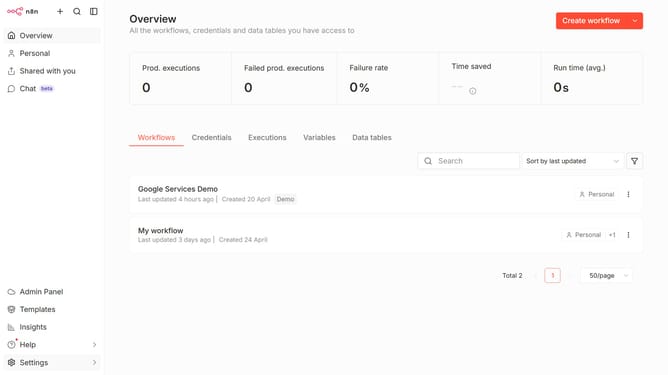
How to create Oura API credential in n8n
Here is how to create oura api credential in n8n
- First click on the drop-down arrow next to 'Create workflow' button in the top menu.
- Then click on 'Create credential' option from the drop-down menu.
- Click on the search input field and enter "Oura".
- Then click on 'Oura API' from the list of services.
- Next, click on the 'Continue' button.
- Then fill in the input field for 'Personal Access Token'.
- Finally click on the 'Save' button to save the credential.
Why should you create Oura API credential in n8n
n8n is a powerful workflow automation tool that seamlessly connects different apps and services, boosting productivity.
Creating an Oura API credential in n8n streamlines your data integration processes. It facilitates the effortless retrieval and manipulation of your Oura data within automated workflows, saving time and reducing effort.
By using Oura API credentials in n8n, you can unlock personalized health insight and efficient management of data-driven tasks, enhancing both personal and professional productivity.
Last update