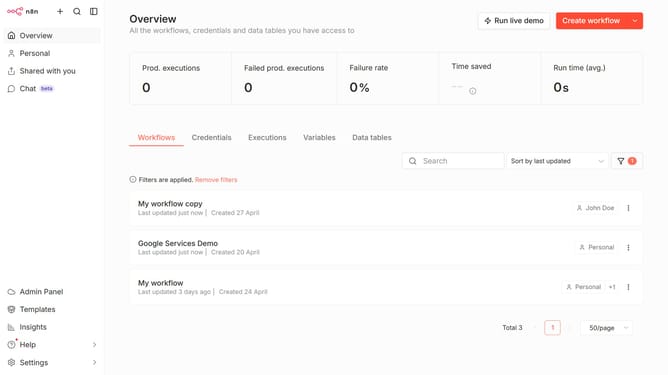
How to create Google Calendar OAuth2 API credential in n8n
Here is how to create google calendar oauth2 api credential in n8n
- First click on the dropdown arrow next to "Create workflow" button.
- Then click on "Create credential" button.
- Then type "google calendar" in the "Search for app..." input field.
- Then click on "Google Calendar OAuth2 API" radio button.
- Then click on "Continue" button.
- Finally click on the "Sign in with Google" button.
Why should you create Google Calendar OAuth2 API credential in n8n
n8n is a powerful workflow automation tool that allows users to seamlessly connect various applications and services.
Creating Google Calendar OAuth2 API credentials in n8n enhances this connectivity by enabling secure, authenticated access to your Google Calendar.
By harnessing this feature, users can automate calendar management tasks effectively, streamlining workflows and increasing productivity.
Such integration ensures a hassle-free experience, particularly beneficial for teams seeking to optimize scheduling and event management.
Last update