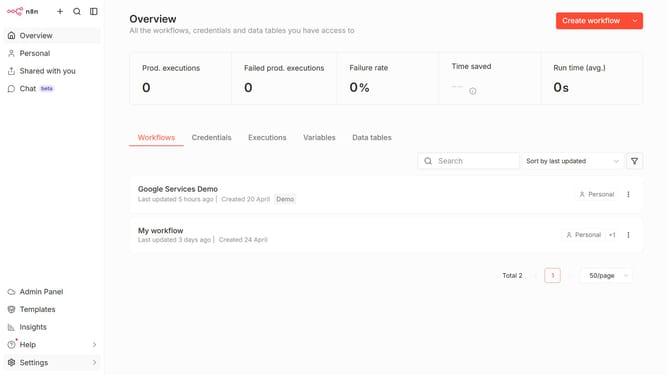
How to create Vercel AI Gateway credential in n8n
Here is how to create vercel ai gateway credential in n8n
- First click on the dropdown arrow next to "Create workflow" button
- Then click on "Create credential" option
- Then click on the "Search for app..." input field and enter "Vercel"
- Next, select "Vercel AI Gateway" from the search results
- Then click on the "Continue" button
- Then fill in the "API Key or OIDC Token" input field
- Finally click on the "Save" button
Why should you create Vercel AI Gateway credential in n8n
n8n is an intuitive workflow automation tool that effortlessly connects various applications and services.
Creating Vercel AI Gateway credentials in n8n enhances your ability to integrate AI-driven functionalities seamlessly. This feature simplifies the process of linking n8n with Vercel’s AI capabilities, offering endless possibilities for automating complex tasks.
The ability to utilize Vercel AI within n8n means users can streamline operations, improve efficiency, and access cutting-edge AI technologies directly within their workflows without any technical hurdles.
Last update