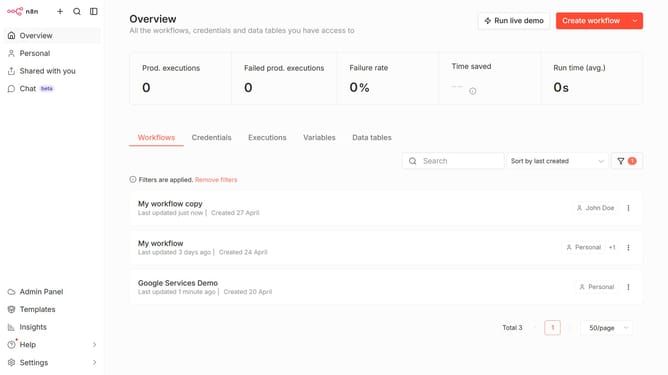
How to sort workflows by name A–Z in n8n
Here is how to sort workflows by name a–z in n8n
- First click on "Workflows" tab in the main content area
- Then click on "Sort" dropdown in the header section
- Finally select "Sort by name (A-Z)" from the sorting options in the dropdown menu
Why should you sort workflows by name A–Z in n8n
n8n is a powerful, open-source workflow automation tool that connects various apps and services seamlessly.
Sorting workflows by name from A–Z in n8n is a straightforward feature that enhances organization. By arranging workflows alphabetically, users can quickly navigate even complex workflows, finding what they need with ease.
This feature is especially beneficial for teams managing numerous workflows daily. It ensures a clutter-free workspace, streamlining operations and boosting productivity effortlessly.
Last update