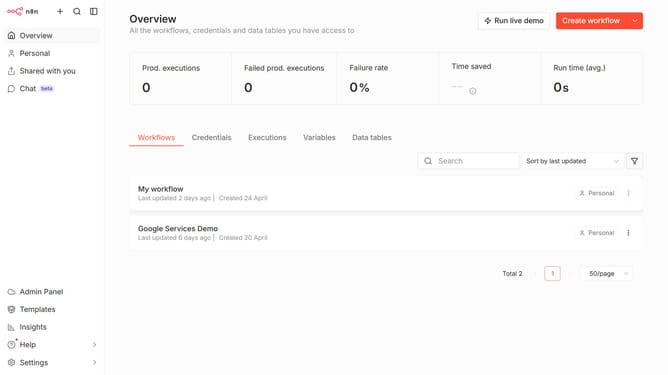
How to sort workflows by last updated in n8n
Here is how to sort workflows by last updated in n8n
- First click on the "Workflows" tab.
- Then click on the "Sort" dropdown.
- Finally select "Sort by last updated" from the dropdown menu.
Why should you sort workflows by last updated in n8n
n8n is a versatile automation tool designed to simplify complex workflows across various applications.
Sorting workflows by "last updated" in n8n offers a streamlined way to track and organize your project updates for better efficiency.
This feature is particularly beneficial for teams managing multiple workflows, as it helps prioritize tasks and focus on the most recent changes.
By keeping workflows sorted, you ensure that your team is always aligned, facilitating seamless collaboration and reducing the risk of overlooking recent modifications.
Last update