How to create Wise API credential in n8n
Here is how to create wise api credential in n8n
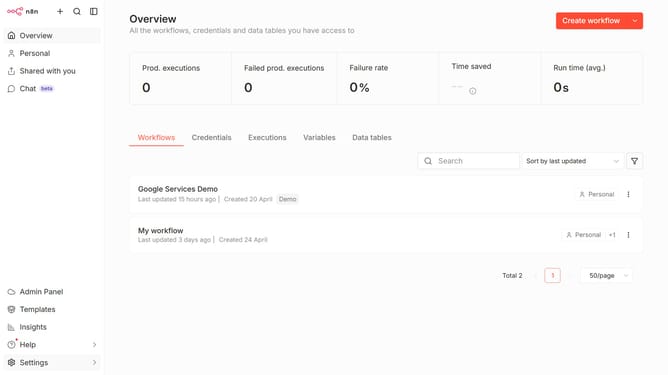
- First click on the dropdown arrow next to "Create workflow"
- Then click on "Create credential"
- Click on the "Search for app..." input field and enter "Wise"
- Select "Wise API"
- Click on the "Continue" button
- Fill in the "API Token" input field
- Finally click on the "Save" button
Why should you create Wise API credential in n8n
n8n is an innovative, open-source platform designed to automate workflows seamlessly.
Creating a Wise API credential in n8n enables you to connect and automate Wise financial transactions effortlessly.
This integration allows users to streamline their money transfer processes, enhancing efficiency and reducing manual errors.
Utilizing this feature empowers businesses and individuals with more control over their financial operations, making cross-border payments smoother and more efficient.
Last update